Here’s a number that may change how you think about creative operations: in our 2025 Approval Research Study of 500 marketing and creative professionals, 74% said approvals take more effort than the creative work itself. More than 60% spend up to a full day every week just chasing sign-off.
StreamWork Is Now on the Adobe Marketplace: Create in Adobe Creative Cloud, Approve in StreamWork
StreamWork’s Adobe Creative Cloud integration is now available on the Adobe Marketplace. Send work from Adobe Premiere, Photoshop, and InDesign straight into StreamWork’s online proofing and multi-stage creative approval workflows. Premiere markers sync with reviewer comments, designers get pixel-accurate feedback, and every approval runs through one audit trail. Available on Team plans and above.

Meredith
8
min read
Nov 12, 2026
The work isn’t the bottleneck. Getting it approved is. The work gets stuck after it’s made: exported, uploaded, emailed around, and waiting on someone in legal who never saw the last version.
That’s the exact problem StreamWork was built to solve. It gives creative and marketing teams one place to collect feedback, route work through every approver, and track who signed off on what.
Until now, getting work into StreamWork meant exporting files from Adobe Creative Cloud and uploading them by hand. Today, that step goes away. StreamWork for Adobe Premiere, Photoshop, and InDesign are now live on the Adobe Marketplace.
Upload work to StreamWork straight from Adobe Creative Cloud, and see reviewer feedback right in Premiere, Photoshop and InDesign.
More than a plugin: a direct line from Adobe Creative Cloud to your approval workflow
Getting a file out of Adobe Creative Cloud is only the first step. StreamWork connects that file to everything that comes next: the people, the routing, and the tools your team already uses.
- Your entire stack, connected. Once work from Adobe Creative Cloud lands in StreamWork, it runs through the same approval workflow as everything else your team reviews, with integrations for Asana, monday.com, Slack, Figma, Google Drive, Dropbox, Box, OneDrive, and more. Approval status syncs back to Asana and monday.com, and our API covers the rest.
- Real approval infrastructure. Route work through creative, legal, brand, and leadership in the right order, with deadlines, automated reminders, and an audit trail. Not just approve or reject.
- Flexible by design. Every file type in one place, not tied to an Adobe subscription, and reviewers approve from a link without any account.
- Easy to roll out. G2 users rate StreamWork for Fastest Implementation and Highest User Adoption in Online Proofing. Teams get up and running without an IT ticket.
Premiere: feedback lands on your timeline
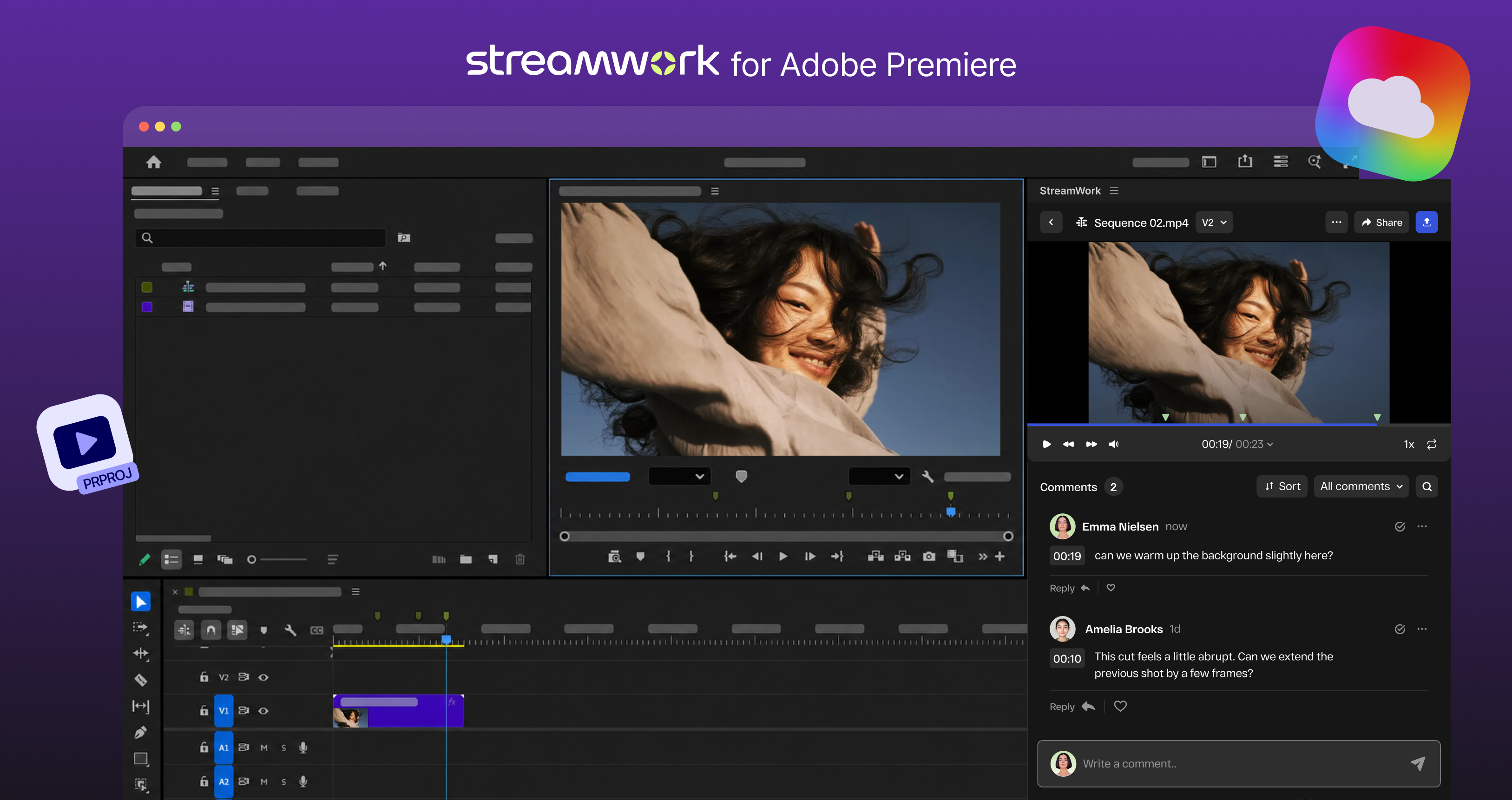
StreamWork’s Premiere integration is fully two-way, built for editors and the marketing teams they work with.
- Upload without exporting by hand. Send a full sequence, in/out points, or the work area to StreamWork as new media or a new version.
- Markers and comments stay in sync. Premiere markers become StreamWork comments. Reviewer comments come back as markers on your timeline.
- Work with proxies. Import proxy files for review without moving full-resolution media.
- Compare cuts side by side. Each new upload stacks as a version in StreamWork, so you can confirm every note was addressed.
Photoshop and InDesign: share in one step, get precise feedback
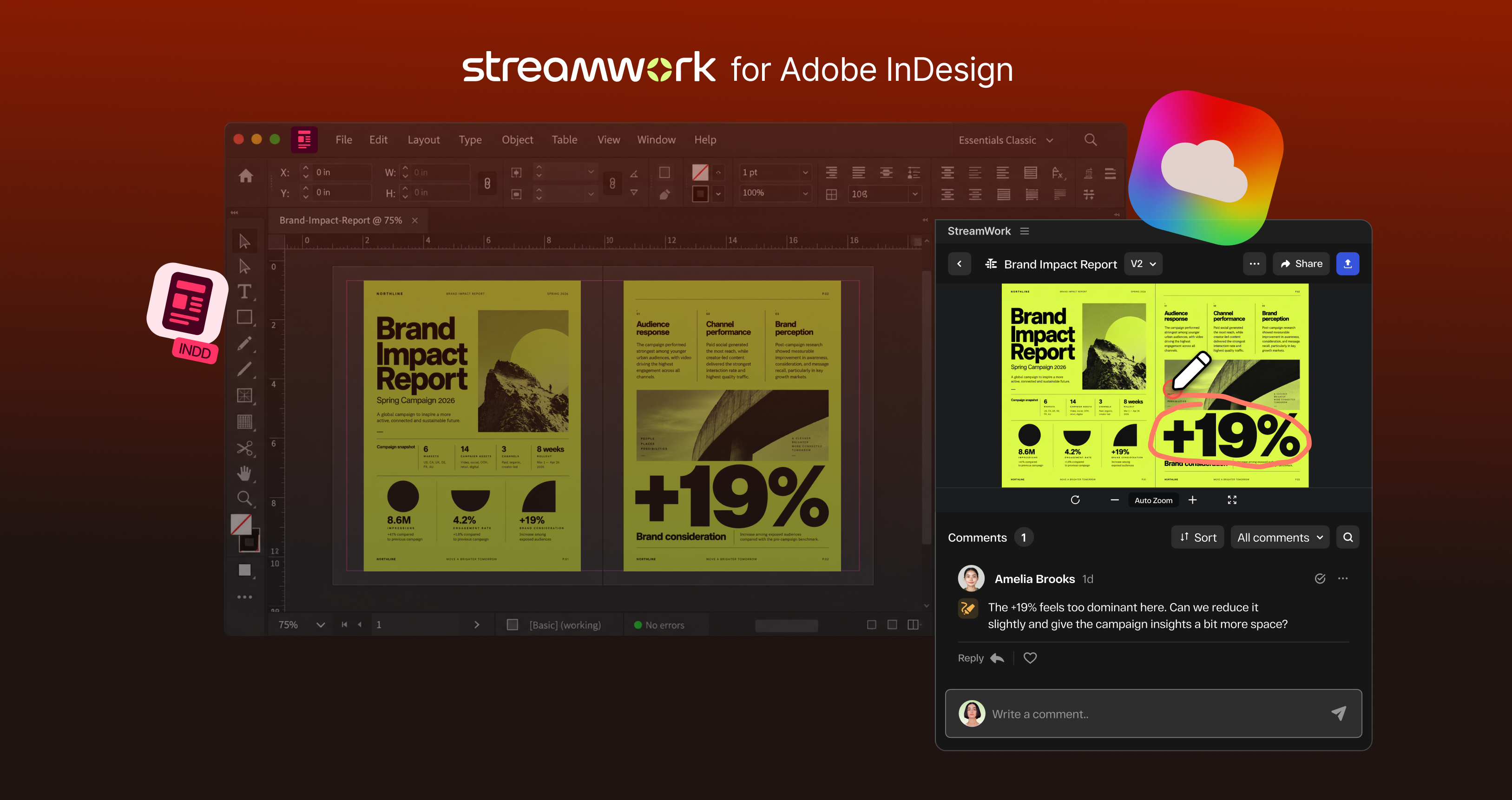
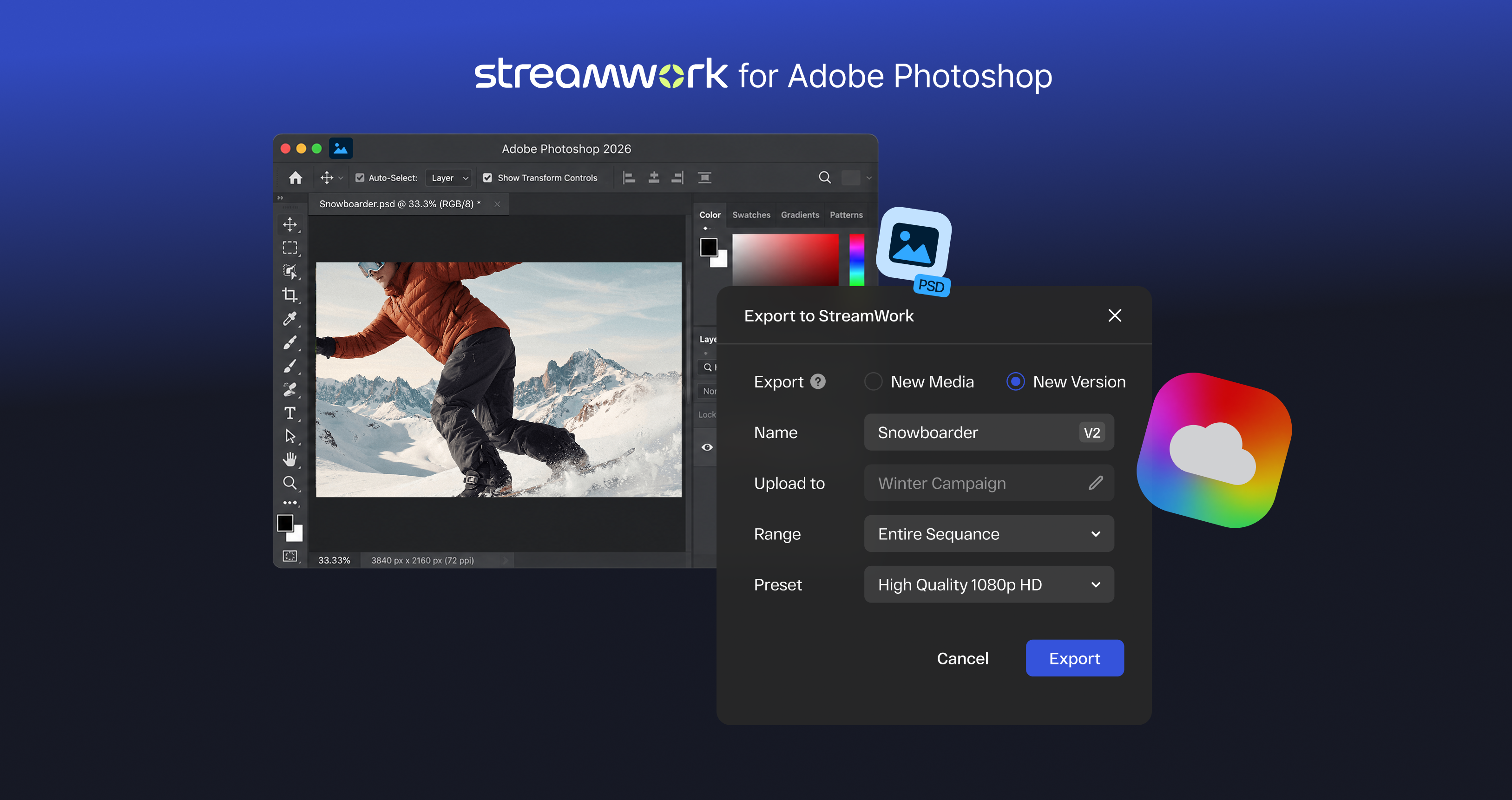
Designers share files from Photoshop and InDesign straight into StreamWork as a new proof or version. No manual export, no download.
Reviewers pin feedback to the exact pixel or element they mean, so “the logo in the top left” becomes a precise, assignable comment. Every round stacks as a version you can compare side by side.
Built for enterprise creative teams
Leading enterprise creative teams trust StreamWork to run their global approvals. It’s SOC 2 Type II certified, with SSO, AES-256 encryption, and role-based permissions. StreamWork is also a 2026 Webby Award Honoree and was recognized by G2 users for Best Estimated ROI.
Get started in a few minutes
StreamWork for Adobe Premiere Pro, Photoshop, and InDesign are included on StreamWork Team plans and above. Your StreamWork admin activates the integration in Admin settings > Integrations. Then your team downloads the free plugins from the Adobe Marketplace, signs in with their StreamWork account, and sends their first proof. Enterprise plans include full integration depth and custom implementation support.
See all the details at streamwork.com/adobe-creative-cloud. New to StreamWork? Try it free or book a demo.

Author
Meredith
Meredith is the Founder and CEO of StreamWork, a leading online proofing and approval platform that helps marketing and creative teams centralize feedback, manage versions and automate approval workflows so they can cut approval cycles by 30%+. Meredith has 12+ years experience working as a marketer at Apple, Google, YouTube and Warner Bros., and has worked on hundreds of creative assets with teams large and small. Her mission is to simplify the creative approval process. Learn more at www.streamwork.com
Product news
Creative Workflows
This is some text inside of a div block.
Get the latest from StreamWork
Stay up to date on product news, insights, thought leadership and more.