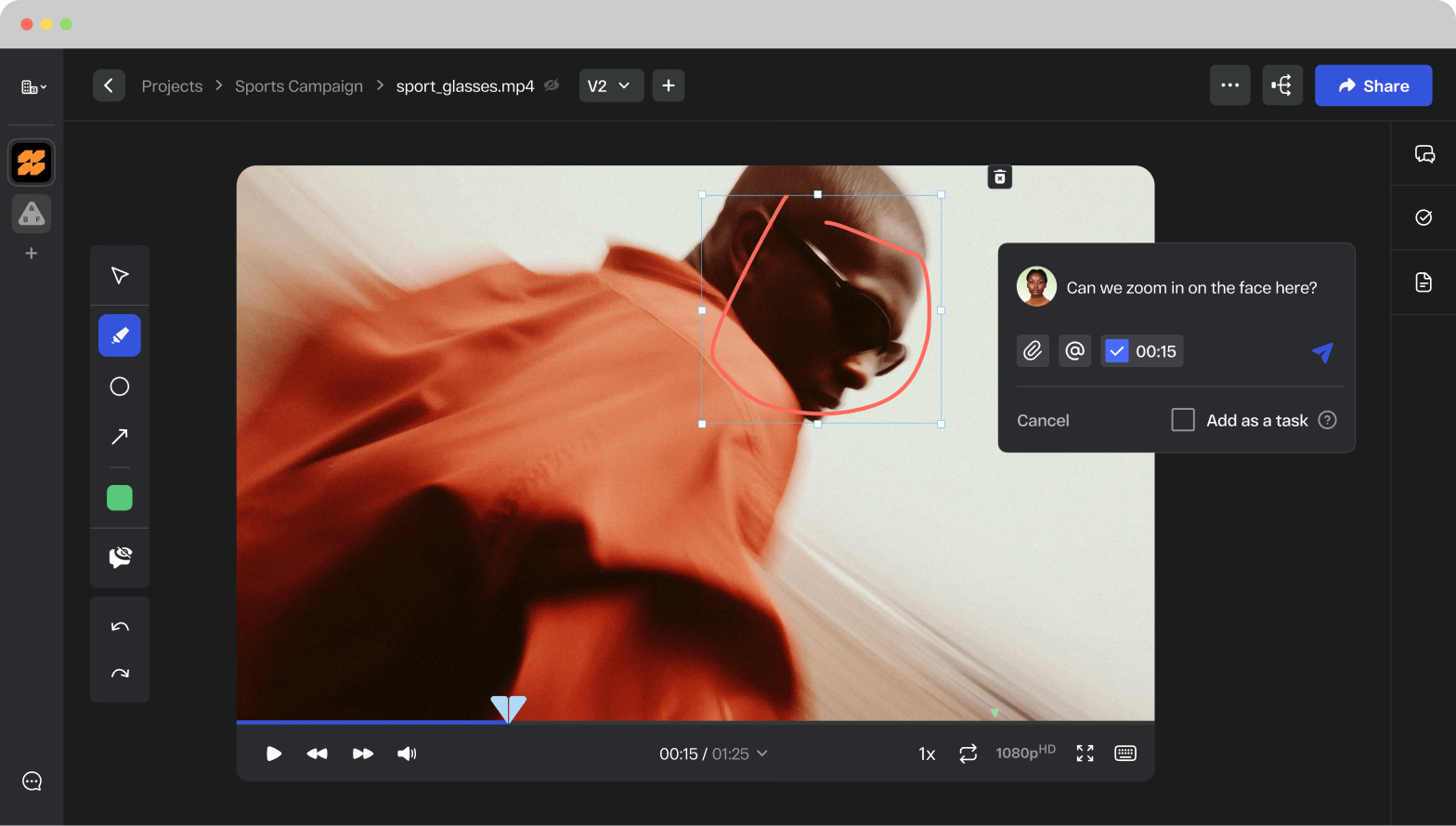
Collect precise, contextual feedback directly on videos, PDFs, images, slides, and Adobe files. No more email threads or screenshot annotations. Every comment is pinned to the exact frame, pixel, or page it refers to. Share unlimited assets for review, free. No client login required.
Online proofing software for agencies
Manage all your client reviews, internal sign-offs, and creative approvals in one platform, whether you are running five client accounts or fifty. StreamWork gives agencies the modern, AI-enabled approval workflows, version control, and structured feedback tools to deliver great work at scale, with fewer revision cycles and less back-and-forth.
for ROI
SOC2
AES
Infrastructure
Trusted by creative teams
“We used to face significant complexity in gathering approvals from collaborators across different phases and iterations of a creative project. StreamWork helped simplify the process enormously. We can now build out chains of reviewers to weigh in on creative.”
“StreamWork solves one of the most expensive problems in creative operations: broken approvals. It focuses on doing feedback, versioning, and sign-off properly. When teams introduce StreamWork with the right approval logic, we consistently see fewer revisions, calmer creatives, and faster launches.”
Trusted by
The Channel Company, MegaFood, Arizona State University, Jack Nadel International, and NBCC
Research
Agency approval chaos is costing more than most teams realize
In our 2025 StreamWork Approval Research Study, we surveyed over 500 marketing and creative professionals, and the results were clear
say the approval process takes more effort than the creative work itself
report approval delays that stall projects and deadlines
spend a full day every week chasing approvals
say approval delays waste budget and hurt ROI
reduction in creative approval cycles for teams using StreamWork
Source: Approval Research Findings, StreamWork 2025
The StreamWork difference
A smarter way for agencies to manage creative reviews
From Adobe Creative Cloud files to video campaigns, StreamWork helps agencies collect clear, visual feedback on any file type, keeping every creative workflow moving efficiently and every client approval on track.
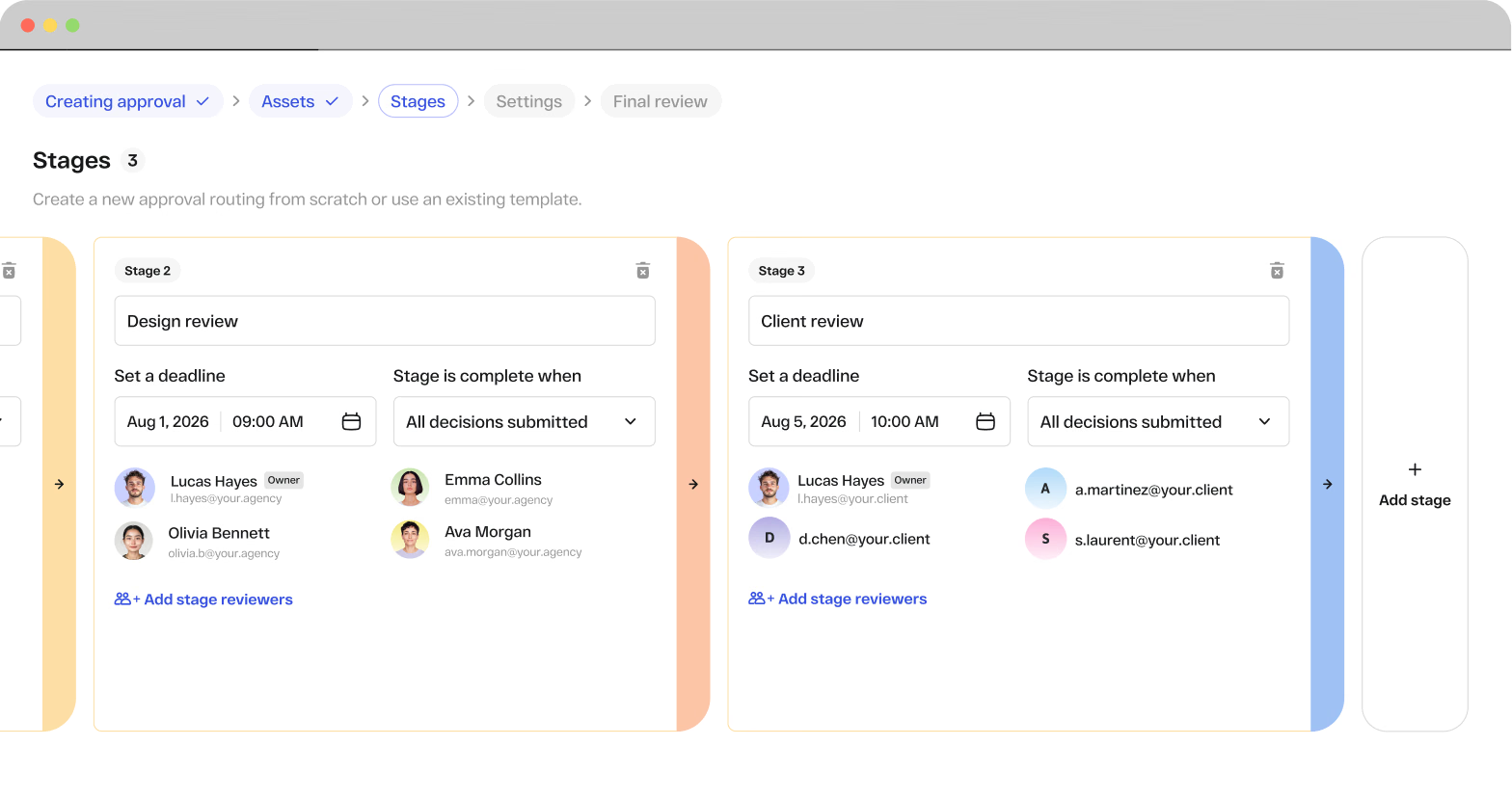
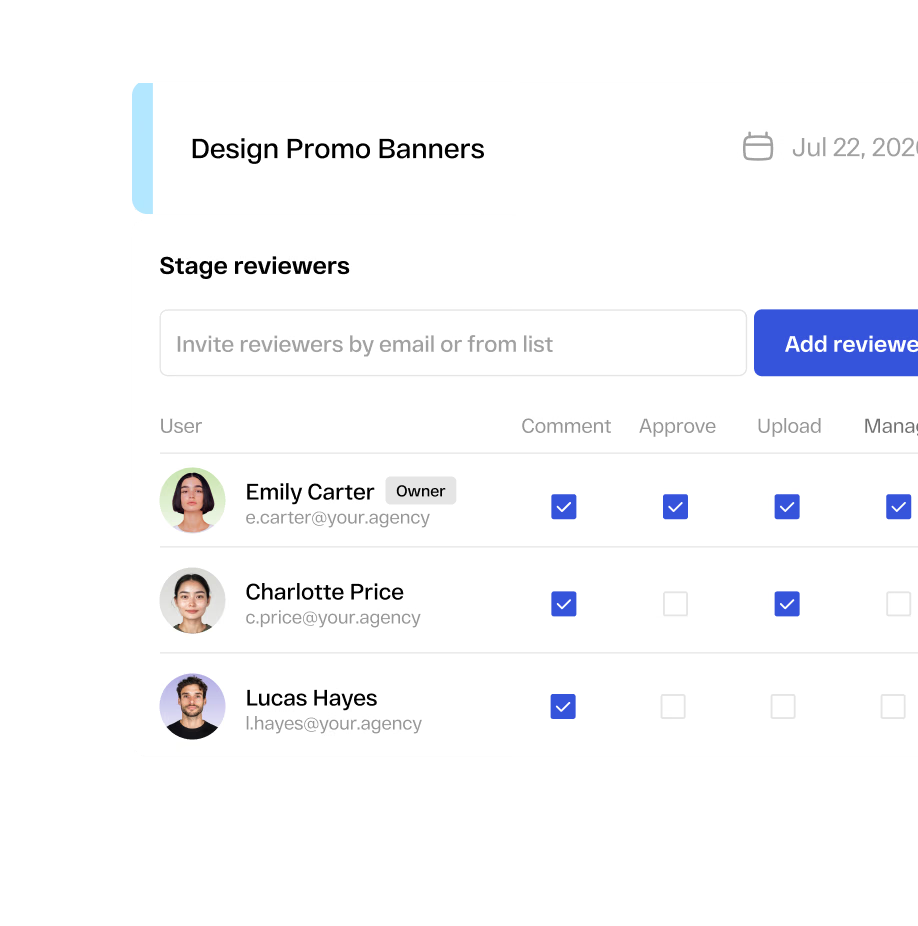
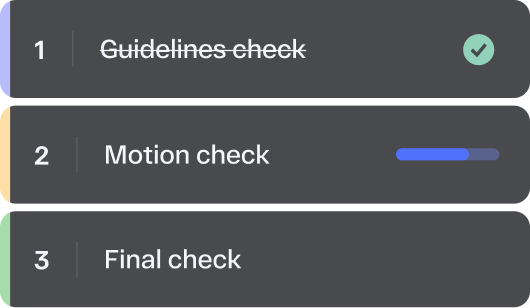
Build and save approval workflow templates that reflect your agency’s structure. Assign reviewers, set deadlines, and route assets through multi-stage approvals across internal teams, client stakeholders, and legal reviewers in the right order. Bulk approvals let you route multiple assets across multiple client accounts simultaneously. Smart deadline reminders keep every stakeholder on schedule without your team needing to chase anyone down.
One platform for your team, your clients, and your vendors
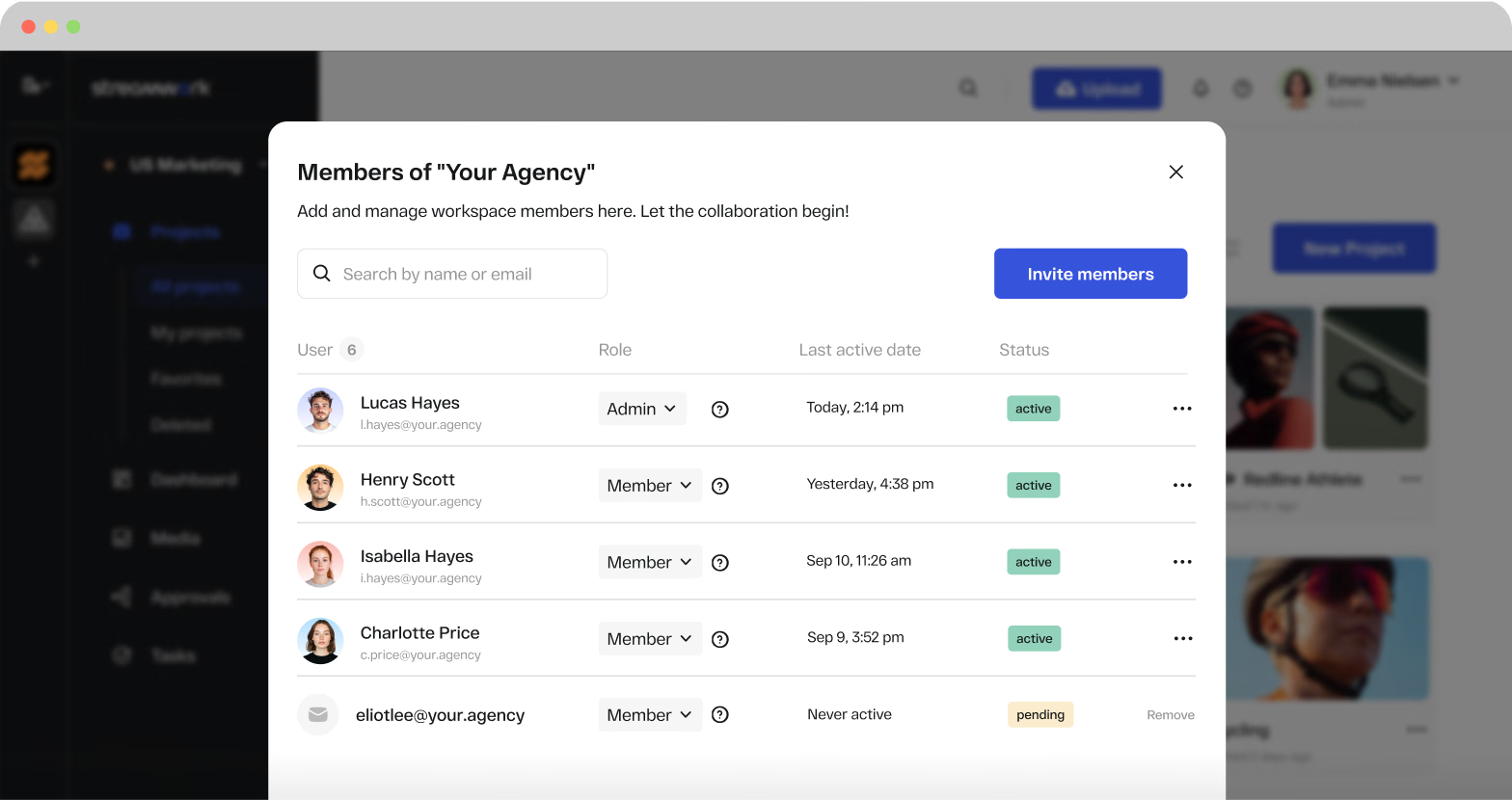
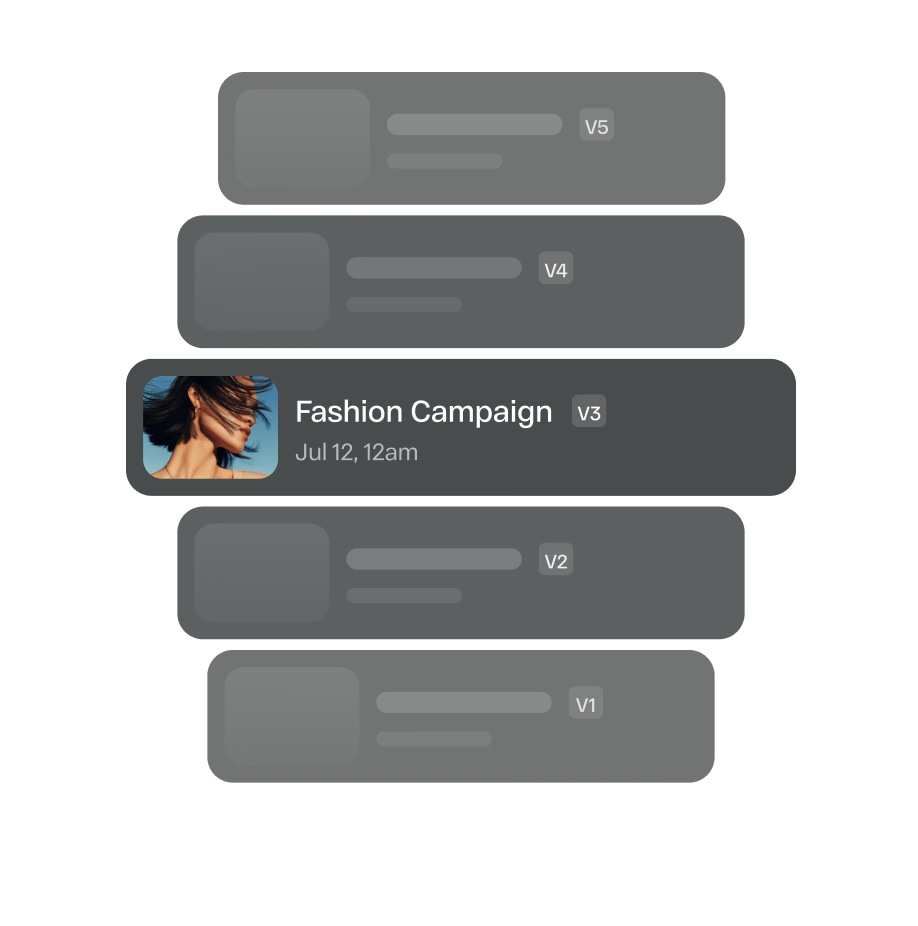
Bring your account team, creatives, vendors, and clients together in one secure, SOC 2 Type II certified workspace. Built-in access controls and permissions mean every stakeholder sees exactly what they need to, and nothing more. Version control keeps every project organized so the right file is always front and center.
Easy review for external stakeholders
Share designs with clients, partners, and other external reviewers through a simple proofing link. No account or software setup required, so stakeholders can open the latest version, leave feedback, and approve immediately.
- Share unlimited review links at no extra cost
Features
Everything your agency needs to deliver faster and impress every client
StreamWork gives creative agencies the tools to run a tighter, more professional review and approval process, from first draft to final sign-off, across every account, every file type, and every client.
Native Integrations
Works inside the tools your agency already uses
StreamWork connects natively with the platforms your agency runs on, so creative reviews and approvals happen inside your existing workflow, not outside it.
Asana
Keep your Asana projects in sync with your creative approval process. Approval status updates, version changes, and task assignments flow between StreamWork and Asana automatically so your project management always reflects what is happening on the creative side.
Monday.com
Sync StreamWork approvals directly into your Monday.com boards. When a creative asset moves through a review stage or gets approved, Monday.com updates automatically so your agency’s project tracking stays accurate without manual updates.
Slack
Get instant Slack notifications the moment a client leaves feedback, approves an asset, or flags a revision. Your team stays in the loop without leaving Slack, and nothing waits on someone checking their inbox.
Adobe Creative Cloud
StreamWork connects directly with Adobe Creative Cloud so your designers never leave their tools to share work for review. Whether your team is working in Premiere, InDesign, or Photoshop, assets move seamlessly into StreamWork for client and stakeholder review without extra export steps.
Figma
StreamWork’s Figma plugin lets designers share work directly from Figma into StreamWork for client review and approval without exporting files. Clients and stakeholders leave precise feedback directly on the design. No extra steps, no file management, no version confusion.
Digital Asset Management (DAM)
StreamWork can integrate with your existing DAM via our internal API, so approved assets flow directly into your asset library without manual uploads or duplicate file management. If your agency or your clients use a DAM, we can build a custom integration to connect your creative review and approval process directly to it.
Recognition
See how StreamWork transforms agency creative reviews
2026 Webby
Awards Honoree
StreamWork was recognized at the 30th Annual Webby Awards in the Apps, Software & Immersive: Creator, Creative, and Media Tools category.
Built to help agencies scale creative output while reducing the time and effort spent managing approvals.
Customer proof
What customers are saying
“I love the ability to leave comments on creative, and then to create tasks based on those comments. It's also helpful to manage who needs to see what version, and identify their role in reviewing. We work with external agencies and lots of stakeholders internally, so that's super useful.”
Case study
10days saved
per project
A global CPG brand cut approval time by 10 days per project after implementing StreamWork's native Asana integration, with teams across all departments saving 5 days per project, according to Kelly Perry, Creative Operations Consultant and Asana Services Partner.
FAQs
What is online proofing software for agencies?
Online proofing software for agencies is a platform that centralizes creative review and approval across client accounts, file types, and internal and external stakeholders. Instead of managing client feedback across email threads, Slack messages, and shared drives, agencies use online proofing software to collect precise, contextual feedback directly on the asset, route approvals through the right people in the right order, and maintain a complete version history for every project. StreamWork is modern, AI-enabled online proofing software built for creative agencies managing high volumes of client creative across multiple accounts simultaneously.
Do clients need a StreamWork account to review and approve creative?
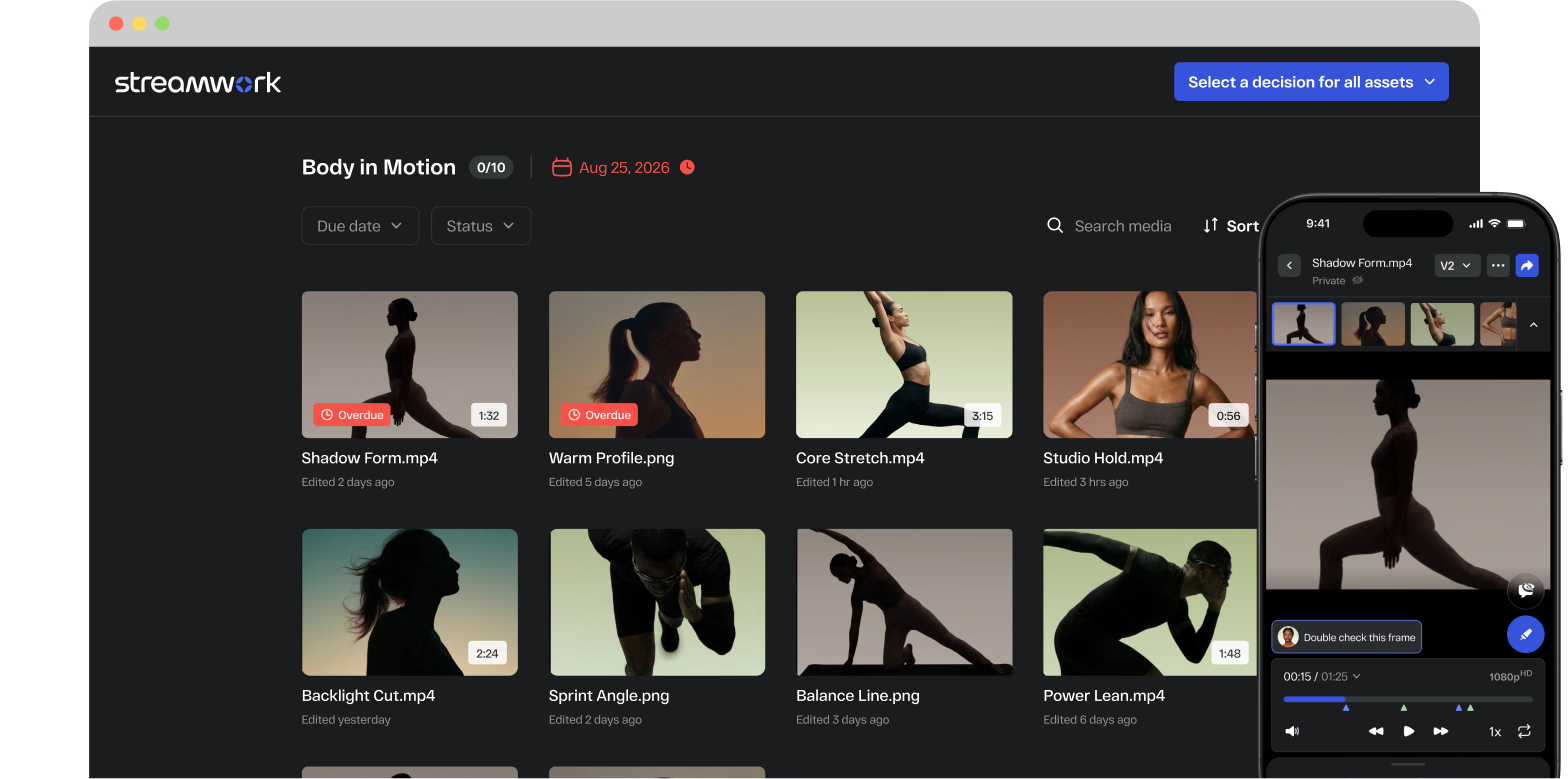
No. Share any asset for review with a single proofing link. Clients can leave frame-accurate feedback on video, pixel-accurate feedback on images, and page-accurate feedback on PDFs without creating a StreamWork account. No login walls, no software downloads, no setup required on their end. Your agency controls access and permissions for every proofing link.
Can StreamWork handle multiple client accounts?
Yes. StreamWork is built for agency scale. Separate workspaces per client keep accounts organized and access controlled. Bulk approval routing lets you route multiple assets across multiple client accounts simultaneously. Your team always knows which assets are pending, approved, or in revision across every account, from a single centralized dashboard.

How does StreamWork improve client feedback quality?
Vague feedback, "make it pop" or "something feels off", happens when clients are describing assets from memory rather than reacting to them directly. StreamWork puts feedback on the asset itself. Clients leave comments pinned to the exact frame, pixel, or page they're referencing. Every comment is precise, contextual, and actionable. Revision rounds go down. Client relationships improve.
Does StreamWork integrate with Figma and Adobe Creative Cloud?
Yes. StreamWork's Figma plugin lets designers share work directly from Figma into StreamWork for client review without exporting files. StreamWork also connects natively with Adobe Creative Cloud: Premiere, Photoshop, and InDesign assets move seamlessly into StreamWork for review without extra export steps. Comments on Premiere files sync back as markers on the editor's timeline automatically.
How does StreamWork handle approval workflows for agencies?
StreamWork lets agencies build and save multi-stage approval workflow templates that reflect their internal structure. Assign reviewers, set deadlines per stage, and route assets through internal creative review, account management, client review, and legal sign-off in the right order. Bulk approval routing handles multiple assets across multiple client accounts simultaneously. Smart deadline reminders keep every stakeholder on schedule without manual follow-up.
Is StreamWork secure enough for client creative?
Yes. StreamWork is SOC 2 Type II certified with AES-256 encryption, SSO, two-factor authentication, and granular role-based permissions. Clients see only what they're explicitly shared. Internal teams, external vendors, and client stakeholders are all organized with separate access levels. Password-protected proofing links add an additional layer of security for sensitive pre-launch creative.