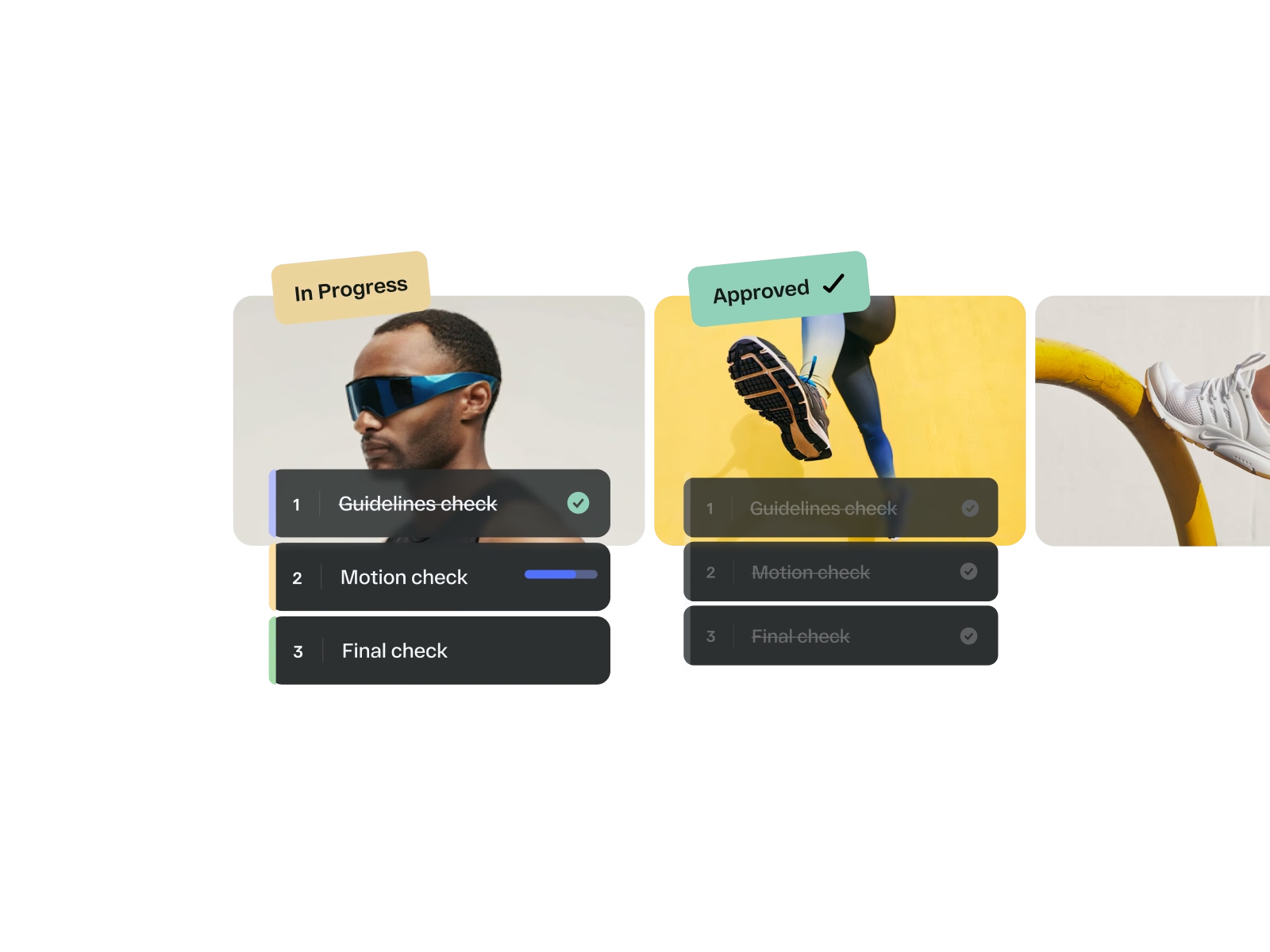
Everything in
one workspace
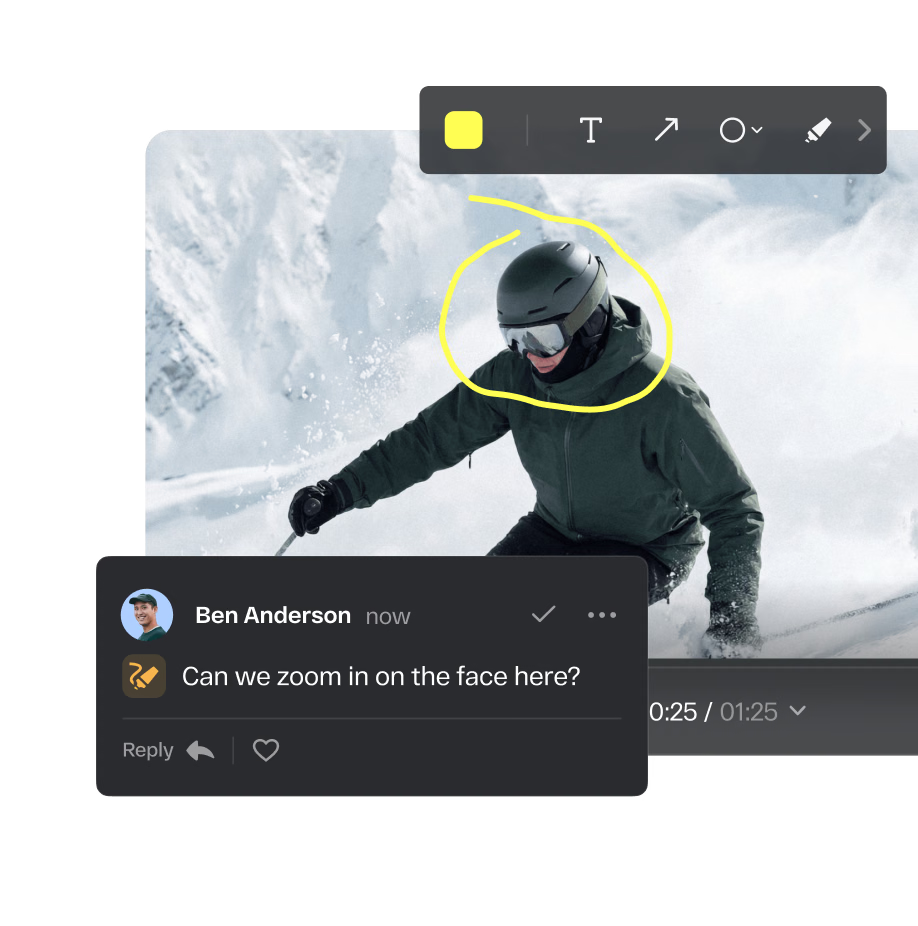
Centralize comments, annotations, and approvals across every asset and every campaign. No more bouncing between tools or losing feedback in email threads.
“StreamWork was created by people who get the proofing process. So many layers of options and process possibilities. Full control over options and features at every step.”
“I'm particularly excited about how it frames the work simply and clearly for our seniormost executives. Different approval experiences for different levels of seniority just makes sense, and it's not available in the other services out there.”
The Channel Company, MegaFood, Arizona State University, Jack Nadel International, and NBCC
Overview
StreamWork is a modern, AI-enabled online proofing software and creative approval platform built for enterprise. Marketing teams, creative ops leaders, in-house studios, and agencies use StreamWork to collect structured feedback, manage AI-enabled multi-stage approval workflows, and maintain version control across every asset: video, images, PDFs, presentations, documents, and more.
StreamWork meets your team where they already work, integrating directly with Asana, Monday.com, Slack, Adobe Creative Cloud, and more so online proofing happens inside your existing workflow, not outside it. Powerful enough for the most complex enterprise creative workflows, intuitive enough that every stakeholder engages from day one.
Centralize comments, annotations, and approvals across every asset and every campaign. No more bouncing between tools or losing feedback in email threads.
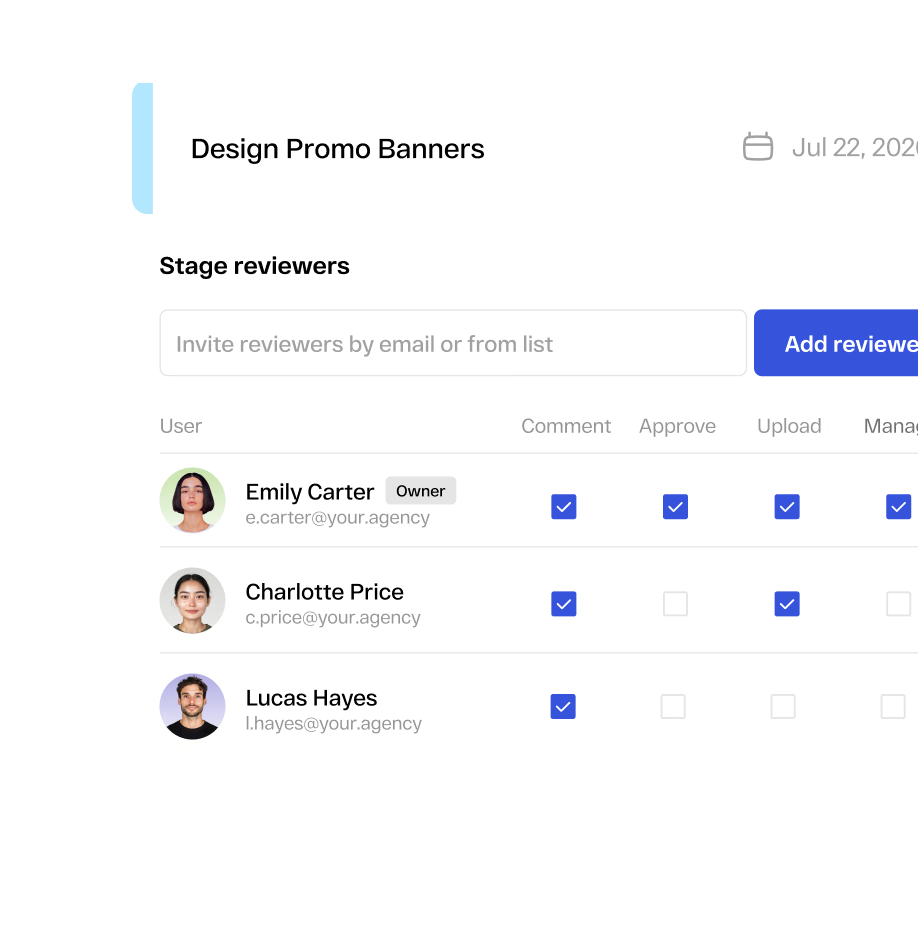
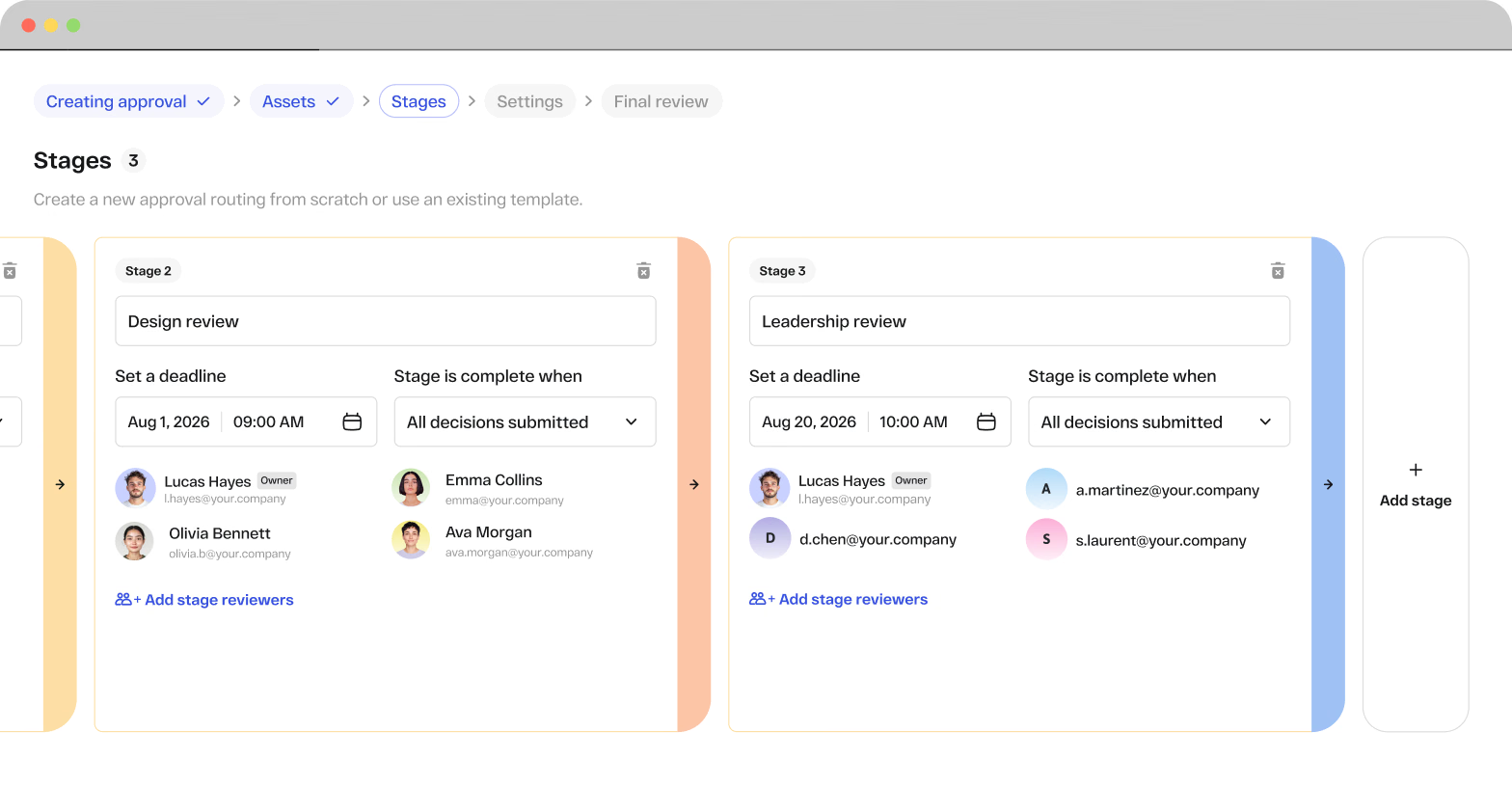
Assign reviewers, set deadlines, save your most-used workflows as reusable templates, and let StreamWork handle the rest. Smart reminders keep every approval stage moving without manual nudges from your team.
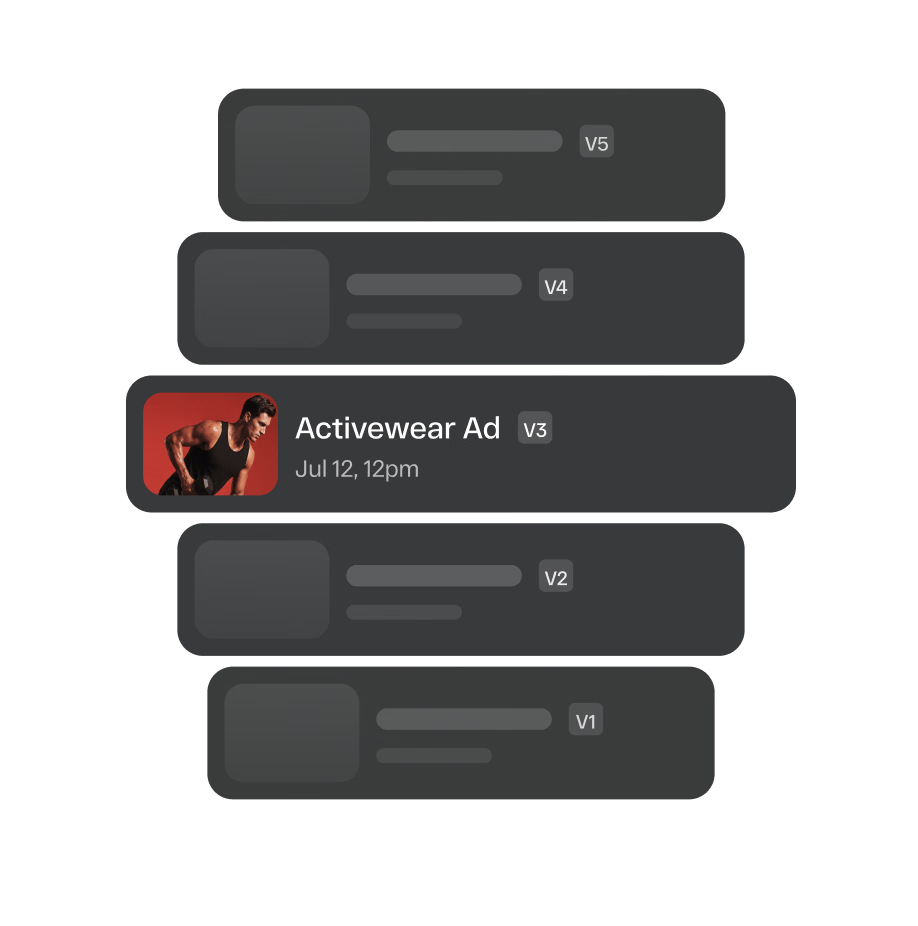
Compare versions, track changes, and keep feedback organized throughout the approval process. Everyone always knows which file is current and what changed between rounds.







Why StreamWork
AI-enabled multi-stage approval workflows route creative to the right stakeholders in the right order, with smart reminders that keep every stage moving. Teams using StreamWork cut approval times by over 30%.
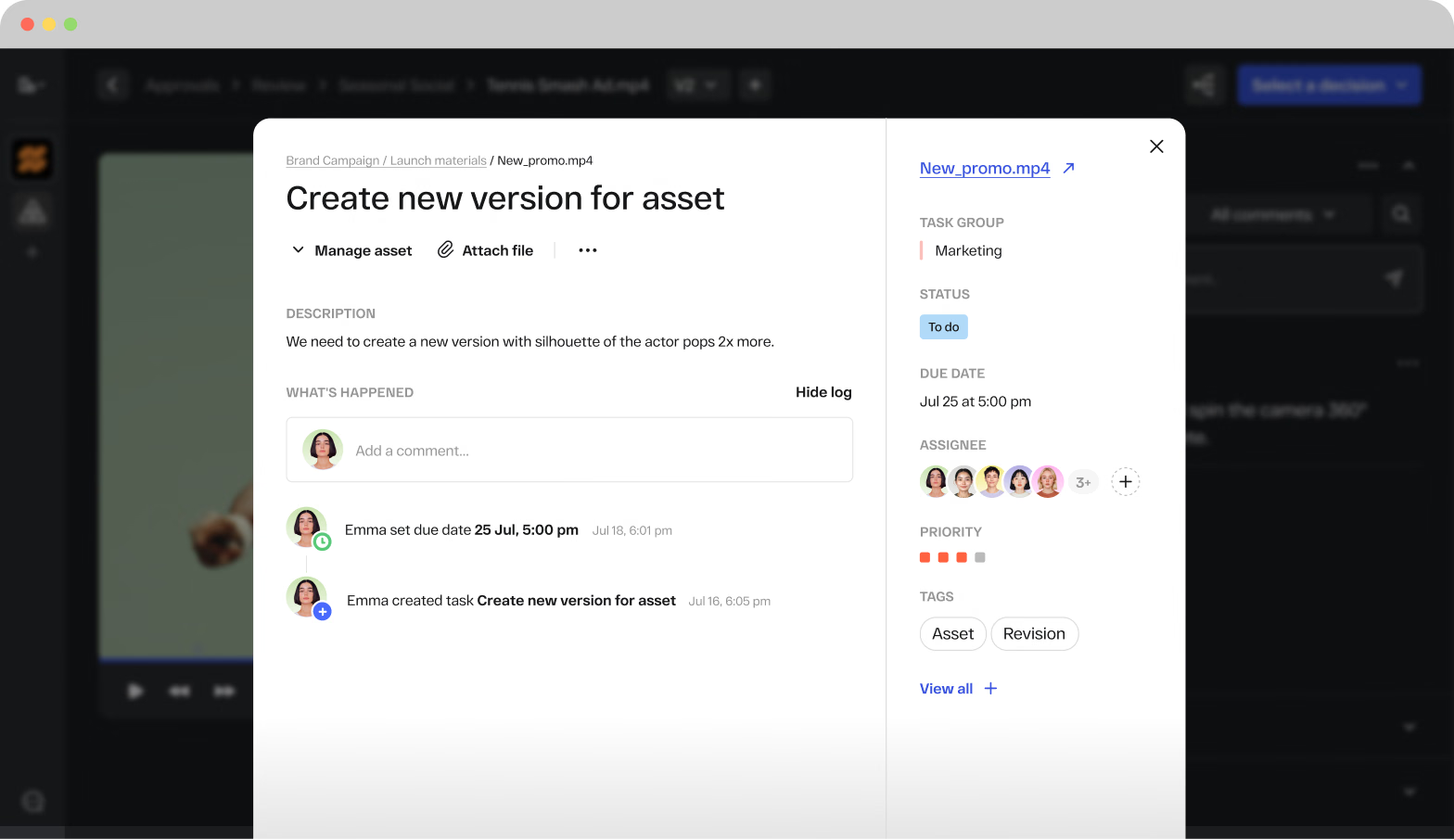
Convert any comment on any asset into an assigned task with an owner, a due date, and a priority. Legal handles their notes. Copy handles theirs. Brand handles theirs. Nothing gets lost between review rounds.
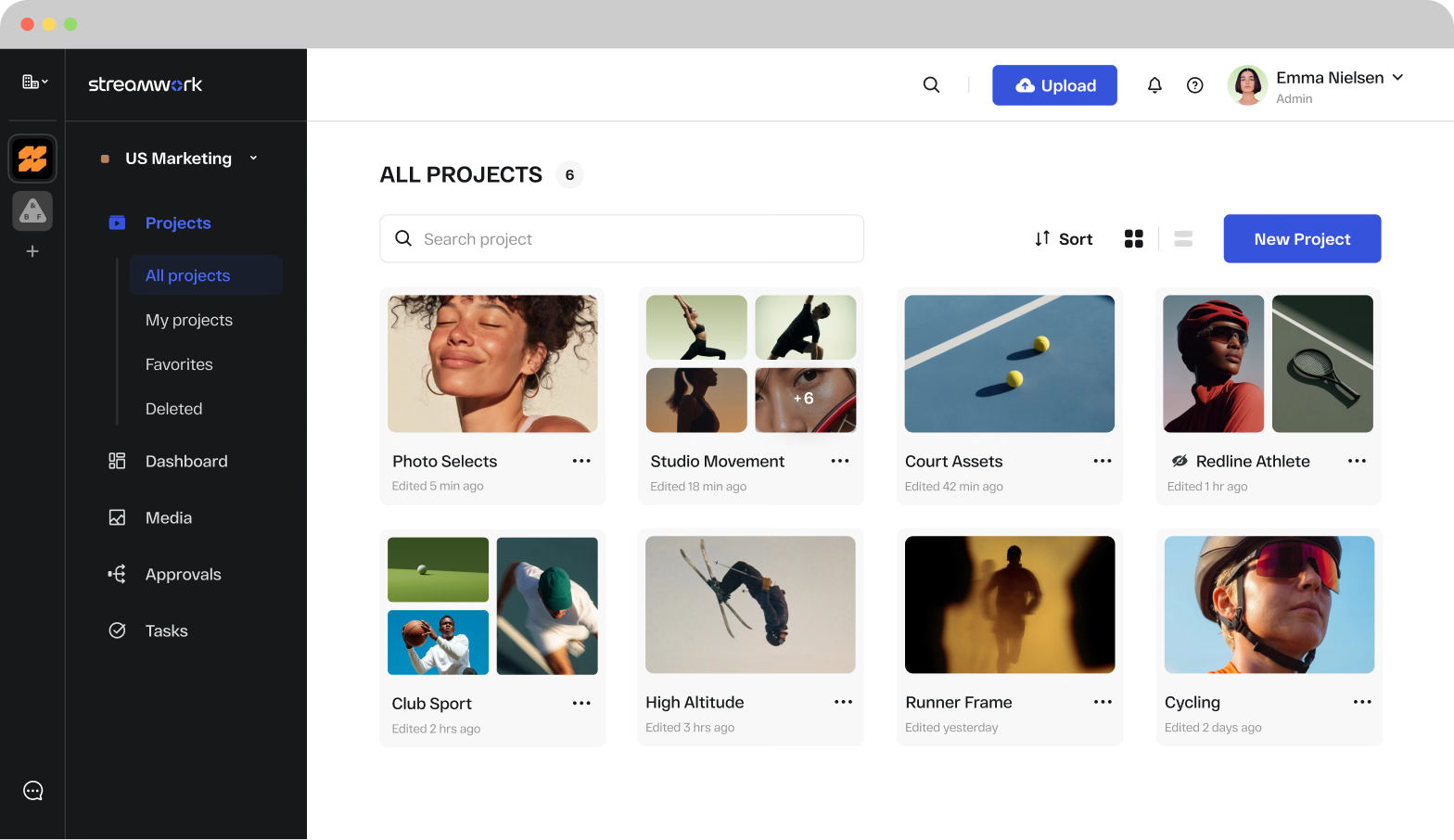
StreamWork is organized as a visual-first platform with workspaces, projects, folders, and subfolders: essentially a lightweight DAM layered with online proofing and approval capability. Every campaign has its own structured space. Assets are searchable, versions are tracked, and access is controlled at every level.
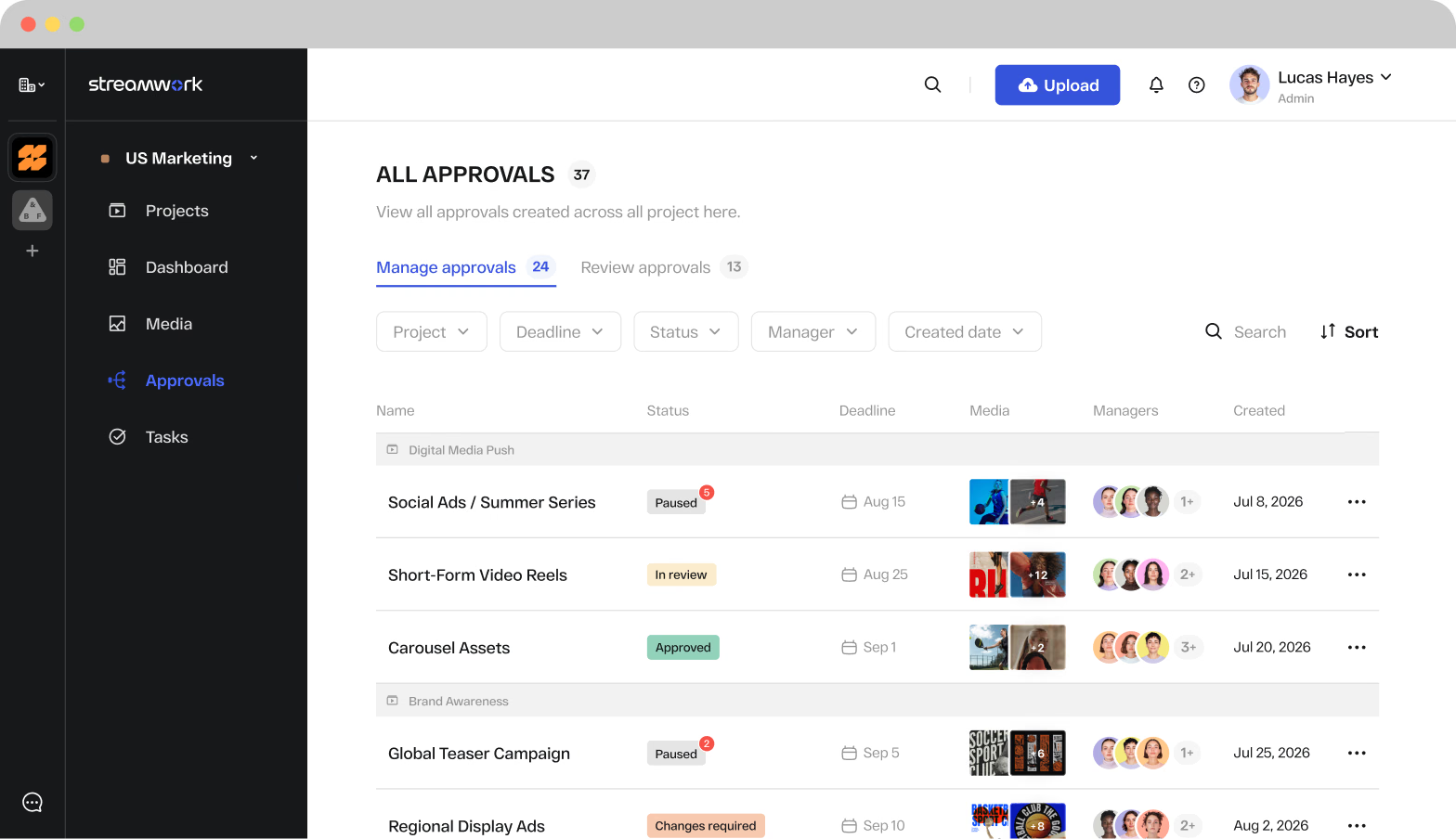
One dashboard shows every asset, every approval status, every overdue reviewer across all active projects. Your team always has a complete picture of what's moving and what's stuck.
Native Integrations
StreamWork integrates natively with Asana, Monday.com, Slack, Adobe Creative Cloud, and more, so online proofing and approval status live alongside your existing project management workflows automatically.
Upload a proof directly from any Asana task and route it for approval in StreamWork. Approval status syncs back automatically so your Asana board always reflects where creative work stands. No manual updates, no status meetings.
Native two-way integration. Upload from a Monday.com board item, approve in StreamWork, status updates automatically. Your team's project management always reflects the current approval state.
Real-time notifications the moment an asset is uploaded, commented on, or approved. Internal stakeholders stay informed without leaving Slack or chasing status updates from your creative team.
Designers and editors share files directly from Photoshop, InDesign, and Premiere into StreamWork for review. Comments sync back as markers on the Premiere timeline automatically.
Share design assets directly from Figma into StreamWork for structured review and approval alongside every other asset type your team produces.
Connect your cloud storage and pull files directly into StreamWork projects. Approved assets can flow back into your DAM via our internal API for custom integrations.
Research
In our 2025 StreamWork Approval Research Study, we surveyed over 500 marketing and creative professionals, and the results were clear.
say the approval process takes more effort than the creative work itself
report approval delays that stall projects and deadlines
spend a full day every week chasing approvals
say approval delays waste budget and hurt ROI
reduction in creative approval cycles for teams using StreamWork
Source: Approval Research Findings, StreamWork 2025
Customer proof
“I love the ability to leave comments on creative, and then to create tasks based on those comments. It's also helpful to manage who needs to see what version, and identify their role in reviewing. We work with external agencies and lots of stakeholders internally, so that's super useful.”
Case study
10days saved
per project
A global CPG brand cut approval time by 10 days per project after implementing StreamWork's native Asana integration, with teams across all departments saving 5 days per project, according to Kelly Perry, Creative Operations Consultant and Asana Services Partner.
More insights
Online proofing software is used by any team that produces creative content and needs a structured way to collect feedback and get it approved. The most common users include marketing teams managing campaign assets, social content, and go-to-market materials; in-house creative studios handling design, video, and brand production; creative operations leaders building repeatable review processes across large organizations; agencies managing client approval cycles across multiple accounts; packaging and artwork teams in CPG, pharma, and manufacturing who need compliance-grade approval trails; and executive stakeholders who need a fast, intuitive way to review and sign off without getting pulled into complex tools. StreamWork is purpose-built to serve all of these teams in one platform.
Online proofing software is a centralized, cloud-based platform where marketing and creative teams collect feedback, track versions, and manage approvals on creative assets: videos, images, PDFs, presentations, and documents. Instead of juggling email threads and downloaded files, teams use a single platform to review, annotate, and approve work with a clear, auditable record of every decision. Traditionally, proofing meant printing physical copies or circulating files manually, a process that was time-consuming and error-prone. Modern online proofing software digitizes and automates these steps, enabling all stakeholders to annotate files, compare versions, and manage approvals from anywhere.
Design teams use online proofing software to manage everything from branding assets to social media visuals, with all rounds of changes documented in one place. Marketing teams route ad campaigns, email templates, and product launches through multi-stage approvals. Video producers use frame-accurate commenting and version comparison for motion content. Creative ops leaders use it to manage approval chains across legal, brand, leadership, and external agencies, keeping every campaign on track from first draft to final sign-off.
StreamWork is the modern, AI-enabled online proofing platform rated #1 for ROI in the online proofing category on G2, with additional recognition for Fastest Implementation, High Performer, and Highest User Adoption. Built specifically for today’s enterprise marketing and creative teams, StreamWork combines AI-enabled approval workflows, a visual asset library, full task delegation, and deep integrations with Asana, Monday.com, Slack, and Adobe Creative Cloud, all in one SOC 2 Type II certified platform.
Key features to look for in online proofing software include: multi-stage approval workflows with automated routing and reminders, real-time markup and annotation tools, version control and side-by-side comparison, task management tied to creative feedback, centralized feedback across all file types, external share links for stakeholder review, audit trails for compliance, and integrations with your existing project management stack. For enterprise teams, SOC 2 compliance, SSO, and granular permissions are also essential.
Online proofing software improves ROI by centralizing feedback, automating approval workflows, and reducing revision cycles. Instead of chasing scattered comments across email and Slack, teams collaborate in one place with built-in version control and intelligent automation that keeps every stage moving. StreamWork customers cut approval times by over 30%, enabling teams to launch campaigns faster and with fewer errors. Teams lose an average of $15K per employee per year due to miscommunication and inefficiency. Online proofing directly addresses that cost.
Look for platforms that offer comprehensive approval workflows, centralized feedback, advanced markup tools, and real-time notifications. Integration is critical: does the solution connect with your existing tools like Asana or Monday.com? Check file compatibility to ensure the platform handles everything your team creates, from video and images to PDFs and presentations. Evaluate security certifications like SOC 2 compliance for enterprise use. And prioritize ease of use. The best online proofing platform is one your entire team, including external stakeholders, actually engages with.
Online proofing tools reduce back-and-forth and confusion by keeping feedback in one place and making it actionable. For agencies and in-house teams, proofing software ensures creative is precisely on-brand and approved before it goes live. Without a structured proofing process, teams risk project delays, budget overruns, version errors, and content going live with mistakes, all of which have measurable business costs.
A proofing site is an online platform purpose-built for reviewing, sharing, and approving creative work such as designs, marketing collateral, video, or photography. Rather than relying on scattered emails or generic file-sharing services, proofing sites provide a centralized, interactive hub where teams and clients can review creative materials, leave feedback, and sign off on final versions, keeping everyone aligned and reducing miscommunication.
StreamWork is the modern, AI-enabled alternative built for today’s enterprise teams, not retrofitted from tools designed a decade ago. Teams switching from Ziflow have cited that StreamWork is easier to use and faster to implement. Teams switching from PageProof have cited that StreamWork offers deeper enterprise features within a more visual, intuitive workspace. Frame.io is built specifically for video and offers simple approve/reject functionality, while StreamWork handles every file type with full, multi-stage approval workflows. Filestage is built for small to mid-sized teams. StreamWork is built for mid-market and enterprise organizations that need deeper workflow automation, task delegation, and native Asana and Monday.com integrations. StreamWork is rated #1 for ROI in Online Proofing on G2.
StreamWork has a native, purpose-built Asana integration that pushes approval status directly into Asana custom fields, so your project management and creative review stay in sync automatically. A global CPG brand using StreamWork’s native Asana integration saved 10 days per project.
Yes. StreamWork integrates natively with Asana, Monday.com, Slack, Adobe Creative Cloud, Dropbox, Box, and more. Approval status syncs automatically into your project management tools so your team always knows where every asset stands without manual updates or context-switching.
Yes. StreamWork is SOC 2 Type II certified with AES-256 encryption, SSO, two-factor authentication, granular user permissions, and built-in audit trails, meeting the security and compliance requirements of enterprise organizations.