Faster design reviews. Fewer delays
Structured review workflows keep every design moving from first draft to final approval. Assign reviewers, set deadlines, and keep feedback centralized so projects don’t stall between rounds.
StreamWork is the modern, AI-enabled design review platform that streamlines the entire feedback and approval process for enterprise marketing and creative teams. Every comment is precise, every version is tracked, and every stakeholder knows exactly what to do next. Built for enterprise marketing teams, creative agencies, and in-house studios that move fast and need every piece of feedback tracked, every version controlled, and every approval accounted for.
“StreamWork was created by people who get the proofing process. So many layers of options and process possibilities. Full control over options and features at every step.”
“We used to face significant complexity in gathering approvals from collaborators across different phases and iterations of a creative project. StreamWork helped simplify the process enormously. We can now build out chains of reviewers to weigh in on creative.”
The Channel Company, MegaFood, Arizona State University, Jack Nadel International, and NBCC
The StreamWork difference
Structured review workflows keep every design moving from first draft to final approval. Assign reviewers, set deadlines, and keep feedback centralized so projects don’t stall between rounds.
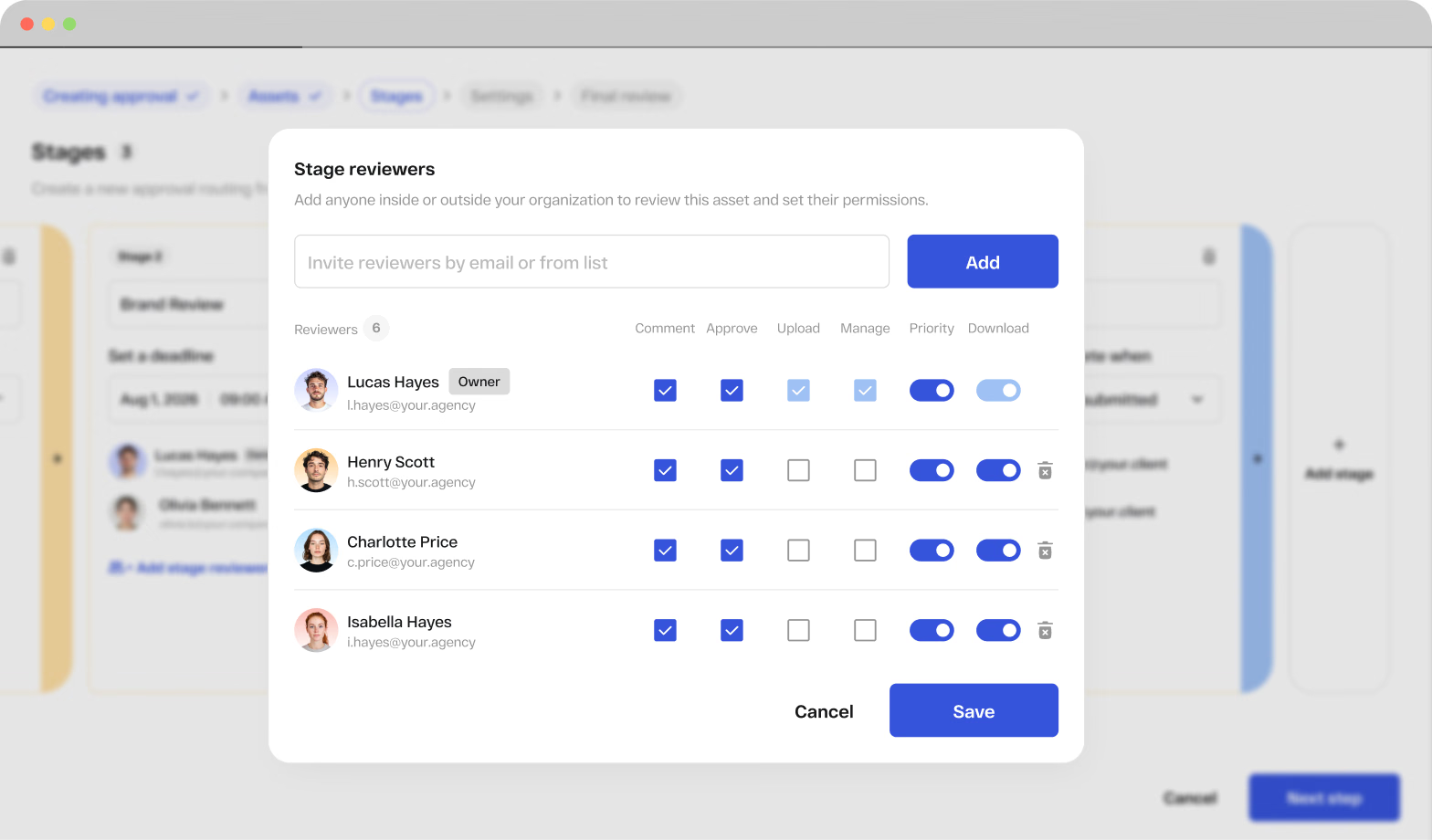
Control who can view, comment, or approve each design across projects and review stages. Keep internal teams, clients, agencies, and external stakeholders involved without giving everyone the same level of access.
Reviewers leave comments and markup directly on the design, so every piece of feedback stays tied to the exact element and version being discussed. No screenshots, scattered notes, or guesswork.
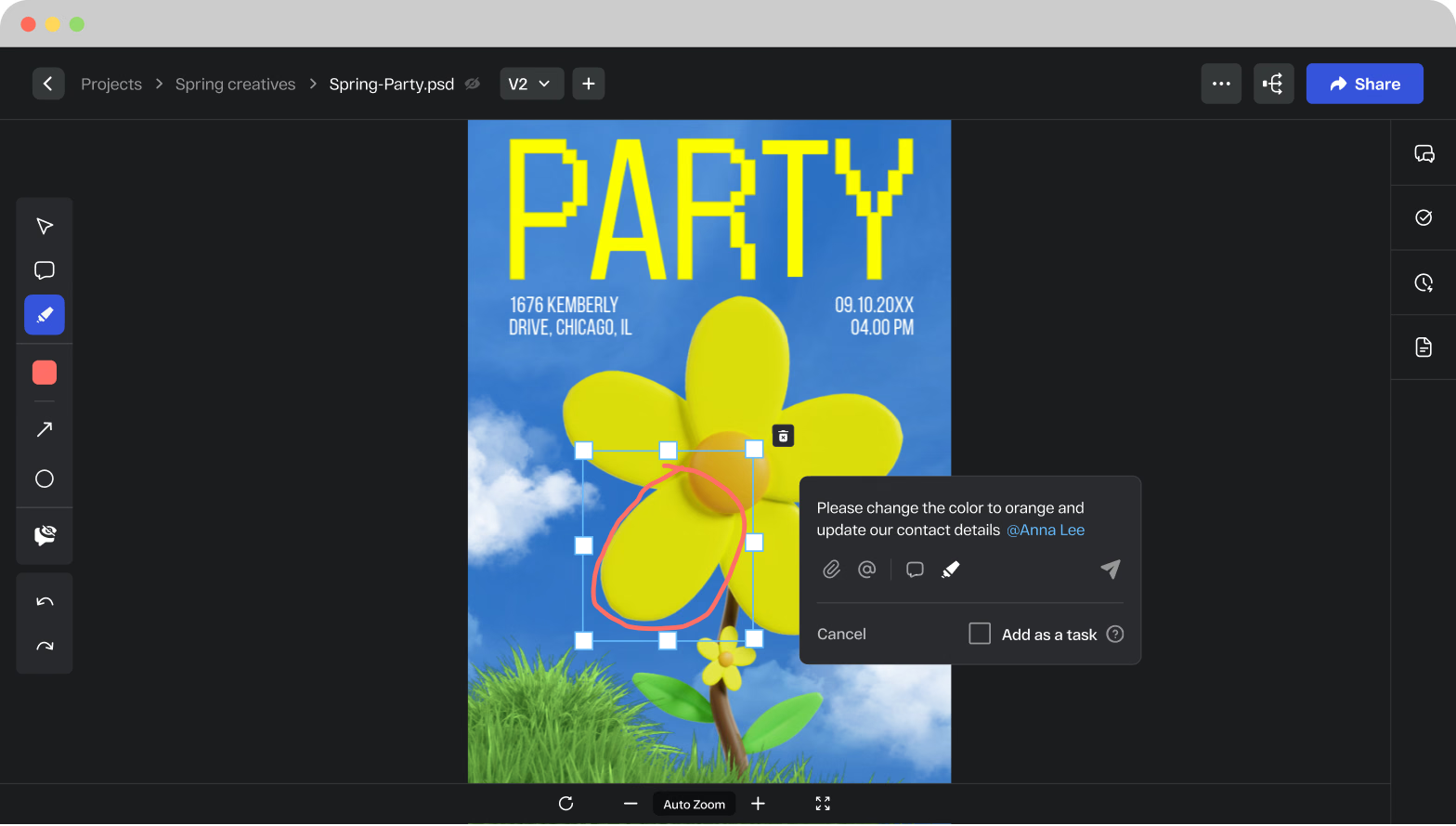
Share designs with clients, partners, and other external reviewers through a simple proofing link. No account or software setup required, so stakeholders can open the latest version, leave feedback, and approve immediately.
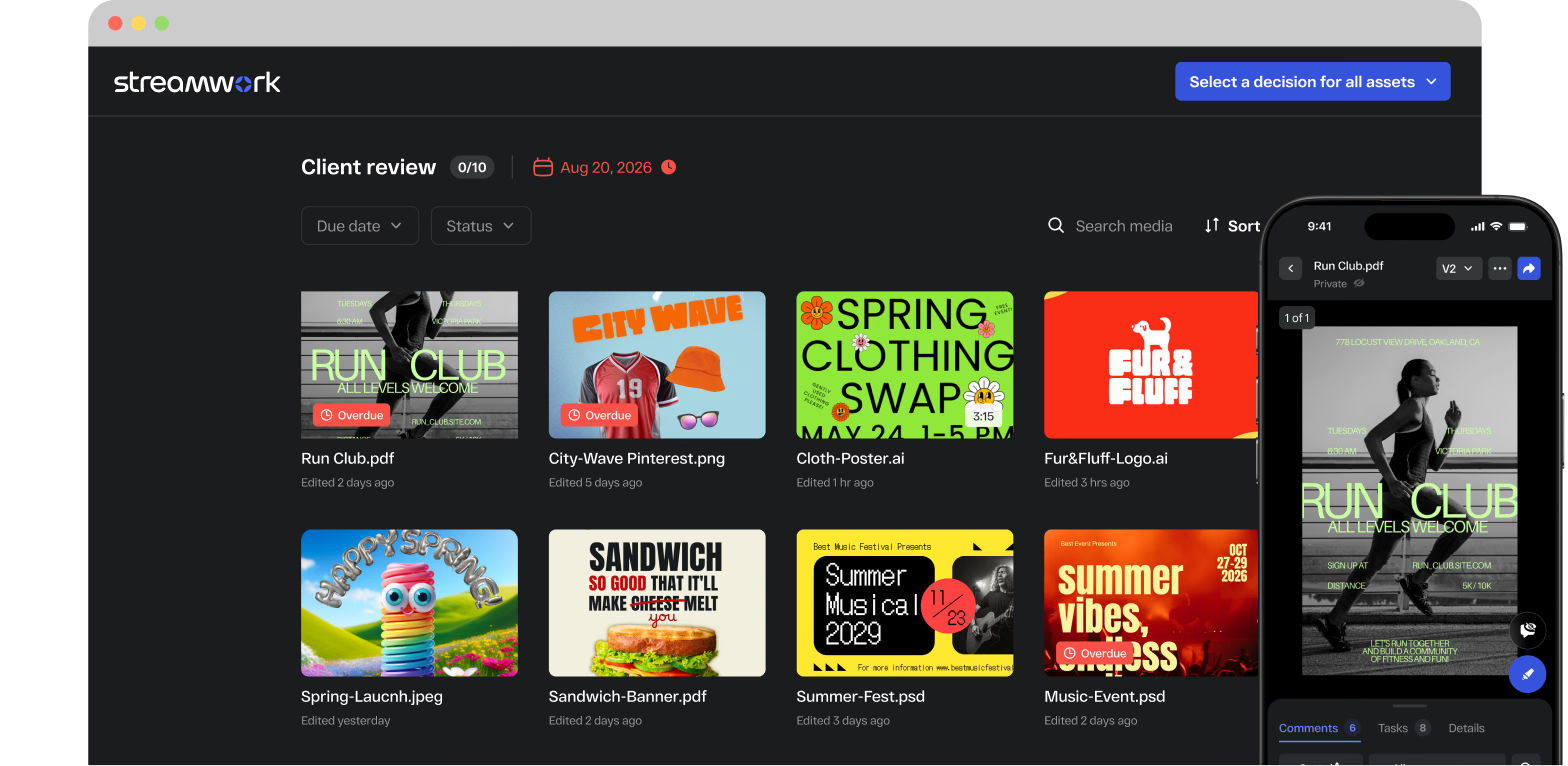
Design review
Whether you are reviewing brand graphics, campaign layouts, social assets, presentations, or marketing collateral, StreamWork gives your team one place to gather feedback, run approvals, and keep every project moving. No scattered email threads. No lost edits. No version confusion.
Matcha-Post
psd

Music-Event
psd

Summer-Fest
ai

Ice-Cream-Banner
psd

Poster
ai

Club-Promo
psd

Let’s try a pink color
Spring-Launch
jpeg

HIIT-Ad-Banner
jpeg

Art-Studio-Banner
ai

Sandwich-Banner

Run Club

Literacy-Support

City-Wave
png

Cloth-Poster
ai

Add a little noise to the background
Spring-Party
psd

Ali-Parker-spotlight
ppt

Summer-Promo
png

Fur&Fluff-Logo
ai

Overview
With StreamWork, design feedback stops living in email threads and annotated screenshots. Upload a design, invite reviewers, and collect comments pinned to the exact element that needs to change. Every version is stacked and comparable, so designers always know what to fix and stakeholders always approve the latest file.
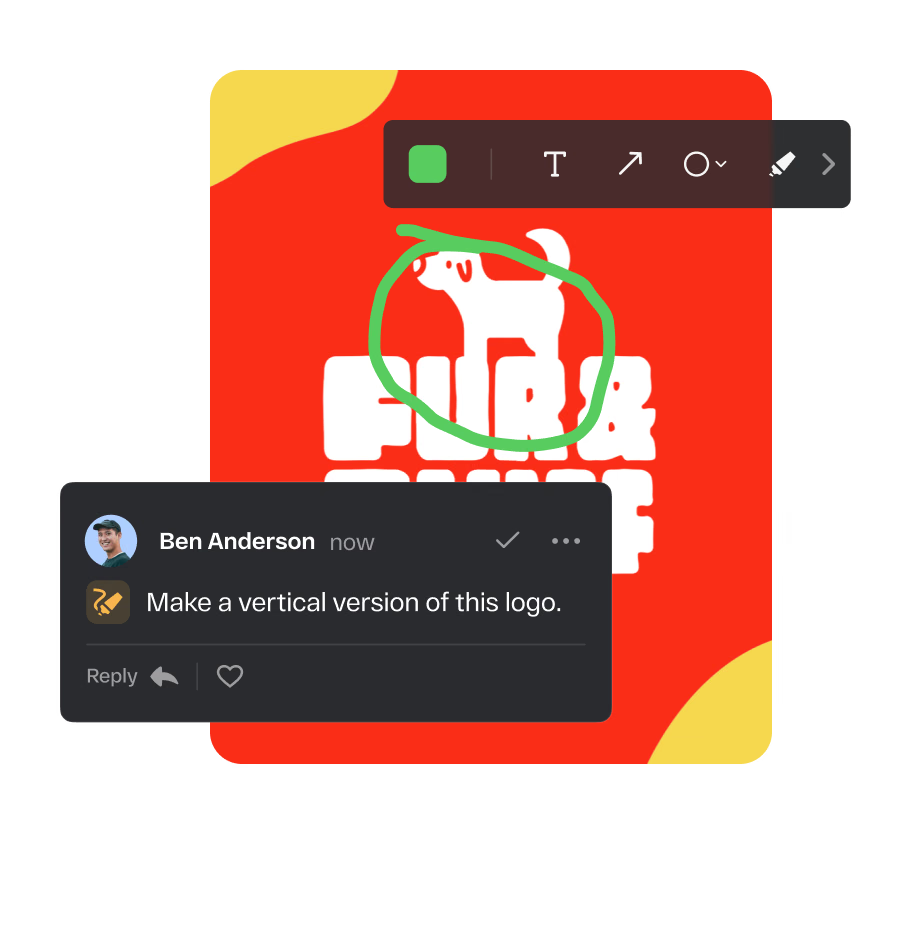
Every comment, annotation, and markup from every stakeholder lives in one shared workspace. No more chasing feedback across email, Slack, and shared drives. Reviewers leave feedback directly on the asset, and your team acts on it immediately.

StreamWork’s Figma plugin allows designers to share work directly for review and approval. Adobe users can share files directly into StreamWork, with large files rendering in the browser for full-quality annotation.










Images, PDFs, presentations, videos, audio files, CAD files, Adobe files, and more. StreamWork supports nearly every file type your creative team produces, so every asset moves through the same structured review process regardless of format.
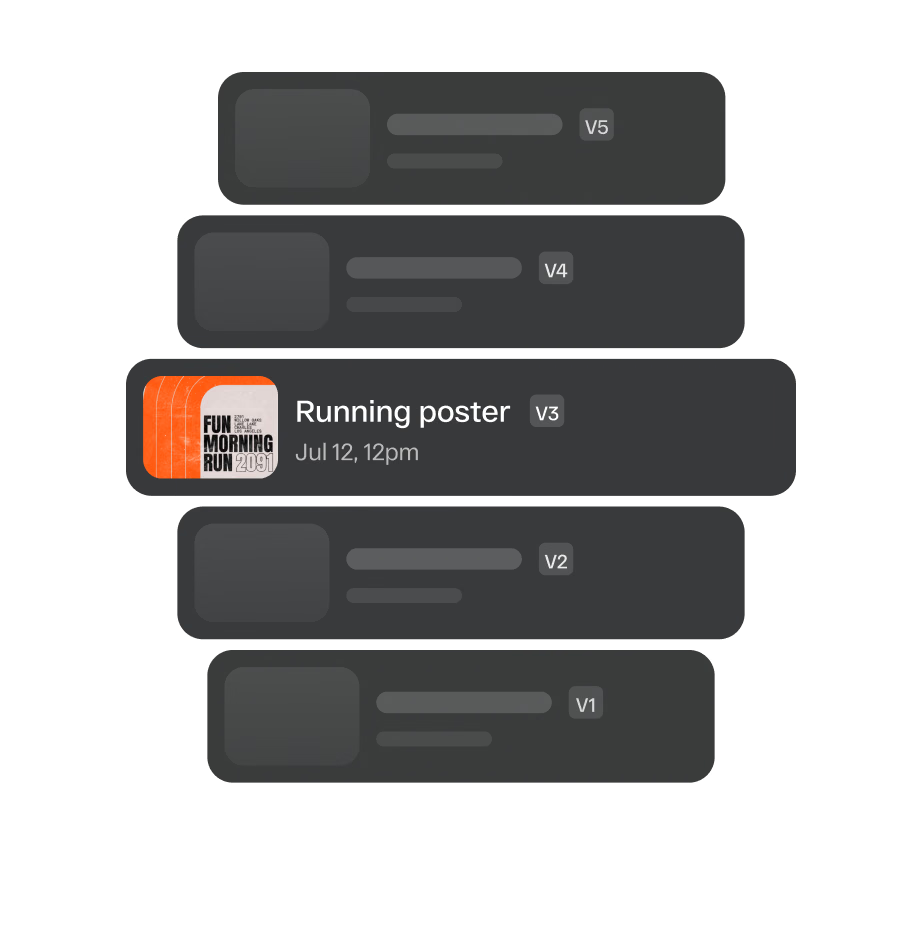
Every new version is stacked automatically. Side-by-side comparison lets reviewers see exactly what changed between versions. Your team always knows which file is current, and nobody wastes time reviewing the wrong version.
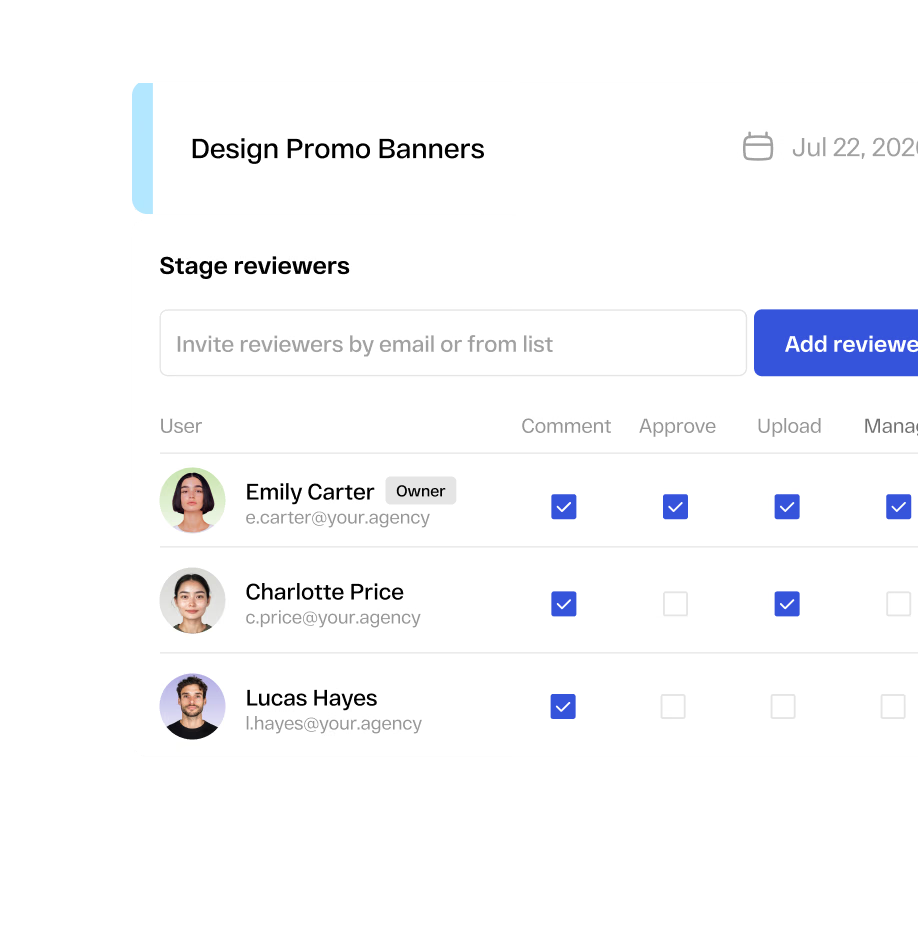
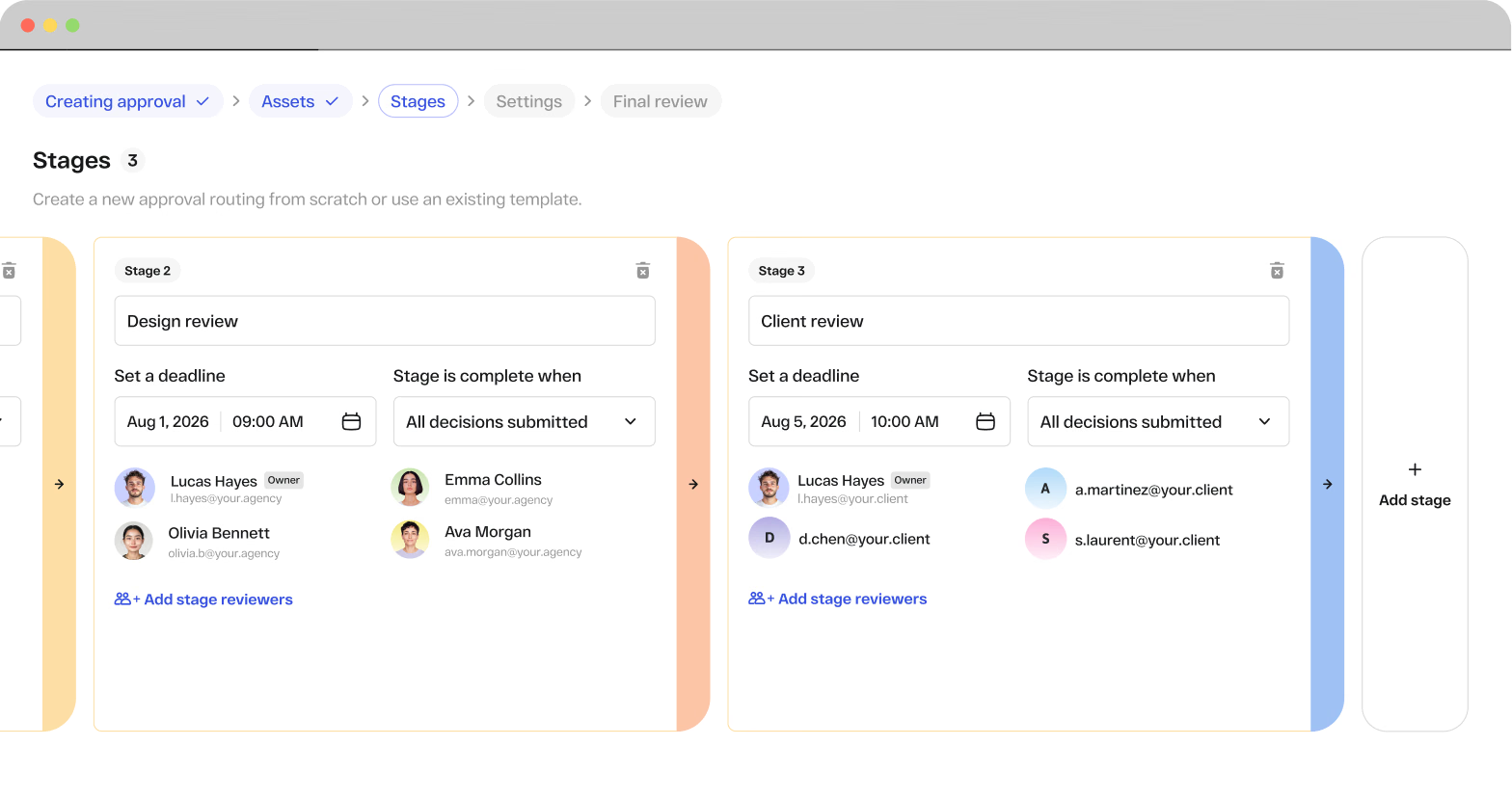
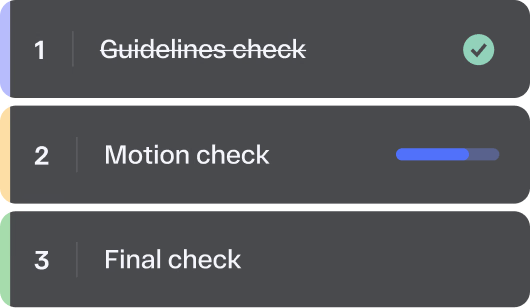
Assign reviewers, set deadlines, save your most-used workflows as reusable templates, and let StreamWork handle the rest. Smart reminders keep every approval stage moving without manual nudges from your team.
Native Integrations
Connect StreamWork with Asana, Monday.com, Slack, Adobe Creative Cloud, Google Drive, Dropbox, and more. Approval status syncs automatically into your project management tools so your design review process and your task management stay in sync.
Send design assets from Asana into StreamWork for review and approval, then keep approval status visible alongside the rest of your project work.
Connect Monday.com boards to your design review process. Route assets into StreamWork for feedback and keep approval progress synced back automatically.
Keep reviewers in the loop with real-time updates when designs are shared, commented on, approved, or need changes.
Share design and video work directly from Adobe apps into StreamWork, then keep feedback, versions, and approvals connected to the creative file being reviewed.
Send designs from Figma into StreamWork for structured review without manual exporting, so stakeholder feedback stays tied to the latest design version.
Bring files from your cloud storage directly into StreamWork for review and approval without creating extra download, upload, or file-management steps.
Research
In our 2025 StreamWork Approval Research Study, we surveyed over 500 marketing and creative professionals, and the results were clear
say the approval process takes more effort than the creative work itself
report approval delays that stall projects and deadlines
spend a full day every week chasing approvals
say approval delays waste budget and hurt ROI
reduction in creative approval cycles for teams using StreamWork
Source: Approval Research Findings, StreamWork 2025
StreamWork benefits
Move design projects from first review to final approval faster with a structured process that keeps feedback, decisions, and next steps moving without unnecessary delays.
Reduce repeated edits and unnecessary back-and-forth by keeping feedback clear, centralized, and tied to the exact design version being reviewed.
Give every stakeholder a simple way to leave precise, contextual feedback directly on the work so designers know exactly what needs to change.
Keep creative, marketing, clients, and external partners aligned in one shared review process with clear visibility into feedback, revisions, and approval status.
Customer proof
“I love the ability to leave comments on creative, and then to create tasks based on those comments. It's also helpful to manage who needs to see what version, and identify their role in reviewing. We work with external agencies and lots of stakeholders internally, so that's super useful.”
Case study
10days saved
per project
A global CPG brand cut approval time by 10 days per project after implementing StreamWork's native Asana integration, with teams across all departments saving 5 days per project, according to Kelly Perry, Creative Operations Consultant and Asana Services Partner.
Try it yourself
Replace scattered feedback with a modern, structured design review process. Try StreamWork free and see how fast your enterprise team moves from first draft to final approval. SOC 2 Type II certified. Built for enterprise security and compliance requirements.







More insights
Design review software is used by any team that produces visual creative work and needs a structured way to collect feedback and get it approved. The most common users include graphic designers and art directors sharing work for stakeholder sign-off; marketing teams reviewing campaign assets, social content, and go-to-market materials; creative operations leaders managing high-volume design production; agencies running client review and approval cycles; in-house studios routing brand assets through legal, brand, and executive review; and packaging and product teams reviewing artwork before print or production. StreamWork is built to serve all of these teams in one platform.
Design review software is a digital platform that allows creative and marketing teams to share design files, collect precise contextual feedback, track revisions, and manage approvals in one place. Instead of relying on email chains, screenshot annotations, or in-person meetings, stakeholders can leave comments and markup directly on the asset, compare versions side by side, and formally approve or request changes, all in a single shared workspace. The result is faster turnaround times, fewer revision cycles, and a complete audit trail of every feedback decision.
The purpose of design review software is to replace scattered, manual feedback processes with a structured, centralized workflow that keeps creative projects moving efficiently. In marketing and creative environments, design review software ensures that feedback is clear and contextual, every stakeholder has visibility into the latest version, approvals are formally recorded, and nothing goes live without passing through the right review stages. This reduces miscommunication, eliminates costly errors, and significantly accelerates time to market.
Yes. StreamWork offers a free plan that gives teams access to file sharing, real-time markup tools for images, videos, and PDFs, and asset management at no cost. The free plan is designed to give teams a genuine experience of StreamWork’s core capabilities, including centralized feedback, version control, and task delegation. Teams that need more users, workspaces, approval stages, or integrations can upgrade to a paid plan at any time.
Design review software and online proofing software overlap significantly but have a subtle distinction. Design review software focuses on the feedback and annotation layer: collecting precise, contextual comments directly on a design asset. Online proofing software encompasses the full process: design review plus the formal approval workflow that follows, including multi-stage routing, deadline management, audit trails, and sign-off. StreamWork handles both in one platform, connecting the design review layer directly to the approval workflow so feedback becomes action and action becomes approval.
StreamWork supports nearly every file type creative teams produce, including images (PNG, JPEG, TIFF, GIF), PDFs, presentations (PPT, PPTX), documents (DOC, DOCX), video (MP4, MOV), audio (MP3, WAV), Adobe Creative Suite files (PSD, AI), CAD files, and more. Every file type moves through the same structured review and approval process, so your team has one consistent design review workflow regardless of format.