Adobe Creative Cloud Integration
Your creative team works in Premiere Pro, Photoshop, and InDesign. Now your reviews, feedback, and approvals can live there too. StreamWork’s native Adobe Creative Cloud integrations connect your creative production directly to your approval process, without breaking the flow.
for ROI
SOC2
AES
Infrastructure
Keep your creative team in flow. Bring approvals to them.
Enterprise creative teams spend their days inside Adobe Creative Cloud. Editors work in Premiere Pro. Designers work in Photoshop and InDesign. When the review and approval process lives somewhere separate, in email threads, shared drives, or standalone tools, the creative flow breaks down. Feedback gets lost. Versions get confused. Approvals happen on the wrong file.
StreamWork is the modern, AI-enabled online proofing platform that connects natively with Adobe Creative Cloud. Upload directly from Premiere Pro, Photoshop, and InDesign into StreamWork and route assets for approval without leaving your creative environment. Comments and feedback sync back automatically. Your creative team stays in flow. The approval process runs in the background.
StreamWork + Adobe Premiere Pro: bring multi-stage approvals to your Premiere Pro workflow
StreamWork’s Premiere Pro integration is native, two-way, and built for professional video editors. It’s the most powerful video review and approval workflow available in any online proofing platform.
Upload sequences
from Premiere Pro
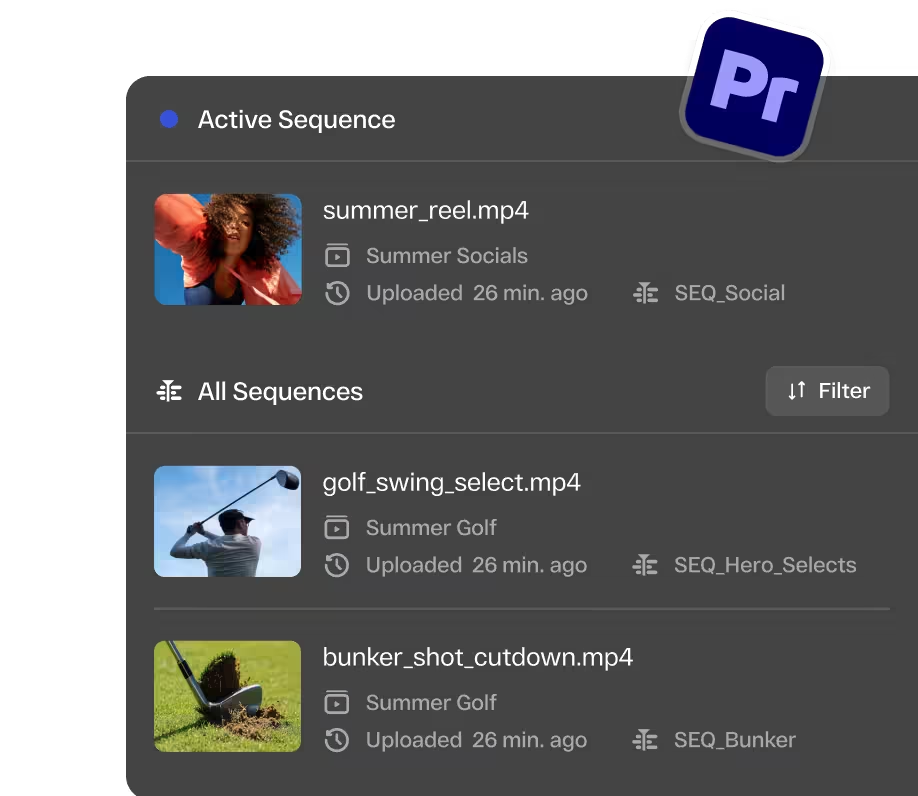
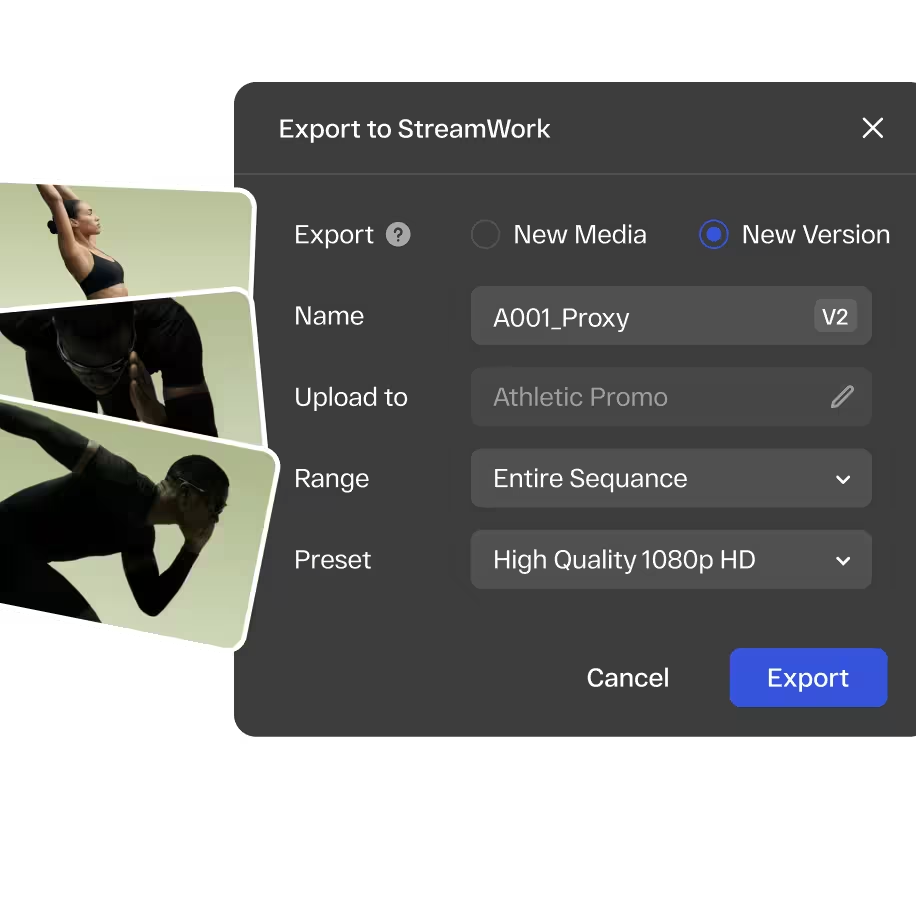
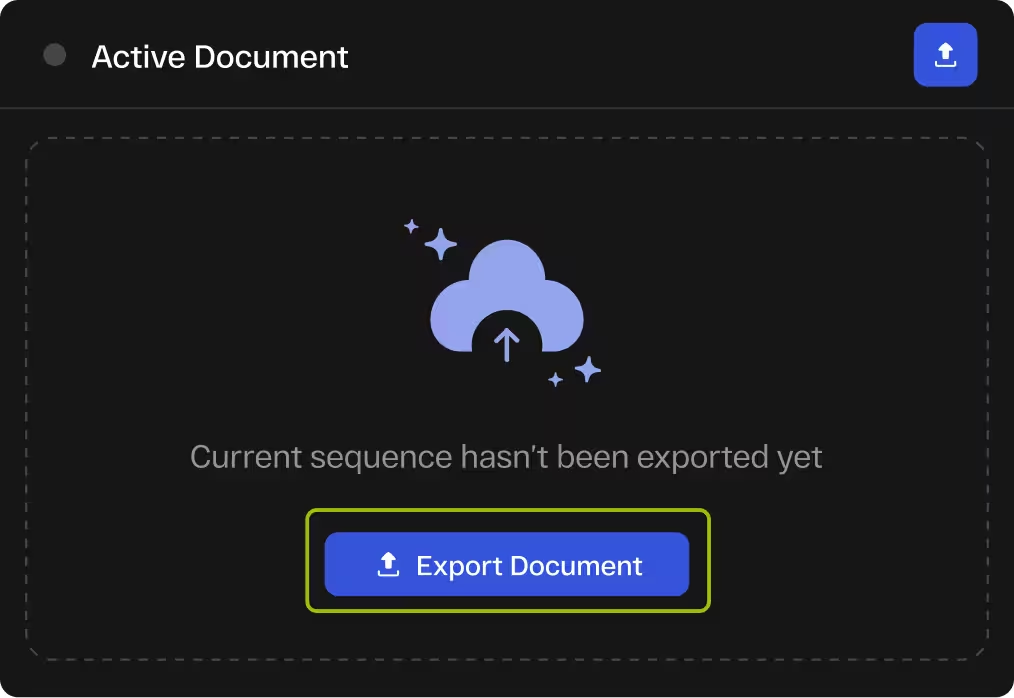
Upload sequences to StreamWork as new media or versions. Choose workspace, folder, and export range: full sequence, in/out points, or work area. Your StreamWork library is accessible from the plugin.
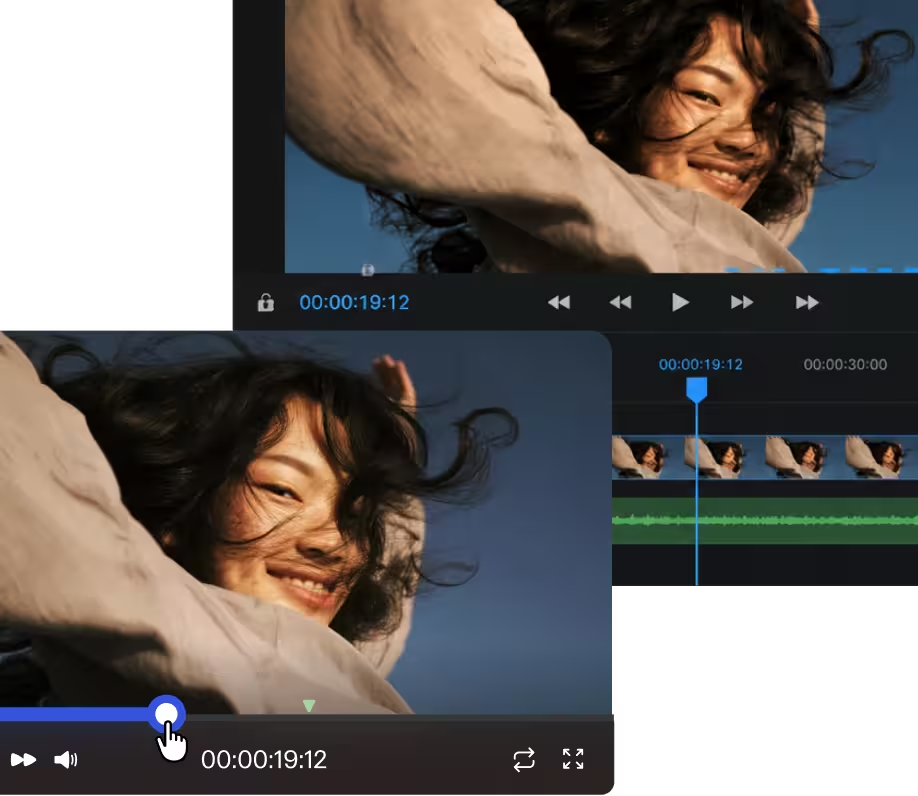
Markers sync between
Premiere Pro and StreamWork
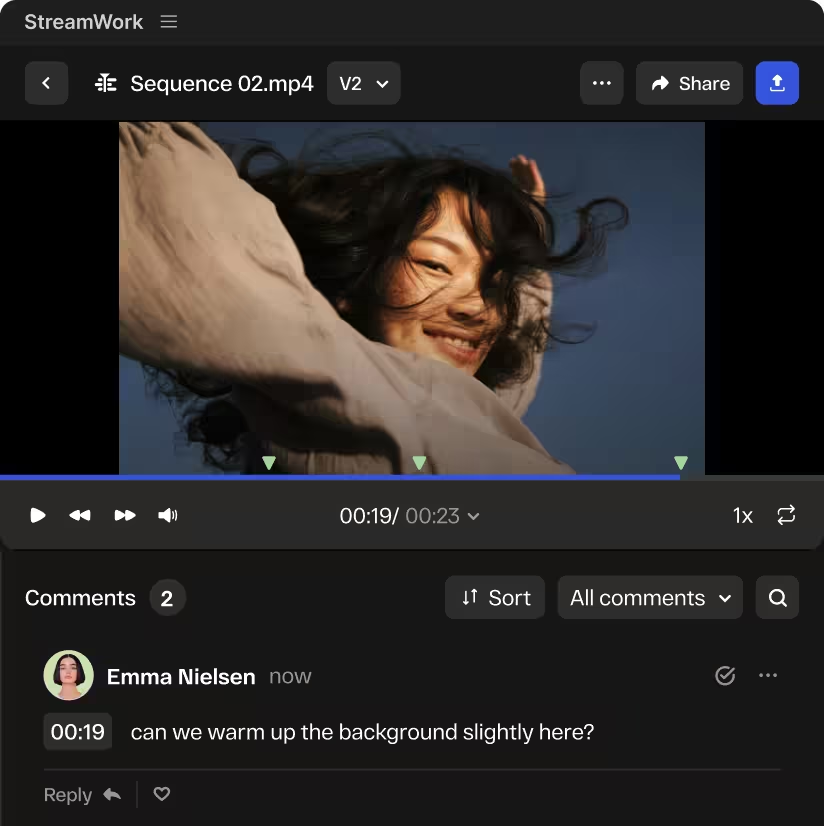
Markers in Premiere Pro export as comments to StreamWork. Reviewer comments sync back as markers on your timeline in real time, allowing editors to act on feedback without switching tools.
Import proxy files. Manage
versions. Stay in your edit
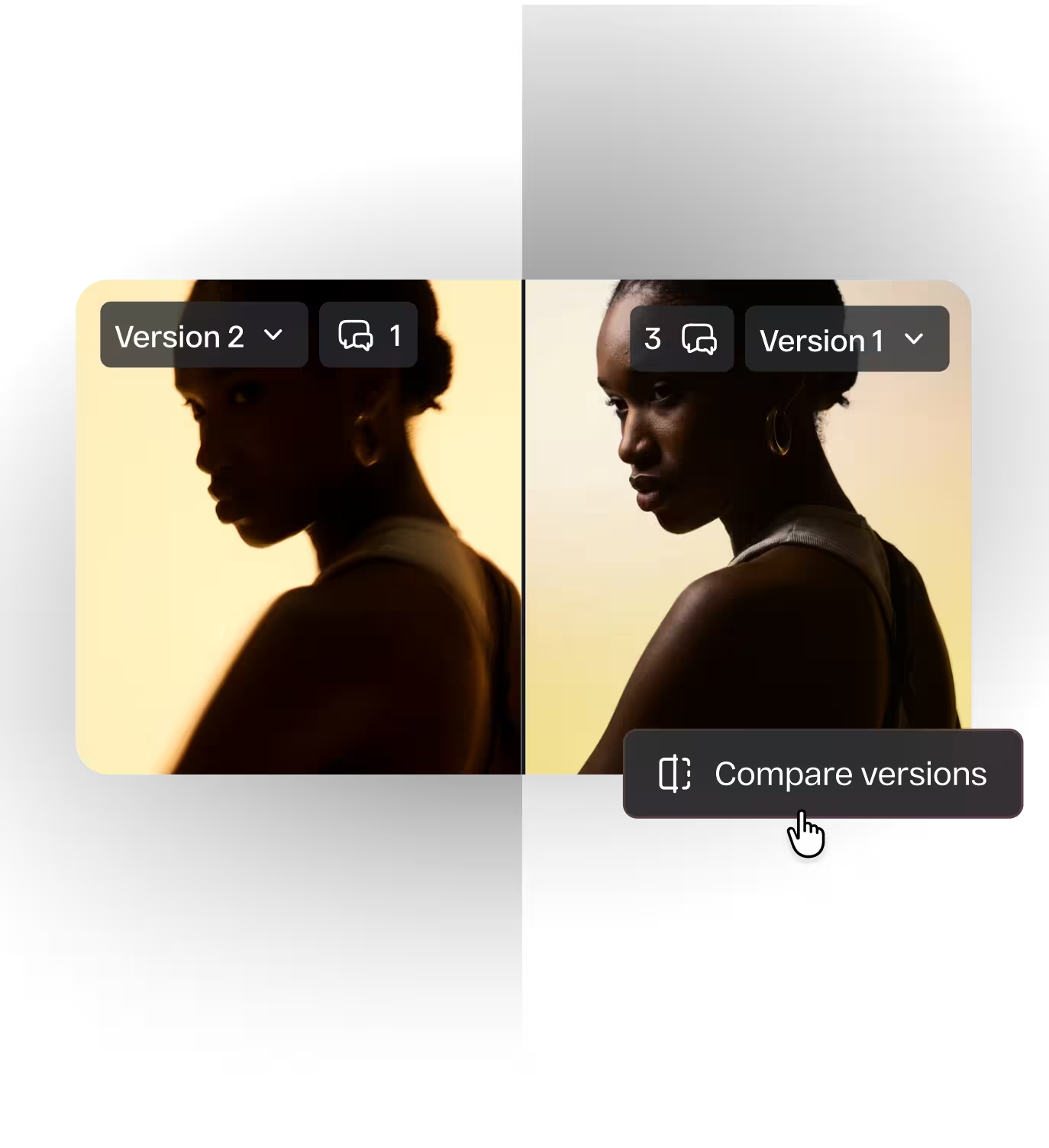
Import proxy files for offline review without full-resolution files. Versions stack automatically in StreamWork, allowing side-by-side comparison to see changes. Your team knows which version is approved.
Approval workflows for
your video review
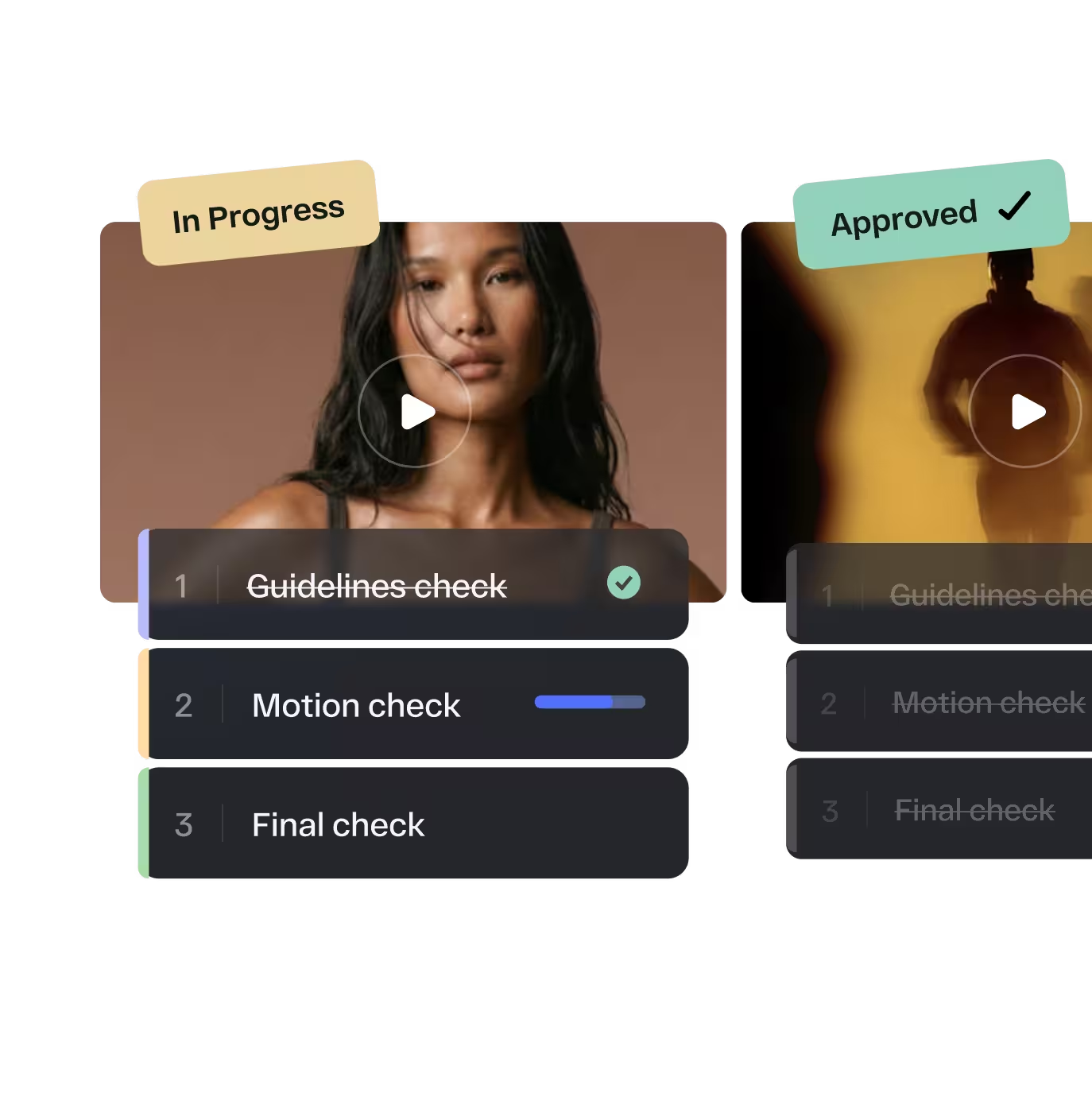
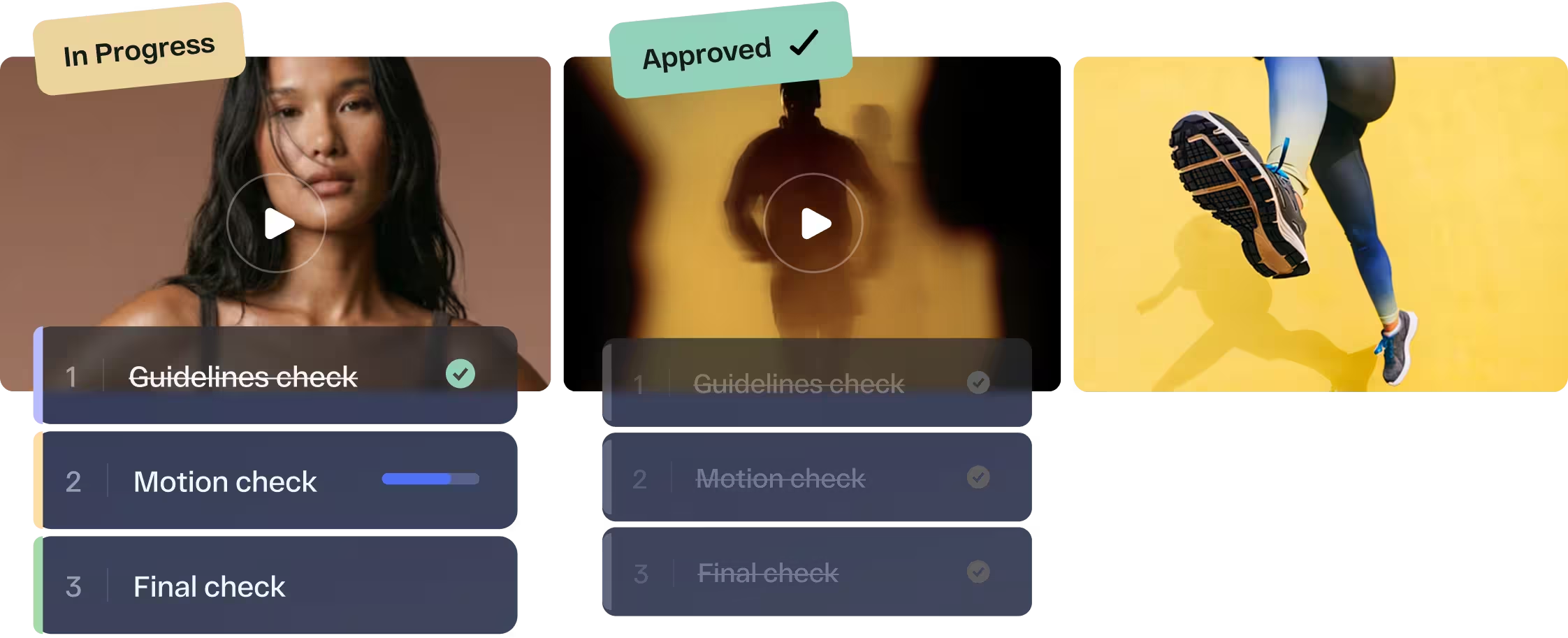
Route your video through creative review, legal, brand and leadership from StreamWork. Get access to multi-stage routing, deadline reminders, task delegation, and an audit trail from rough cut to final sign-off.
Side-by-side version
comparison
Place two cuts of the same video side by side and see exactly what changed. Confirm feedback was acted on correctly and keep every stakeholder on the current version.
Adobe Photoshop and InDesign: share files directly into StreamWork for review
Designers working in Photoshop and InDesign can share files directly into StreamWork for structured review and approval without exporting, downloading, or switching to another tool. Reviewers leave pixel-accurate feedback pinned to the exact element they’re referencing. Every comment is trackable, assignable, and tied to the specific version it references.
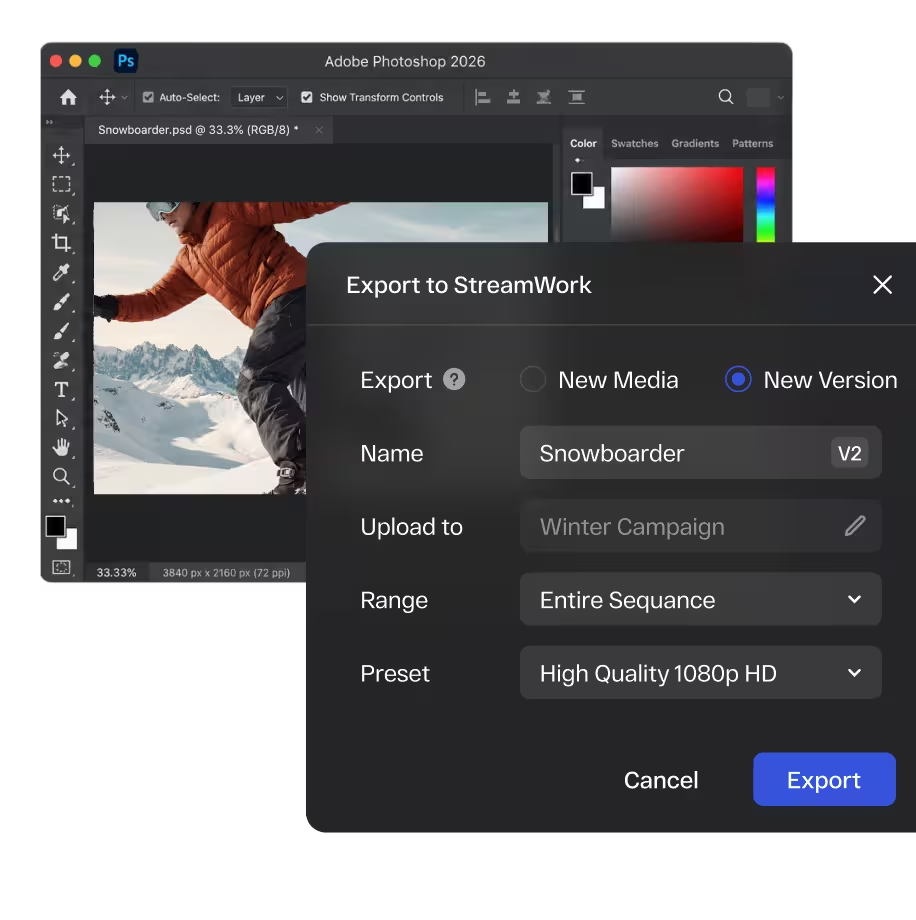
Share directly from
Photoshop and InDesign
Share design files directly into StreamWork from inside your Adobe application. No manual export, no file management overhead, no version confusion.
Pixel-accurate markup
on every design file
Reviewers leave feedback pinned to the exact pixel, element, or layer they’re referencing. No more “the logo in the top left corner” in an email. Every comment is precise and contextual.

Version control across
every design iteration
Every version of every design file is stacked automatically. Side-by-side comparison lets reviewers see exactly what changed between rounds. Nothing gets lost, overwritten, or approved by mistake.

Route designs through multi-
stage approval workflows
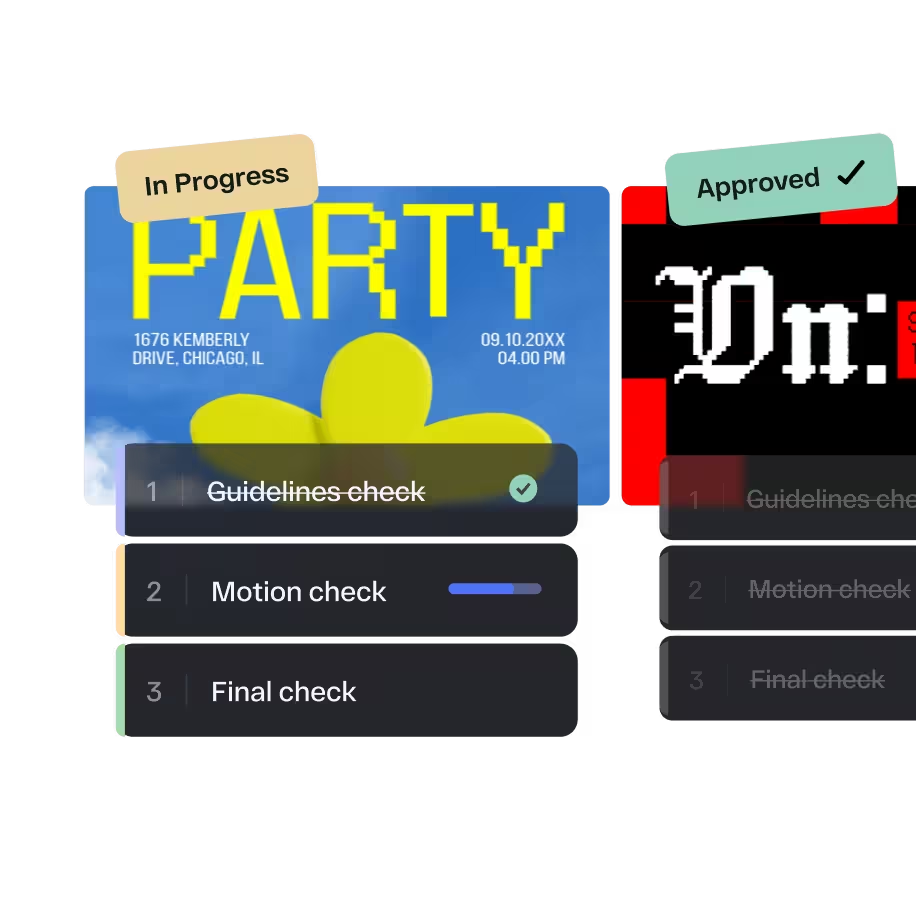
Build AI-enabled approval workflows that route designs through creative, legal, brand, and leadership in the right order. Smart deadline reminders keep every reviewer on schedule without manual follow-up.
Enterprise security, built in from the start
Enterprise security, granular role-based permissions, SSO, AES-256 encryption, and audit trails. Built for the security and compliance requirements of large organizations.
SOC2
AES
Login
The online proofing platform built for Adobe Creative Cloud workflows
StreamWork is not a video tool that handles other file types, or a document tool that added video support. It’s an enterprise online proofing platform built from the ground up for the full scope of what creative teams produce: video, images, PDFs, presentations, documents, audio, and Adobe Creative Suite files, all moving through the same structured review and approval process. One platform, every file type, one approval workflow.
No Adobe Creative Cloud
needed for reviewers
Clients, legal teams, and agencies can review and approve assets with one proofing link. No Adobe or StreamWork account needed.
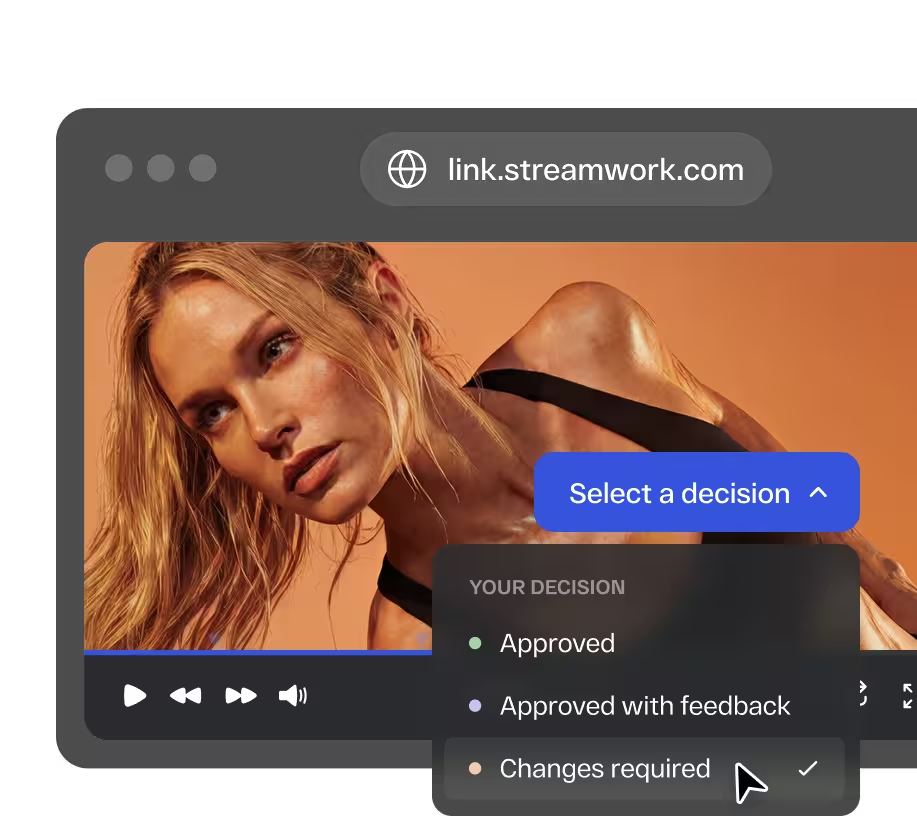
Works alongside Adobe,
not locked to it
StreamWork integrates with Adobe Creative Cloud but is not owned by it. Usage isn't tied to an Adobe subscription. Teams using Premiere Pro can access StreamWork’s features without extra licensing.
Every file type
in one platform
Video, images, PDFs, and more. Every asset your team produces follows the same approval process with version control and an audit trail.











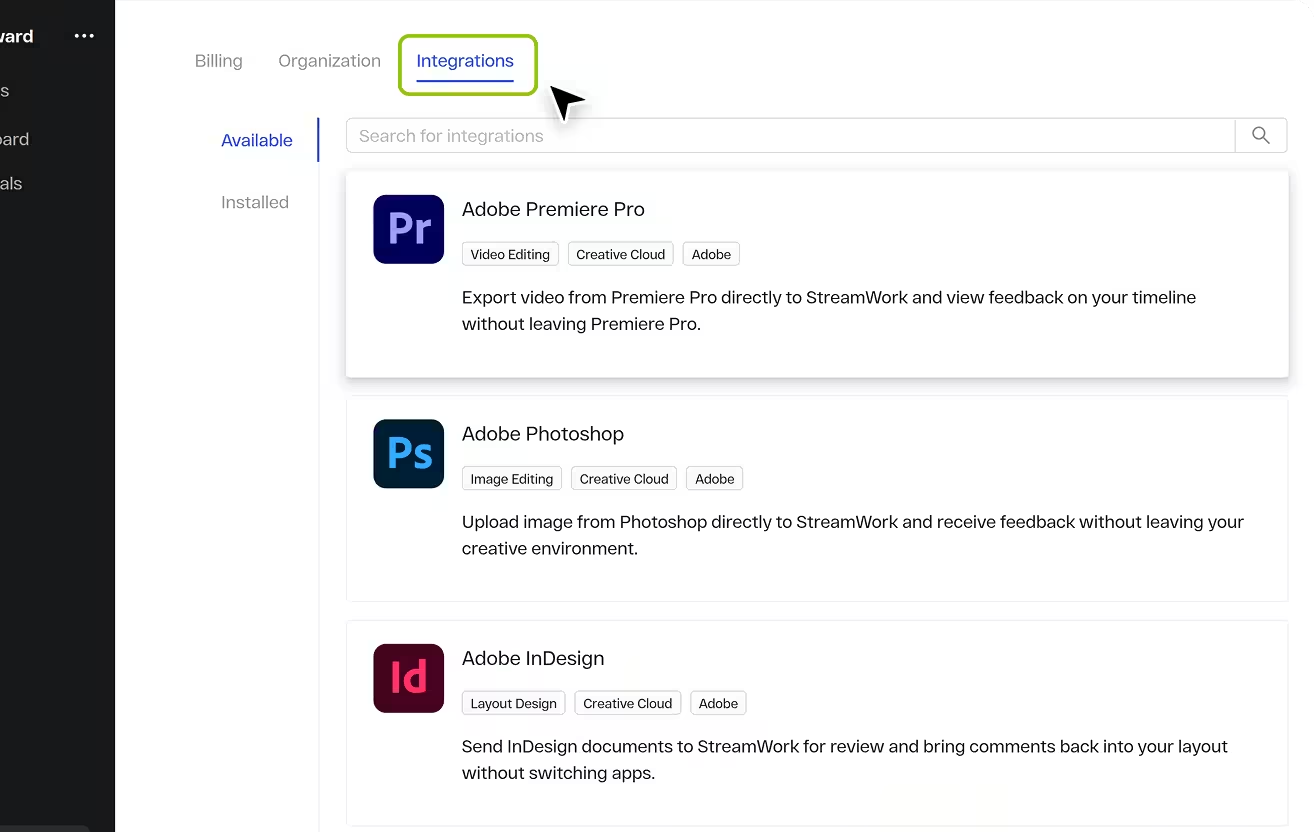
Just a few steps.
No IT ticket. No new
workflows to learn.
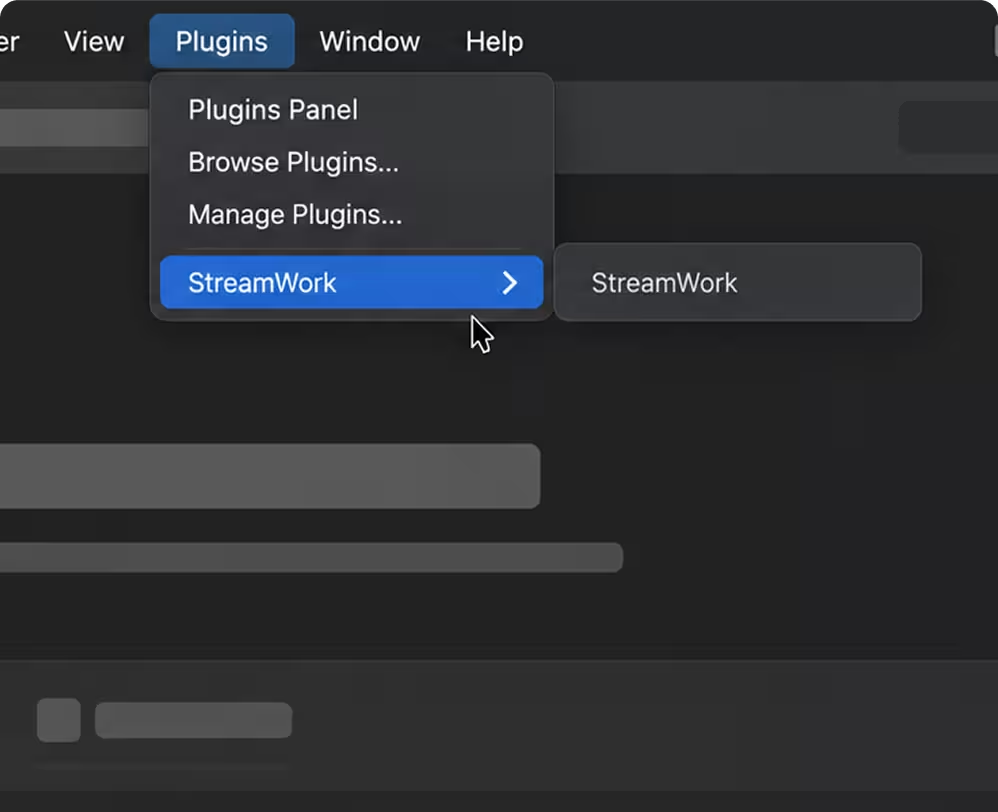
The StreamWork plugin lives directly inside Adobe Creative Cloud, so your team can upload proofs, review feedback, and manage new versions without leaving the apps they already use.

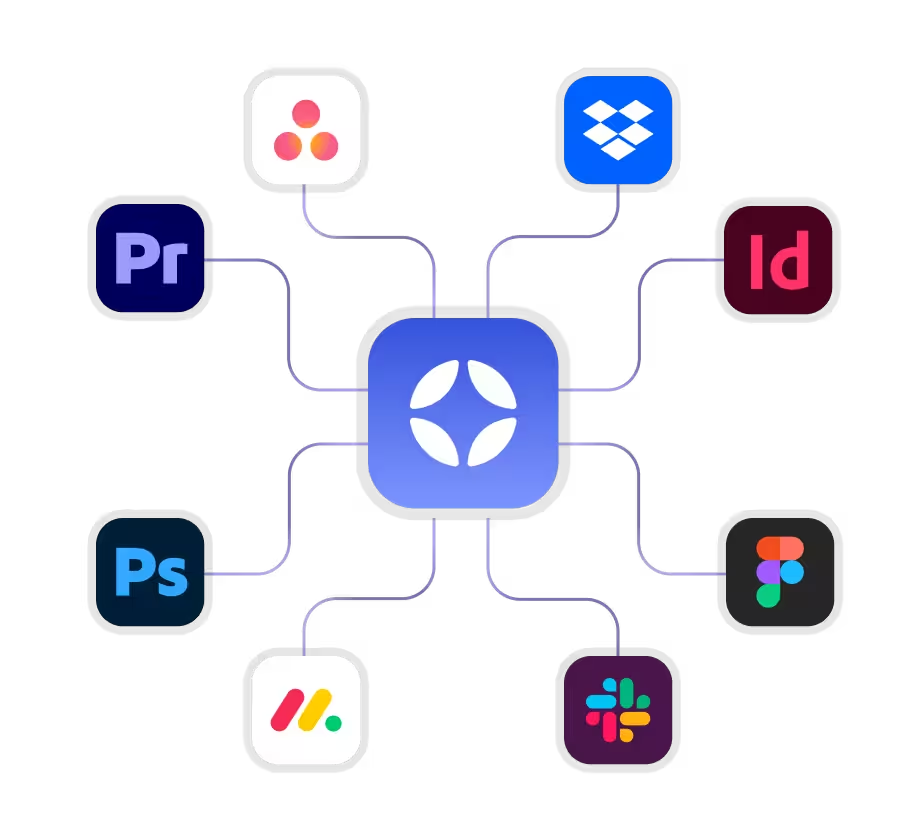
Adobe Creative Cloud is one piece of your stack. StreamWork connects the rest
StreamWork connects natively with Asana, Monday.com, Slack, Adobe Creative Cloud, Figma, Google Drive, Dropbox, Box, and OneDrive. Upload a proof from an Asana task or Monday.com board item and route it for approval in StreamWork. Status syncs back automatically. Your project management always reflects where creative work stands.
Need a custom integration?
StreamWork's API supports custom integrations with your existing stack.


Ready to bring approvals into Adobe Creative Cloud?
Connect StreamWork with Premiere Pro, Photoshop, and InDesign to keep reviews, feedback, and approvals inside your creative workflow.
FAQs
What Adobe Creative Cloud apps does StreamWork integrate with?
StreamWork integrates natively with Adobe Premiere Pro, Adobe Photoshop, and Adobe InDesign. The Premiere Pro integration is the deepest: fully two-way, with sequences uploaded directly from inside the plugin and comments syncing as markers on your timeline in real time. Photoshop and InDesign files can be shared directly into StreamWork for structured review and approval without leaving your Adobe environment.
How does the Premiere Pro integration work?
The StreamWork Premiere Pro plugin lets editors upload sequences as new media or new versions directly from inside Premiere Pro. Choose your workspace, folder, and export range. Markers added in Premiere become comments in StreamWork automatically. Comments from reviewers sync back as markers on your Premiere Pro timeline in real time. Editors can browse their full StreamWork library, manage versions, and import proxy files without switching tools.
Can I route Adobe Creative Cloud files through multi-stage approval workflows?
Yes. Every file shared into StreamWork from Adobe Creative Cloud, Premiere Pro sequences, Photoshop files, InDesign documents, and more can be routed through AI-enabled multi-stage approval workflows. Define who reviews in what order, set deadlines per stage, and let StreamWork handle the routing and reminders. Legal, brand, and leadership all review in sequence. Every decision is logged with a complete audit trail.
How does the Photoshop and InDesign integration work?
Designers share files directly from Photoshop and InDesign into StreamWork without leaving their Adobe application. Reviewers leave pixel-accurate feedback pinned to the exact element they are referencing, no exports, no file management, no version confusion. Every new file version is stacked automatically and comparable side by side. The complete revision history is always one click away.
Does StreamWork require an Adobe Creative Cloud subscription?
No. StreamWork integrates natively with Adobe Creative Cloud tools but does not require an Adobe subscription. Reviewers, clients, legal teams, and external stakeholders can review and approve assets with a single proofing link, no Adobe account, no StreamWork account required.
How is StreamWork different from Frame.io for Adobe teams?
Frame.io is owned by Adobe and its full functionality is increasingly tied to an Adobe Creative Cloud subscription. StreamWork works natively with Adobe tools including Premiere Pro, Photoshop, and InDesign but is not gated behind an Adobe subscription. More importantly, StreamWork offers multi-stage approval workflows that route creative through legal, brand, and leadership in sequence. Frame.io offers simple approve/reject only. For teams that need real approval infrastructure on top of their video review, StreamWork is the stronger platform.
What file types does StreamWork support alongside Adobe files?
StreamWork supports video, images, PDFs, presentations, documents, audio, Photoshop files, InDesign files, and more. Every file type moves through the same structured review and approval process with the same version control and audit trail. One platform for every asset your Adobe creative team produces.
Which StreamWork plan includes Adobe Creative Cloud integrations?
The Premiere Pro, Photoshop and InDesign integrations are available on Starter and above. Enterprise plans include the full integration depth with custom implementation support. See the full breakdown on the pricing page.