Best online proofing software in 2026 (tested and reviewed)
Discover the best online proofing software for 2026 in our comparison of the 10 top creative approval tools, including StreamWork, PageProof, Ziflow, Filestage, and Frame.io. Each is compared on approval workflows, integrations, security, and verified pricing. With creative teams losing up to one full day each workweek to approvals, use our side-by-side comparison table and buying guide to find the right fit.
Meredith
14
min read
Sep 24, 2026
Picking the wrong online proofing and creative approval platform is expensive in ways that don't show up on the invoice. Approvals drift back into email, the wrong file version gets signed off, and a campaign that should have launched on time slips a week while stakeholders hunt for the latest draft.
According to StreamWork's 2025 Approval Research Study, an independent survey of 500 U.S. marketing and advertising professionals conducted in October 2025, creative teams are losing up to one full day each workweek on approvals. Respondents named misaligned workflows across departments as the single biggest cause of approval delays, ahead of budget or headcount constraints. In a nutshell: process and creative approval tooling, not team size, are the real fix.
Here are the 10 online proofing and creative approval platforms worth evaluating in 2026.
Pricing verified August 2026. G2 ratings (out of 5) checked September 2026 and subject to change.
Software
Best for
Key feature
Pricing
G2 rating
Platform and integrations
StreamWork
Enterprise marketing and creative ops
Deepest multi-stage approval workflow offering plus native Asana, monday.com, and Adobe integrations
Free; paid from $169/mo
4.7
Web; Asana, monday.com, Slack, Adobe CC, Figma
PageProof
Brand and packaging teams needing compliance-grade proofing
Smart markup plus ISO 27001
From $249/mo (Team)
4.8
Web; Adobe CC, Figma, Canva, Asana, monday.com
Ziflow
Agencies and brands in regulated environments
Automated multi-stage routing plus broad file type support
Free; paid from $199/mo (annual)
4.5
Web; monday.com, Asana, Slack, Adobe CC
Filestage
SaaS marketing teams needing fast stakeholder adoption
Clean reviewer UX plus automated brand compliance checks
Free; paid from $199/mo
4.6
Web; Slack, monday.com, Asana, ClickUp, Adobe CC
Frame.io
Video post-production teams on Adobe CC
Frame-accurate comments plus Adobe Creative Cloud integrations. No multi-stage sequential approval routing.
Free; contact for team pricing
4.5
Web, desktop; Adobe CC, Final Cut Pro, DaVinci Resolve
Adobe Workfront
Enterprise marketing teams managing the full content lifecycle
Enterprise work management with proofing as a feature option
Contact for pricing
4.1
Web; Adobe CC, AEM, Salesforce, Jira
ReviewStudio
Creative agencies and studios needing per-user flexibility
Multi-format review with role-based access
Free; paid from $12/user/mo
4.7
Web; Slack, Zapier
GoVisually
Freelancers and small teams needing frictionless client review
No-login client review via shared link plus real-time collaboration
From $16/user/mo
4.4
Web, iOS; Slack, Asana, Trello, Adobe CC, Zapier
ProofHub
Teams wanting proofing and PM in one flat-rate platform
Kanban, Gantt, and time tracking plus file markup in one tool
From $45/mo (flat rate)
4.6
Web; Slack, Google Drive, Dropbox, Zapier
Wrike
Cross-functional marketing teams already on Wrike
Simple proofing offered as part of Wrike project workflows
Free; paid plans up to custom (Apex top tier)
4.2
Web, desktop, mobile; Adobe CC, Salesforce, Slack
This Article Contains:
open
hide
What is online proofing and creative approval software?
Online proofing software gives every reviewer a single, version-controlled file to annotate, with comments pinned to exact coordinates on the asset and a formal record created when approval happens. Creative approval software extends that into a structured sign-off process, routing each asset to the right stakeholders in the right order until it's approved. That's a meaningfully different experience from "Google Docs with comments" or a shared folder of PDFs: nothing gets approved out of order, and nothing gets lost between a Slack thread and an email chain.
The category splits into two types. Basic review tools handle annotation and a single round of feedback well but stop there. Platforms with creative approval workflow automation add task assignment, multi-stage approval routing, and audit trails on top, which matters more as review volume and stakeholder count grow. Knowing which type you actually need is most of the battle.
The 10 best online proofing software platforms in 2026
Every tool below was evaluated on workflow depth, pricing transparency, file type breadth, native project management integrations, and enterprise security posture, then cross-referenced against third-party review sources including the G2 Online Proofing category. Pricing was verified as of August 2026, and is subject to change. G2 ratings were checked in September 2026.
1. StreamWork: Best for enterprise marketing and creative operations teams
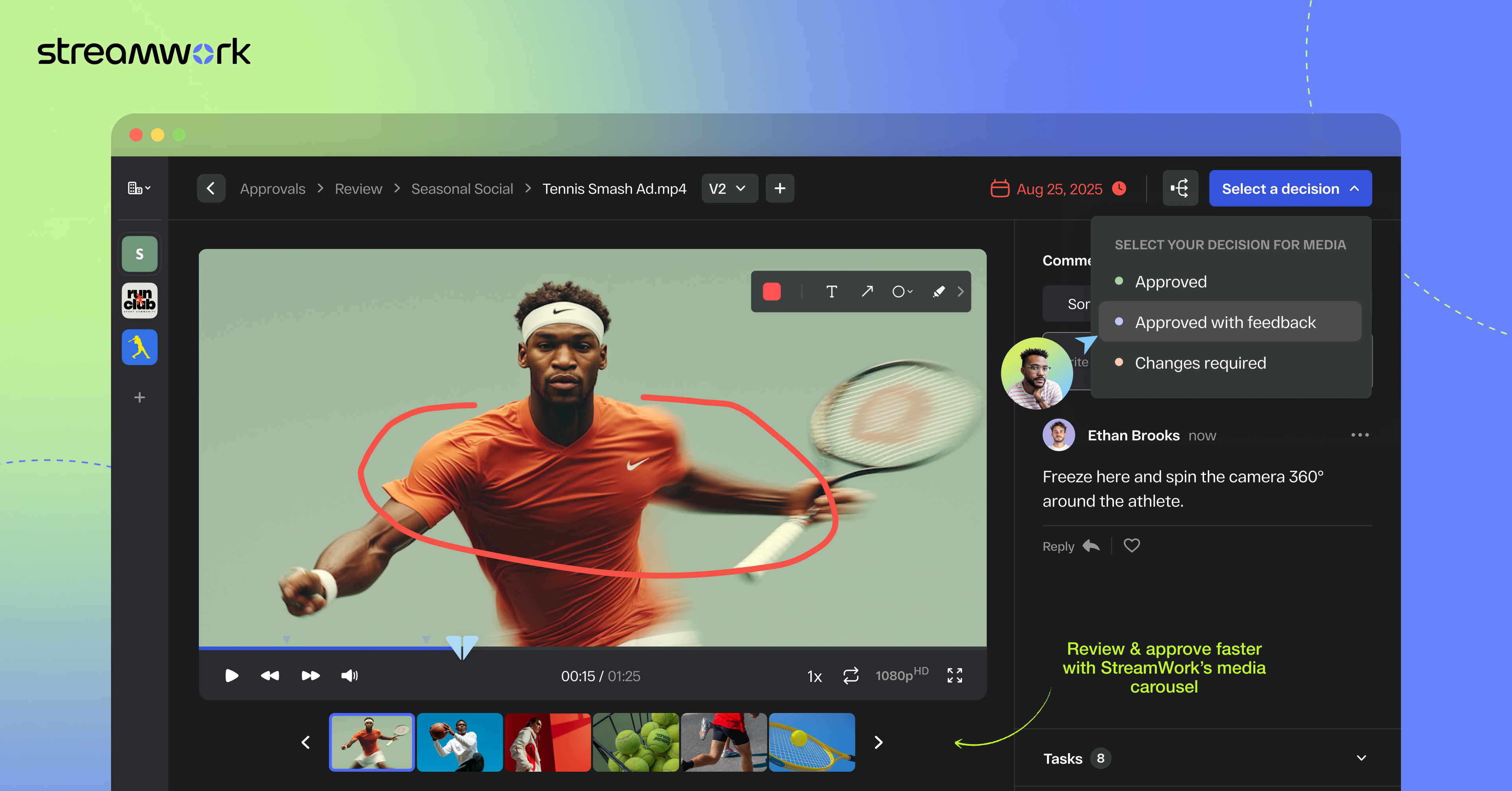
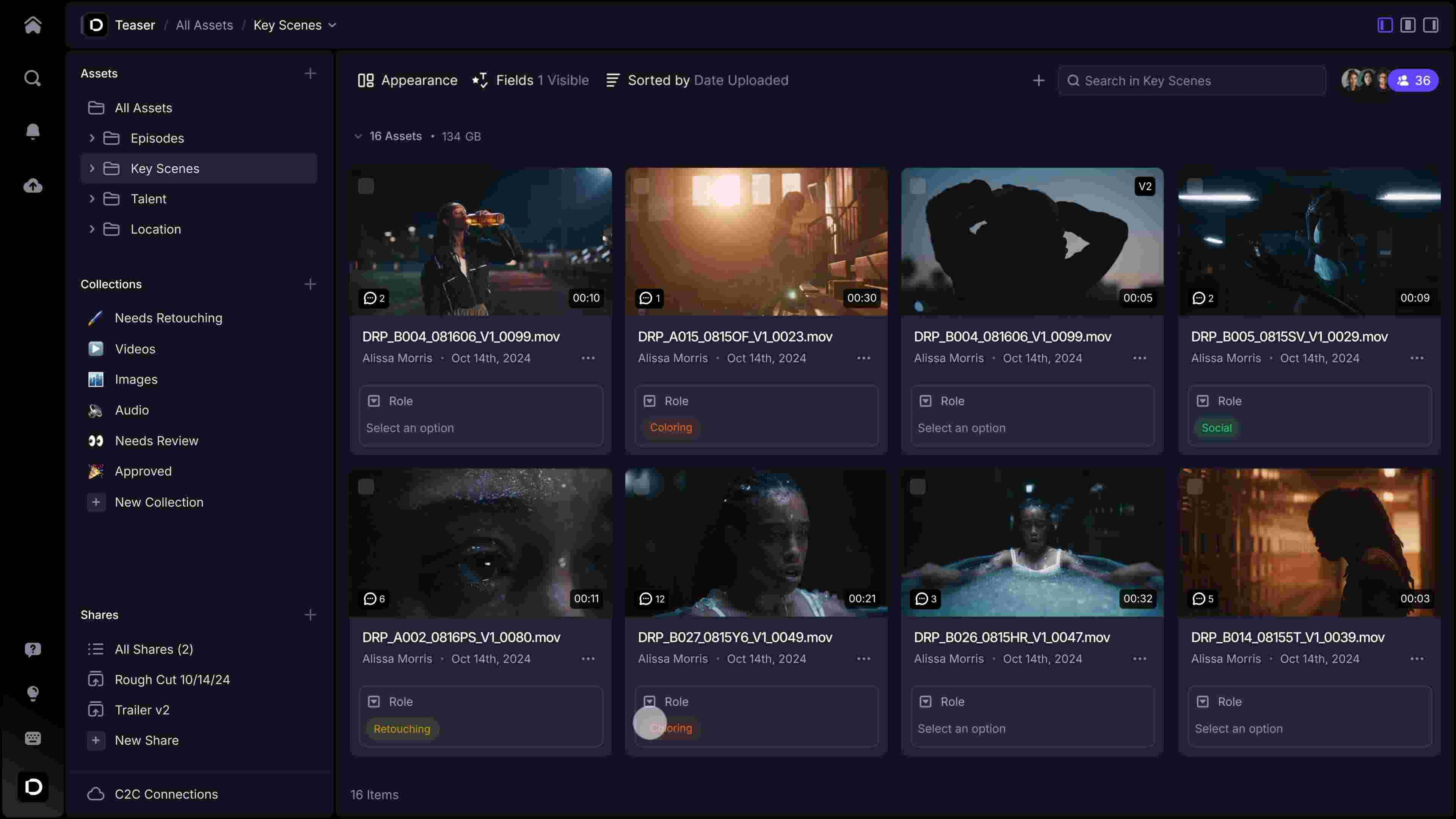
StreamWork routes every proof through multi-stage creative approvals.
StreamWork is the only platform on this list rated #1 for both ROI and Fastest Implementation in the Online Proofing category on G2, and it's purpose-built for how enterprise creative and marketing teams actually run approval cycles, not adapted from a general project management tool. With enterprise clients including The Channel Company, MegaFood, and Arizona State University, StreamWork is a powerhouse for teams that manage high volumes of content and complex stakeholder approvals, while also being consistently reviewed online as simple to use for large teams and stakeholders.
"When I saw how seamlessly StreamWork statuses pushed into Asana, I was smitten."Kelly Perry, Creative Operations Consultant and Asana Services Partner, in her StreamWork integration guide
Strengths
Automated multi-stage creative approval routing with configurable sequences that handles deadline reminders and stakeholder nudges without manual follow-up
Feedback tied directly to tasks with an assignee, deadline, and priority, so nothing falls through the gap between review and revision
Nested subfolders and a searchable visual asset library that keep high-volume workspaces organized and audit-ready
Easy-to-use proofing for nearly all file types including video, images, slides, PDFs, live URLs and more
Limitation: The free plan is capped at 2 users and 1 project, which works as a preview but not as a functional free tier for most enterprise teams.
Platform: Web-based. Integrations with Asana, monday.com, Slack, Adobe Creative Cloud (Premiere Pro, Photoshop, InDesign), Figma, SharePoint, Google Drive, Dropbox, Box and DAM platforms via API.
Pricing: Free (2 users, 1 project); Starter $169/mo (15 users); Team $299/mo (20 users, 3 approval stages); Enterprise available on request. 14-day free trial. See StreamWork pricing.
Ideal for: Enterprise marketing and creative operations teams running high-volume creative campaigns with multi-stage approval needs, Asana or monday.com as their PM backbone, and a requirement for secure, auditable review across legal, brand, and leadership.
2. PageProof: Best packaging teams that prioritize rendering accuracy and compliance
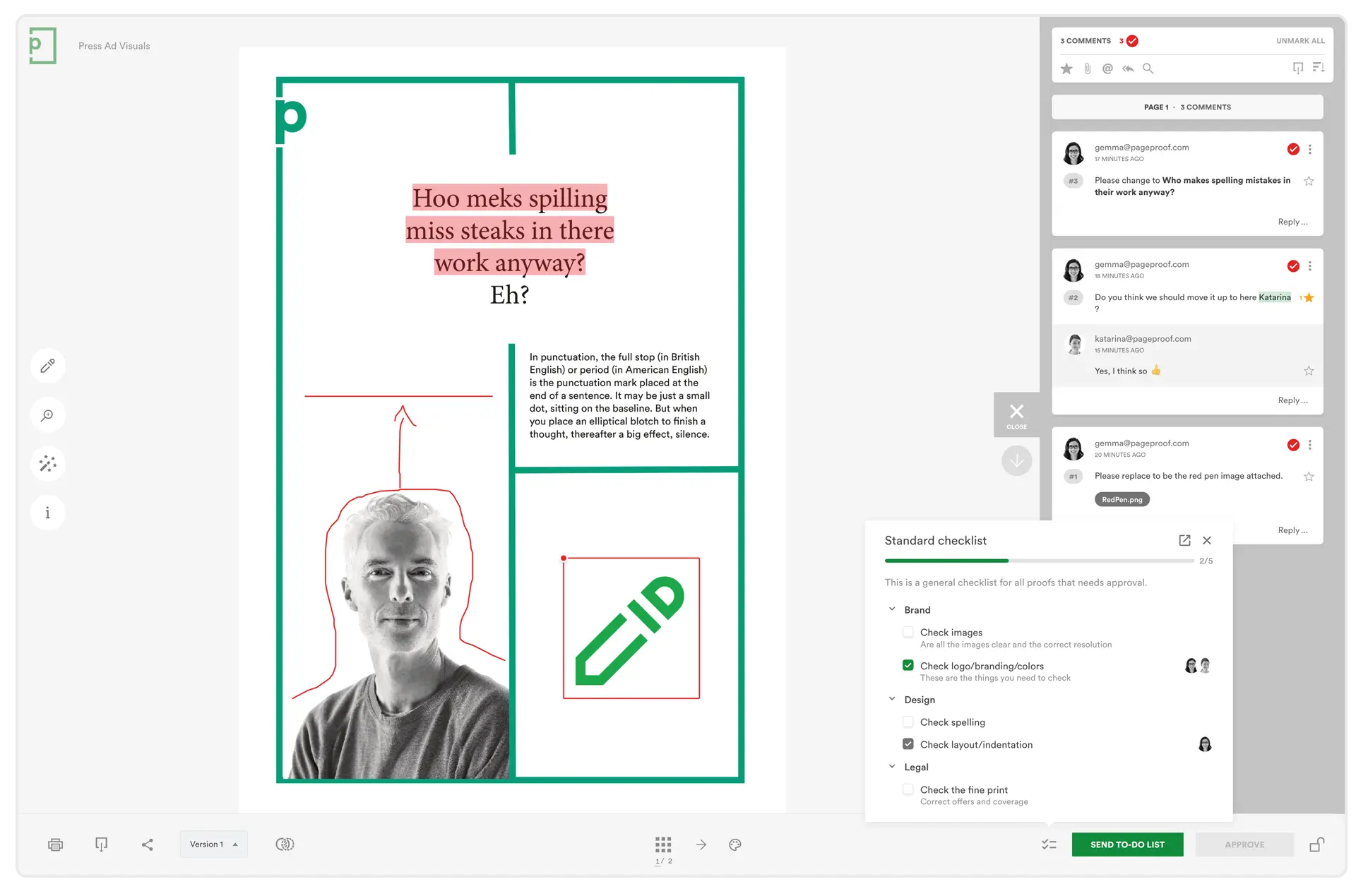
PageProof is built for teams where visual rendering accuracy is the primary concern and compliance review is part of the workflow rather than bolted on. ISO 27001 certification and encryption make it a strong fit for regulated industries specifically, though that shouldn't be read as a guarantee of compliance with any particular regulatory framework.
Strengths
AI-powered markup that analyzes proofs and suggests annotations
Side-by-side version compaison
Integrations with Adobe Creative Cloud, Figma, Canva, Asana, and monday.com with automated routing and audit trails
ISO 27001 certification and encryption for regulated industry buyers
Limitation: There's no free plan; the entry point is $249/month, and the login requirement for external reviewers can create friction for workflows that depend heavily on client or agency review.
Platform: Web-based. Integrations with Adobe Creative Cloud, Figma, Canva, Asana, monday.com, Microsoft Teams.
Pricing: Team $249/mo or $2,499/year; Team Plus $399/mo or $3,999/year; Enterprise available on request. 10-day free trial.
Ideal for: Brand teams, packaging studios, and marketing departments in regulated industries that need pixel-level accuracy and compliance review.
3. Ziflow: Best for teams in regulated environments
Ziflow is where teams go for repeatable, audited workflows across multiple brands, regions, or compliance stakeholders. Its core strength is structured workflow automation and support for a breadth of file types.
Strengths
Automated workflow routing with configurable approval sequences
Support for many file types, including images, video, PDFs, audio, and interactive content
Proofing with annotations
SOC 2 compliant with SSO and role-based permissions on higher tiers
Limitation: Online reviews report setup and onboarding can get complex for large teams. SSO and unlimited workflow templates are locked to the Enterprise tier, which can raise total cost meaningfully for teams that need the full feature set.
Platform: Web-based. Integrations with monday.com, Asana, Slack, Adobe Creative Cloud, and API access on Enterprise.
Pricing: Free (2 users, 60-day review history); Standard $199/mo (annual, 15 users); Pro $329/mo (annual, 20 users); Enterprise available on request.
Ideal for: Agencies and companies running hundreds of proofs a month, particularly across regulatory environments where audit trails and repeatability aren't negotiable.
4. Filestage: Best for growing SaaS marketing teams
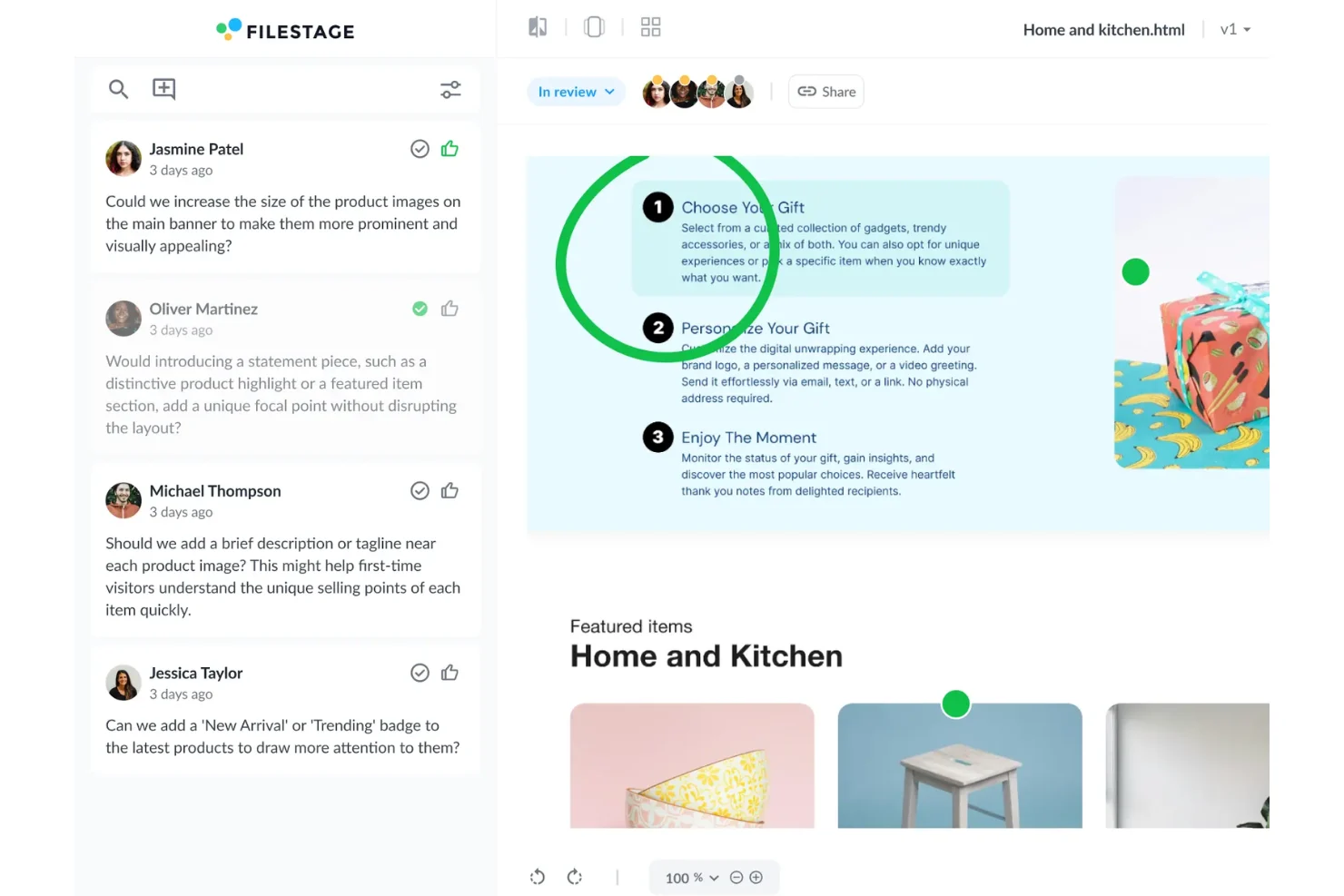
Filestage is built for growing marketing teams seeking a quick setup and easy stakeholder adoption. Reviewers who've never touched a proofing tool before can leave contextual comments on their first use. Its assisted brand compliance checks are still maturing but already cover a large subset of review workflows by the company's own account.
Strengths
A clean reviewer interface geared toward non-technical stakeholders and external clients
AI-assisted brand compliance checks that reduce back-and-forth revision cycles
Flat-rate pricing, which keeps costs predictable with a large external stakeholder count
Integrations including Slack, Trello, Jira, and Adobe Creative Cloud
Limitation: Some first-time users find initial setup confusing, and a subset of reviews mention occasional video playback issues for external reviewers.
Platform: Web-based. Integrations with Slack, Jira, Trello, Microsoft Teams, Adobe Creative Cloud, Google Drive, and more.
Pricing: Free (1 active project); Starter $199/mo; Business $329/mo (most popular); Enterprise available on request. 14-day free trial.
Ideal for: SaaS marketing teams of 20 to 50 people who need a tool external stakeholders will adopt without training, particularly for campaign, design, and lifecycle email review.
5. Frame.io: Best for video post-production teams on Adobe Creative Cloud
Frame.io is a solid choice when the primary deliverable is video and the team already lives inside Adobe Creative Cloud. Outside of that use case, it can be limited. Frame-accurate comments tied to exact timecodes, and a Premiere Pro panel that shows those comments as timeline markers, are key features for video-first teams.
Strengths
Frame-accurate commenting tied to specific timecodes, visible as timeline markers inside Premiere Pro
Adobe Creative Cloud integration for reviewing and updating without exporting files
A clean reviewer experience for video
Fast upload and streaming for high-resolution video with full version history across cuts
Limitation: Frame.io supports simple approval statuses, but it lacks multi-stage approval routing and no built-in task management. Its main focus is video review, and it depends heavily on Adobe Creative Cloud. Teams producing mixed-format campaigns, or needing approvals to move through creative, legal, and brand in a defined order, will find it limited.
Platform: Web and desktop. Integrations with Adobe Creative Cloud (Premiere Pro, After Effects), Final Cut Pro, DaVinci Resolve.
Pricing: Free tier available; team and enterprise pricing available through Adobe.
Ideal for: Video and post-production teams whose primary deliverable is motion content and who are already standardized on Adobe Creative Cloud.
6. Adobe Workfront: Best for enterprise teams managing the full content lifecycle
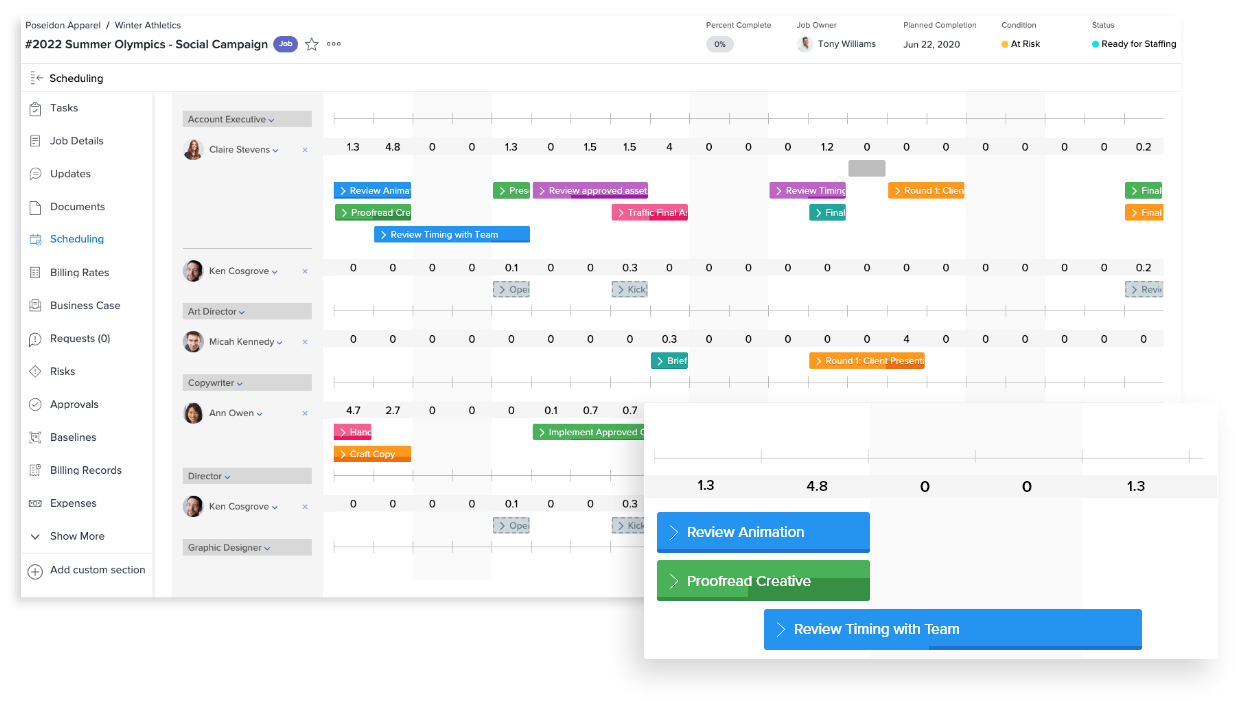
Workfront is for organizations that want campaign planning, resource allocation, reporting, and Adobe asset governance in one system. It's an enterprise work management platform first, with proofing available as a feature rather than a core offering, and the implementation complexity reflects that scope.
Strengths
Enterprise work management platform: campaign requests, project creation, resource allocation, and delivery in one system
Adobe Creative Cloud plugin integration that lets designers manage revisions
Portfolio and program management with real-time visibility into project health
Limitation: Implementation complexity and configuration time can be significant. Teams looking for a quick-start proofing tool will likely find Workfront's enterprise scope to be more overhead than they need, and cost can be substantial. Proofing is a feature within the broader Workfront offering rather than a core focus.
Platform: Web-based. Deep integrations with Adobe Creative Cloud, AEM, Salesforce, Jira, and hundreds of third-party apps via Workfront Fusion.
Pricing: Custom pricing only, available through Adobe. Three named tiers: Select, Prime, Ultimate.
Ideal for: Large enterprise marketing operations that want some creative proofing connected to campaign planning, resource management, and brand governance inside a single system, particularly those already standardized on Adobe Experience Cloud.
7. ReviewStudio: Best for creative agencies and studios needing flexible per-user pricing
ReviewStudio earns its place for agencies and studios that need multi-format review across video, PDF, image, and web, with role-based client access and per-user pricing that scales predictably. It suits creative teams that don't need enterprise workflow depth but want more structure than a lightweight tool provides.
Strengths
Multi-format support across images, PDFs, video, audio, and HTML in one review environment
Role-based access controls built for client-facing workflows where external permissions need to be tightly managed
Lightweight task assignment directly from comments, keeping revision accountability inside the proof
Per-user pricing that scales predictably for growing agencies
Limitation: Fewer native project management integrations than the enterprise-tier tools in this list. Teams relying on complex PM workflows will lean on Zapier rather than a direct connector.
Platform: Web-based. Integrations with Slack and Zapier.
Pricing: Free (3 active reviews); Pro from $12/user/mo; Team, Studio, and Agency tiers up to $280/mo, with SSO, custom domain, and API access on higher plans. 30-day trial.
Ideal for: Full-service ad agencies, creative studios, and multi-client marketing teams that need structured, role-based review across mixed asset types with per-user pricing.
8. GoVisually: Best for freelancers and small teams that need frictionless client feedback
GoVisually removes the barriers between a client and the proof: share a link, the client opens it, the client comments, no account required. That simplicity is its defining strength and also a boundary of its use case. Teams that need multi-stage workflows or complex audit trails will need a more robust platform.
Strengths
No-account client review through a shared link
Real-time collaboration that lets multiple reviewers annotate simultaneously without version conflicts
Automated compliance checks that flag content against brand standards, available on higher plans
A minimal interface with a negligible learning curve for non-technical clients
Limitation: GoVisually is built for simple, iterative review cycles and doesn't support multi-stage sequential approval routing, which makes it not the best fit for enterprise teams that need structured workflow governance.
Platform: Web and iOS. Integrations with Slack, Asana, Trello, Adobe Creative Cloud, Zapier.
Pricing: Lite from $16/user/mo (1 to 5 users); Team plans from $33/user/mo. Free trial available.
Ideal for: Freelance designers, solo consultants, and small creative studios that need fast, client-friendly proofing without enterprise workflow overhead.
9. ProofHub: Best for teams that want proofing and project management in one flat-rate platform
ProofHub is for teams that want to consolidate proofing and project management into a single tool without paying per-user pricing for either. Its flat-rate model covers Kanban boards, Gantt charts, time tracking, and file markup in one subscription, which makes cost predictable as headcount grows.
Strengths
Flat-rate pricing that covers unlimited users, with no per-seat cost creep as the team scales
Proofing and project management in one platform, with revision tasks and deadlines tracked without switching tools
Markup and annotation tools for documents, images, and designs with version tracking
Kanban, Gantt, time tracking, and reporting included without add-on fees
Limitation: Proofing depth is lighter than dedicated platforms. Teams with complex multi-stage approval routing or video-first workflows may find the feature set limiting.
Platform: Web-based. Integrations with Slack, Google Drive, Dropbox, Zapier.
Pricing: Essential $45/mo (annual); Ultimate Control $89/mo (annual, limited-time rate, reverts to $135/mo after 3 months). 14-day free trial.
Ideal for: Project managers and creative leads at agencies or internal teams who want to consolidate proofing and task management into one flat-rate subscription.
10. Wrike: Best for cross-functional marketing teams already on the Wrike platform
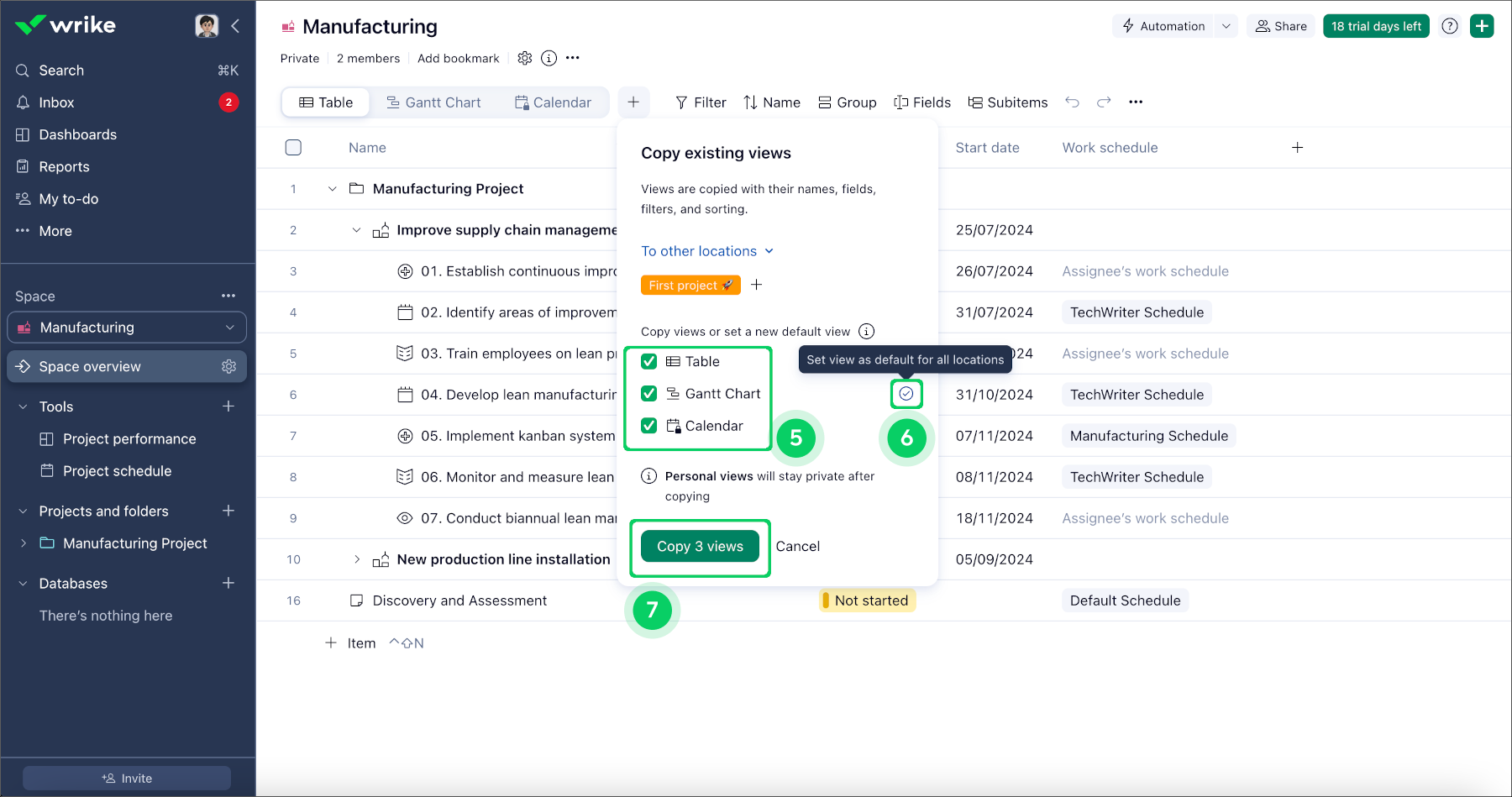
Wrike's proofing capability is strongest as an extension of the broader Wrike platform. For teams already standardized on Wrike for campaign management and cross-functional work, adding creative review inside the same workspace can remove a layer of context switching, but full-proofing functionality and approvals can be limited.
Strengths
Proofing embedded inside an existing Wrike project workflow
Custom workflow statuses and automation that streamline review routing inside the same tool used for execution
Adobe Creative Cloud integration for uploading and reviewing directly from the creative app
Web and mobile access with request intake forms for standardized proof submission
Limitation: For teams not already on Wrike, adopting it primarily for proofing introduces significant overhead. Purpose-built proofing platforms offer a faster path to value for pure review-and-approval use cases. Proofing in Wrike can be limited in functionality and is a feature within the platform rather than a core offering.
Platform: Web, desktop, and mobile. Integrations with Adobe Creative Cloud, Salesforce, Slack, Google Drive, Microsoft Teams, and 400+ apps.
Pricing: Free (limited); paid plans scale to Wrike's Apex tier, the top tier as of a January 2026 pricing restructure. Contact Wrike for current enterprise pricing.
Ideal for: Cross-functional marketing and creative teams already standardized on Wrike who want to consolidate creative review inside their existing project management environment.
The right tool depends less on feature checklists and more on how your team actually moves creative from draft to sign-off. Work through these five questions before you book demos.
1. How many stakeholders need to sign off, and in what order?
If a proof only needs one round of feedback from a small group, a lightweight review tool will do. If it has to clear creative, then legal, then brand leadership, you need creative approval software with multi-stage approval routing so each group reviews in sequence and nothing gets approved out of order.
2. Where does your team already manage work?
Proofing adoption can live or die on whether it fits the tools people open every day. If your team runs on Asana or monday.com, prioritize native two-way integrations where approval status syncs back automatically. If reviewers live in Slack, make sure notifications reach them there.
3. What file types do you actually produce?
List your real asset mix: video, static design, PDFs, decks, live websites, audio. Then check each platform against it. Video-first tools can struggle with mixed campaigns, and document-first tools can struggle with timecoded video feedback.
4. Who reviews from outside your organization?
Agencies, clients, and executives are the slowest reviewers when there's friction. Check whether external reviewers need an account, and whether you can control exactly what they see.
5. What security and audit requirements apply?
Regulated teams should confirm SOC 2 or ISO 27001 certification, SSO, role-based permissions, and an audit trail of every approval decision. Our guide to compliance and security features in online proofing tools covers what to ask vendors.
Frequently asked questions about online proofing software
What is the best creative approval software for enterprise teams?
For enterprise marketing and creative operations teams, the best creative approval software combines multi-stage approval routing, native integrations with the team's project management tool, and an auditable approval record. StreamWork is built specifically for this use case, with automated routing across legal, brand, and leadership stakeholders and native two-way Asana and monday.com integrations. PageProof and Ziflow are also strong enterprise options, particularly for regulated industries.
What file types do online proofing tools typically support?
Most enterprise-grade platforms support PDFs, images, video, audio, and presentation files. Some, like StreamWork and Ziflow, go further and support most file types, including HTML and live URLs. Others are narrower by design, like Frame.io's video-first focus. Check a tool's file type support against your team's actual asset mix before committing.
Do external clients and reviewers need to create accounts to leave feedback?
It depends on the platform. StreamWork and GoVisually let external reviewers leave feedback via a shared link with no account required. Others, require reviewer login, which can add friction to workflows that depend on fast external feedback from clients or agency partners. Check this early if external adoption is a priority.
How does AI factor into online proofing software in 2026?
AI shows up in three ways in this category. The first is AI-assisted markup, where the platform suggests annotations before a human reviewer engages. The second is automated brand compliance checks, where assets are flagged against brand standards before review, as with Filestage and GoVisually. The third is intelligent workflow automation, where routing handles reminders and approval sequencing without manual intervention, as with StreamWork. Some platforms are further along than others, so it's worth checking whether the AI features are core to the workflow or a premium add-on.
What is the difference between single-stage and multi-stage approval workflows?
Single-stage workflows send a proof to every reviewer at once for one collective decision. Multi-stage workflows route the proof sequentially through defined groups, such as creative, legal, and brand leadership, with each stage approving before the next begins. For enterprise teams with compliance requirements, multi-stage routing is typically essential. StreamWork, Ziflow, and PageProof all support it; lightweight tools like GoVisually don't, and Frame.io offers simple approval statuses without sequential routing.
How much does online proofing software typically cost?
Pricing varies with team size and workflow depth. Free tiers exist at StreamWork, Ziflow, Filestage, ReviewStudio, Frame.io, and Wrike, usually capped at one to three active projects, a small number of users, or limited features. Paid team plans run roughly $45 to $400 a month at flat rates, or $12 to $33 per user per month for per-seat models. Enterprise tiers at Ziflow, PageProof, and Adobe Workfront require a sales conversation. Figures here were verified against each vendor's pricing page in August 2026.
What integrations should I prioritize when evaluating an online proofing platform?
Start with what your team already uses daily. If project management runs on Asana or monday.com, prioritize native two-way integrations over Zapier connectors, so proof status syncs back automatically. If design work happens in Adobe Creative Cloud, look for a direct panel integration inside Premiere, Photoshop, or InDesign. And don't overlook Slack notifications: if reviewers have to check a separate inbox for updates, response times slow down.
Is online proofing software the same as digital asset management software?
No. A DAM is built for long-term storage, organization, and distribution of approved final assets. Online proofing software handles the active review and approval phase before an asset becomes final. The two are complementary rather than interchangeable. Some platforms, including StreamWork, integrate with DAMs and add DAM-like features such as nested subfolders and a searchable asset library to support the review process, but neither replaces a dedicated DAM.
Choosing the right online proofing and creative approval platform
The right proofing platform depends on what your team actually produces, who needs to sign off on it, and how tightly that process needs to connect to the rest of your creative workflow. For enterprise marketing teams managing high volumes of creative across legal, brand, and leadership stakeholders, a creative approval platform with multi-stage routing, native PM integrations, and an auditable approval record isn't optional. That's the problem StreamWork was built to solve.
Meredith is the Founder and CEO of StreamWork, a leading online proofing and approval platform that helps marketing and creative teams centralize feedback, manage versions and automate approval workflows so they can cut approval cycles by 30%+. Meredith has 12+ years experience working as a marketer at Apple, Google, YouTube and Warner Bros., and has worked on hundreds of creative assets with teams large and small. Her mission is to simplify the creative approval process. Learn more at www.streamwork.com