
Video review software
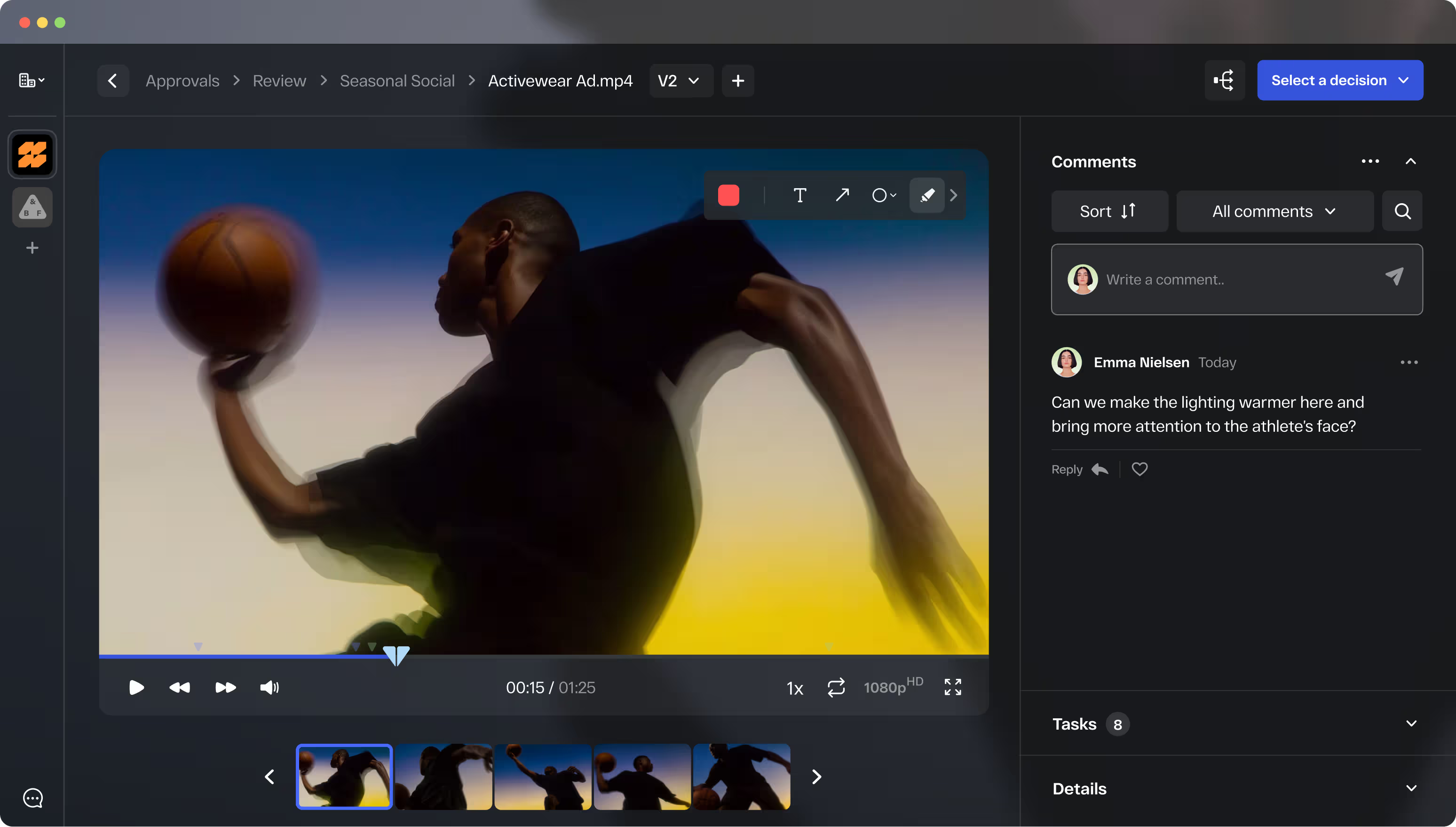
Video review and approval for end-to-end creative operations
From first rough cut to final sign-off, StreamWork keeps your video moving. Frame-accurate comments, AI-powered transcription, native Premiere Pro integration, and AI-enabled multi-stage approval workflows. All built around how video teams actually work.
for ROI
SOC2
AES
Infrastructure

The video review platform that doesn't stop at feedback
Most video review tools were built for feedback collection, and that's it. Frame-accurate comments, yes. But multi-stage approval workflows that route your video through creative, legal, brand, and leadership in sequence? Task delegation tied to specific timestamps? Status synced back to Asana or Monday.com automatically? That's where most video tools stop.
StreamWork is the modern, AI-enabled video review and proofing platform built for enterprise marketing teams, agencies, and production teams that need an end-to-end video workflow that goes beyond feedback. Every cut moves through structured, multi-stage approval workflows with every decision tracked, every version controlled, and every stakeholder accountable, from the first rough cut to final delivery.
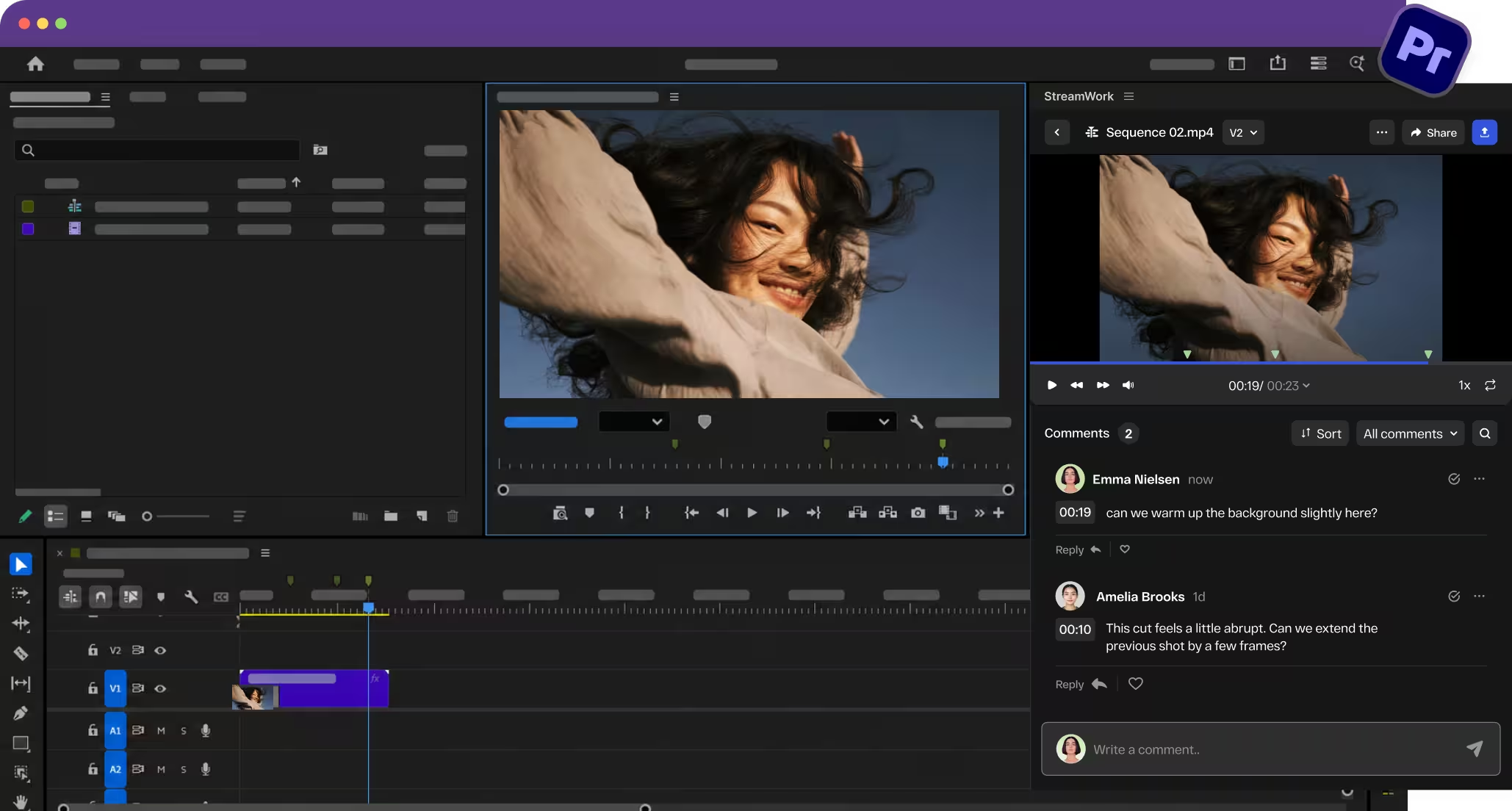
Editors stay in Premiere Pro. Feedback comes to them
StreamWork's Adobe Premiere Pro integration is native and two-way. Comments appear as markers directly on your Premiere Pro timeline so editors can act on feedback without leaving their editing environment.
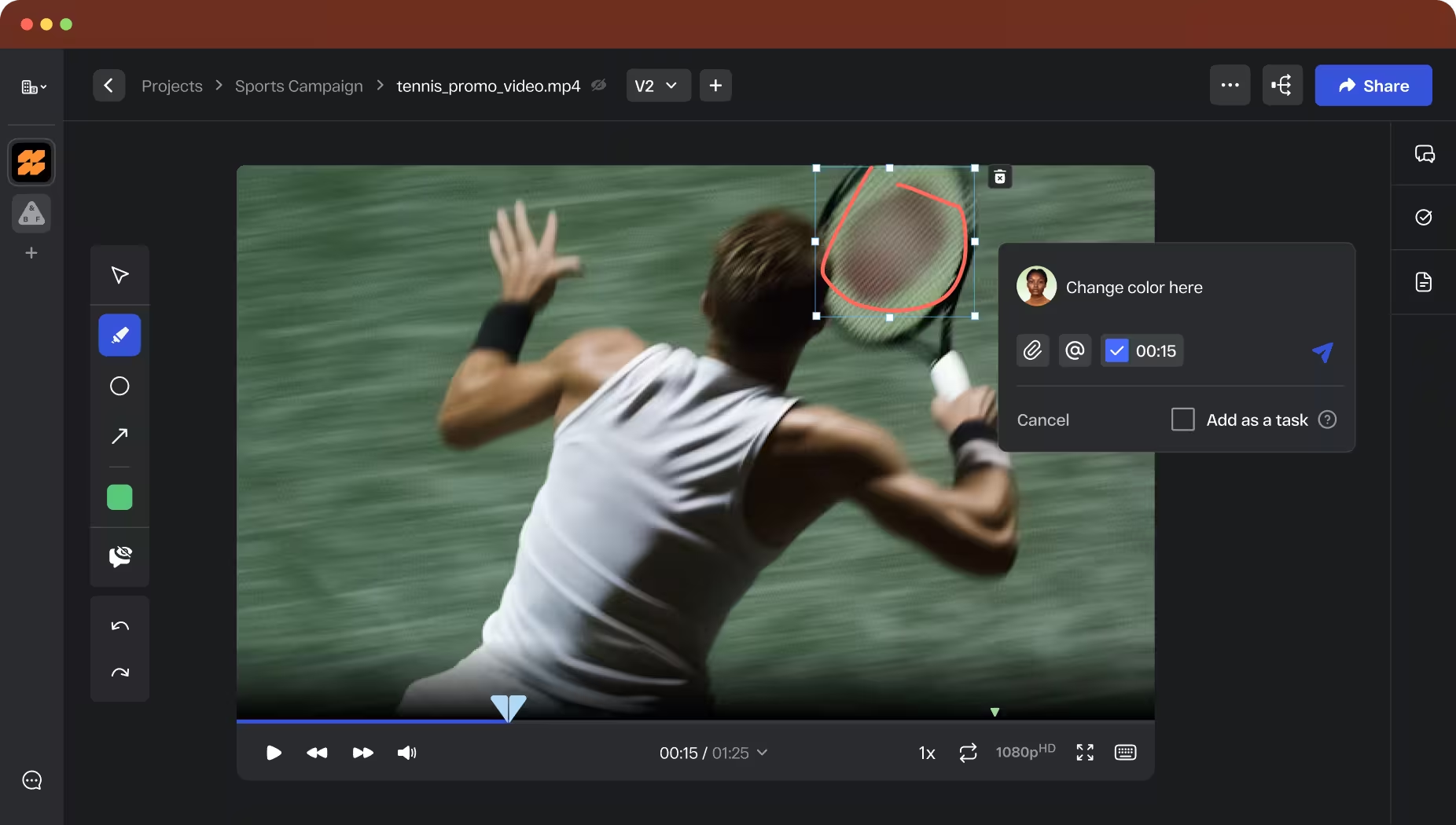
Frame-accurate comments at the exact moment that matters
Reviewers leave timestamped comments pinned to the exact frame they're referencing. No more vague feedback, no more hunting through email threads for context.
Every comment is precise and tied to the specific moment in the video. JKL keyboard shortcuts let reviewers move forward and backward frame by frame for detailed annotation. This is the precision video professionals expect.
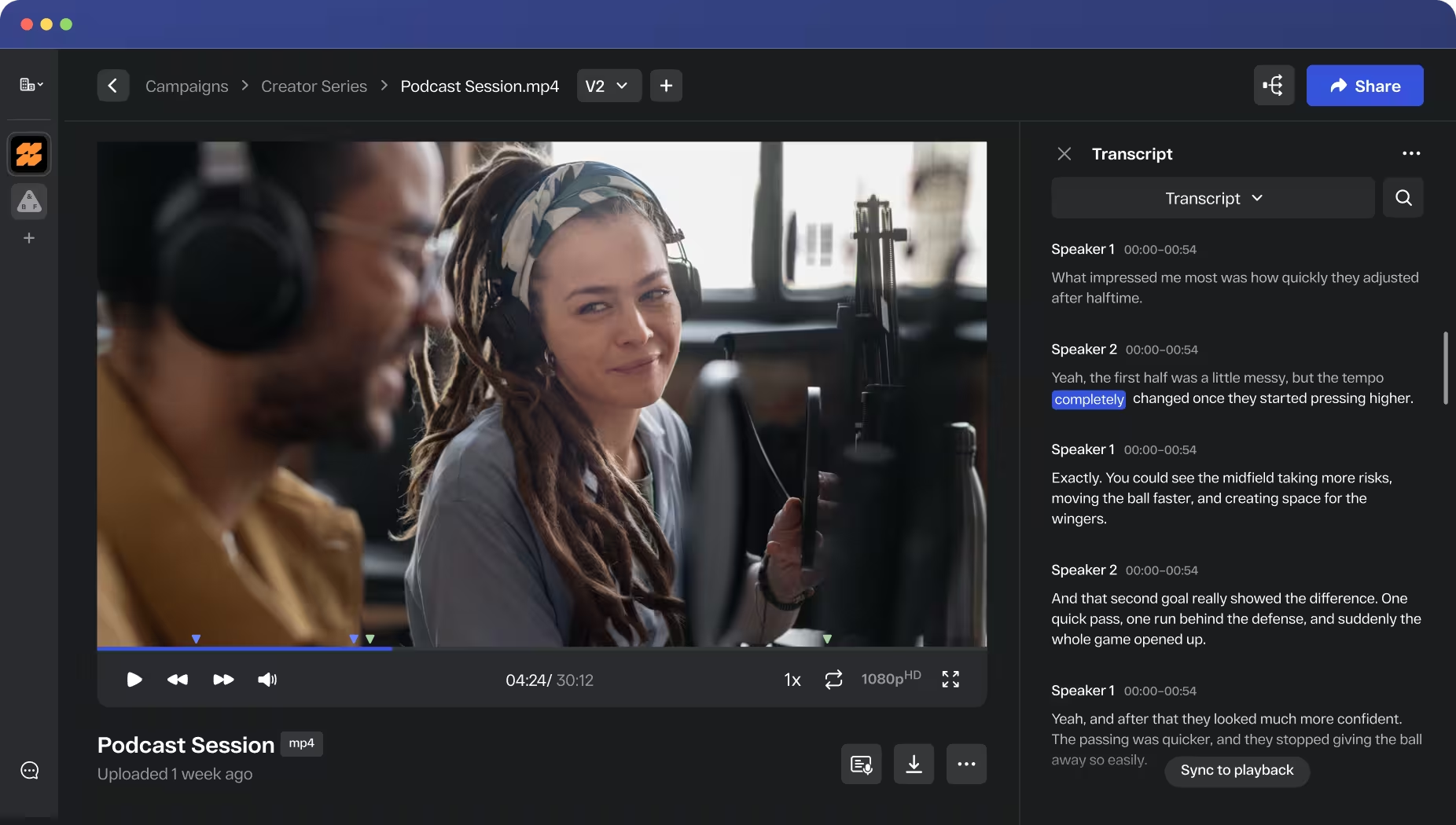
AI-powered video transcription, built directly into review
Transcribe any video on demand with AI-powered speaker tracking. View live transcripts as words are highlighted in real time alongside the video.
Export for captions, closed captions, accessibility compliance, or internal documentation in one click. No third-party tool, no extra setup. Built into the review workflow so transcription happens where the approval happens.
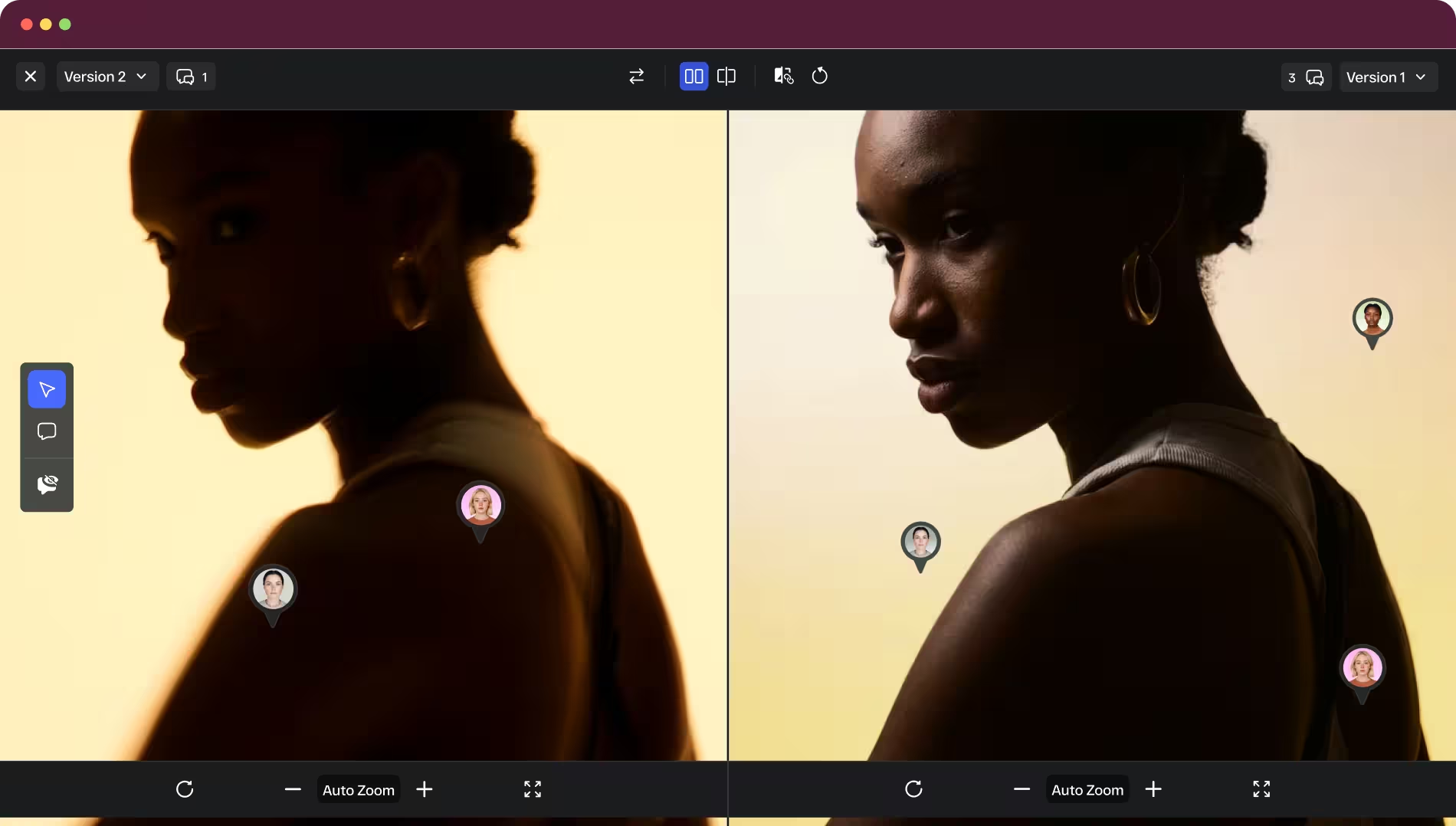
Compare cuts
side by side
Place two versions of the same video side by side and see exactly what changed between cuts. Essential for directors, editors, and reviewers who need to verify that feedback was acted on correctly. Every version in the revision history is one click away, and your team always knows which cut is current.
AI-enabled multi-stage approval workflows built for video production
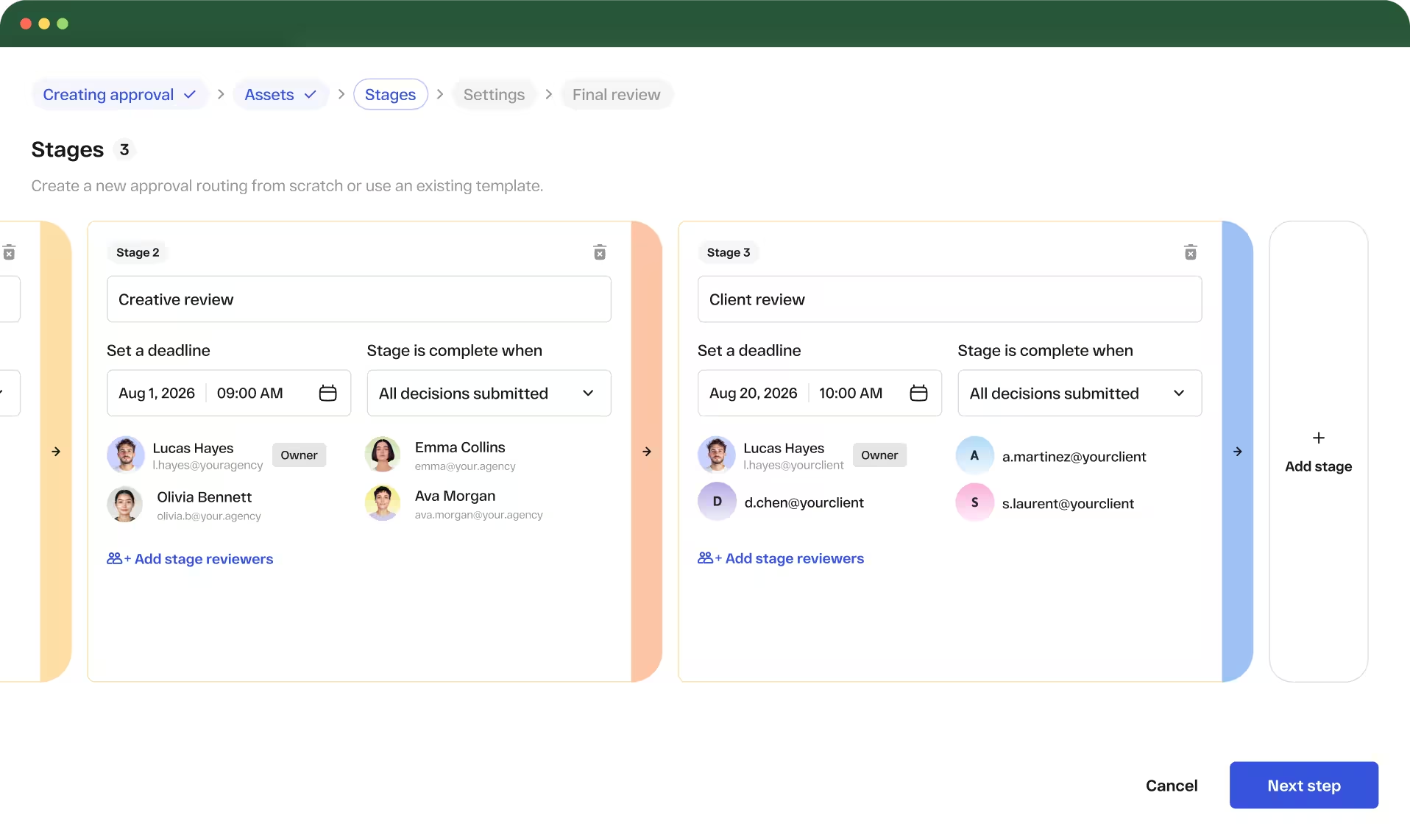
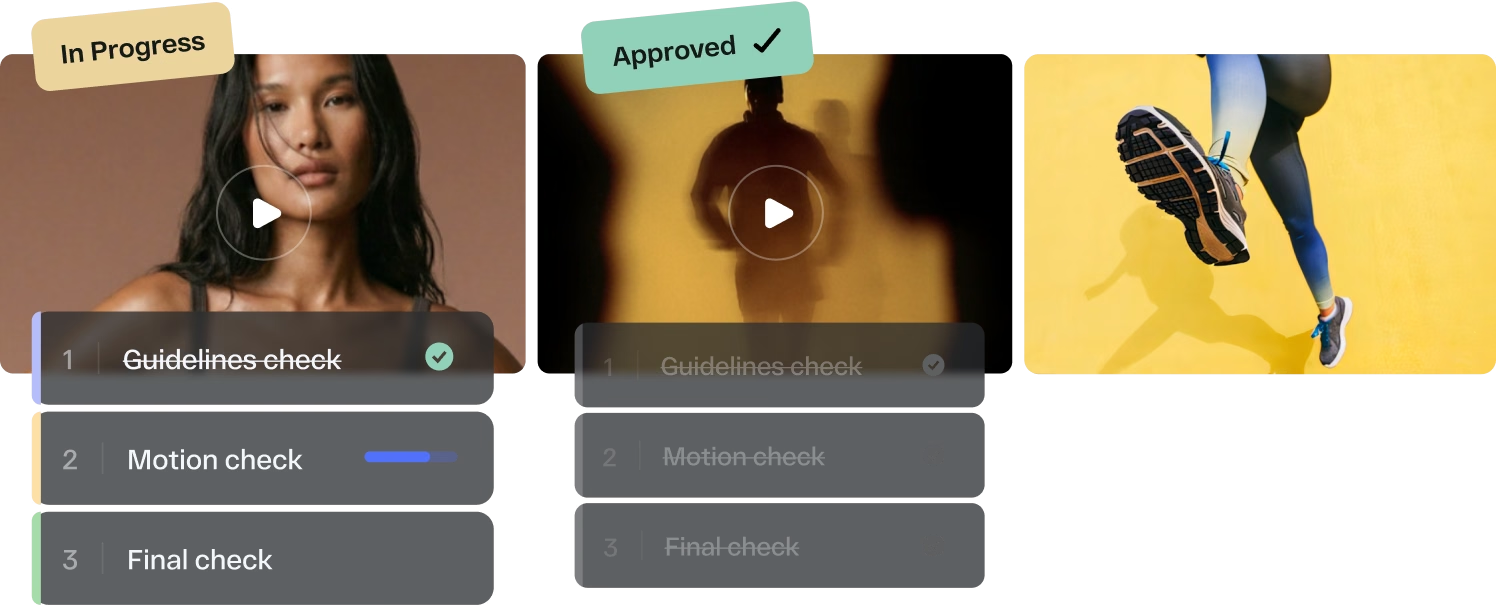
Route every cut through creative review, legal, brand, and leadership in the right order, automatically. Set reviewer roles, define deadlines per stage, and let StreamWork handle the follow-up.
When a new cut comes in, upload it and the workflow continues, no rebuilding, no re-routing. Split a video from an existing workflow or re-route an already approved cut without starting over. Every decision logged, timestamped, and tied to the specific version.
Approval status synced back to Asana and Monday.com
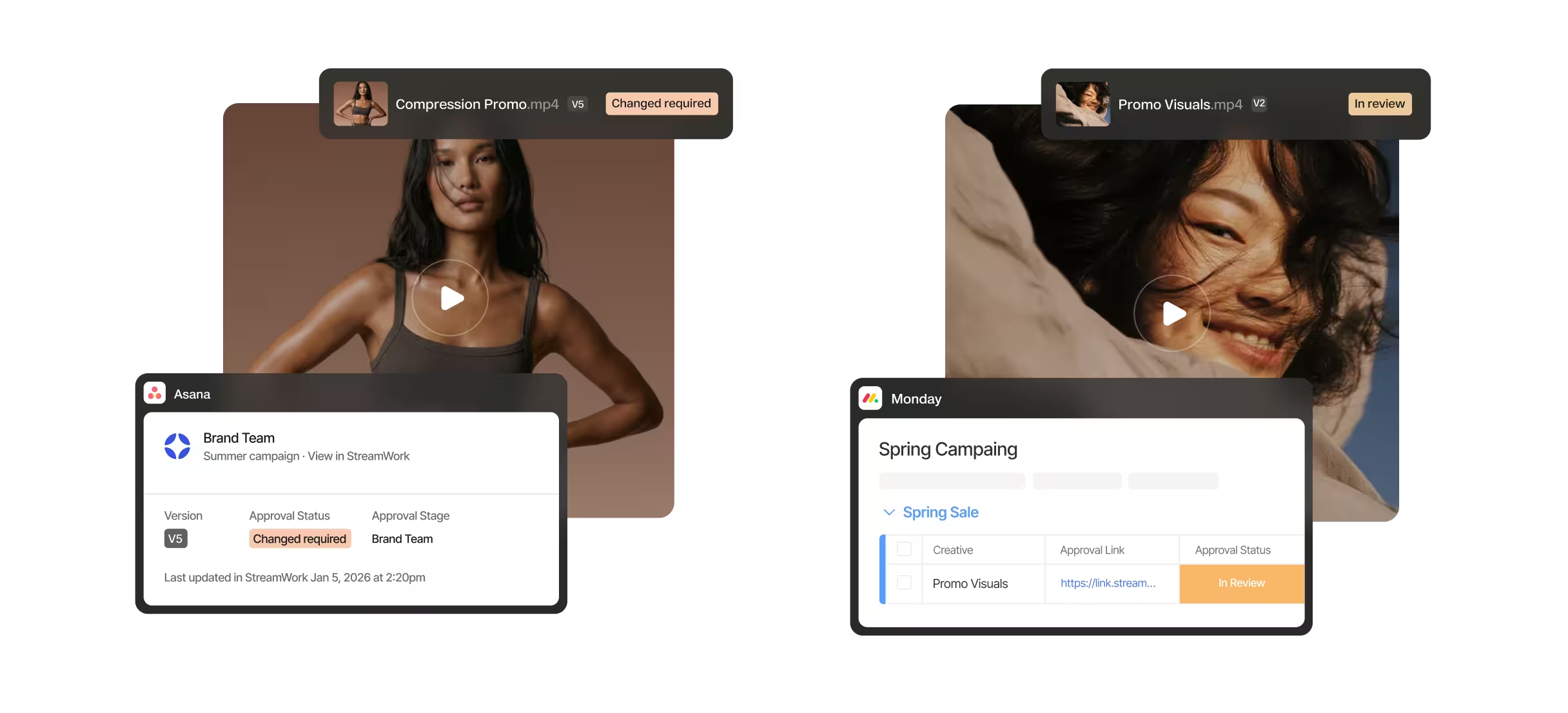
Upload a video proof directly from an Asana task or Monday.com board item and route it for approval in StreamWork. Status syncs back automatically so your project management always reflects where your video stands. No manual updates, no status meetings.
A lightweight DAM for every cut, every version, every deliverable
Organize every cut,
version, and deliverable
Workspaces, projects, folders, and nested subfolders give every cut, version, and deliverable a clean, scalable home. Every version is stacked automatically and nothing gets lost, overwritten, or approved by mistake.

Share live folders
with reviewers
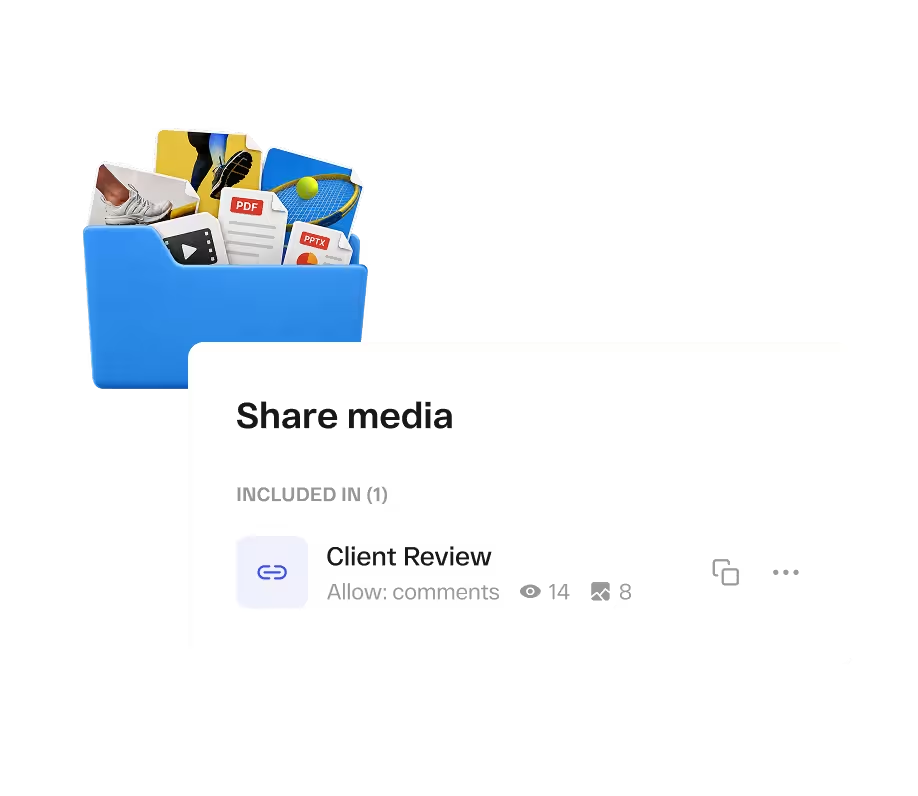
Share entire folders via a single proofing link that updates automatically as files are added or removed. Reviewers can download proxy files for offline review without pulling full-resolution source files.
Sync approved assets
with your DAM
Already have a DAM? StreamWork's API connects directly so approved assets flow in without manual uploads.
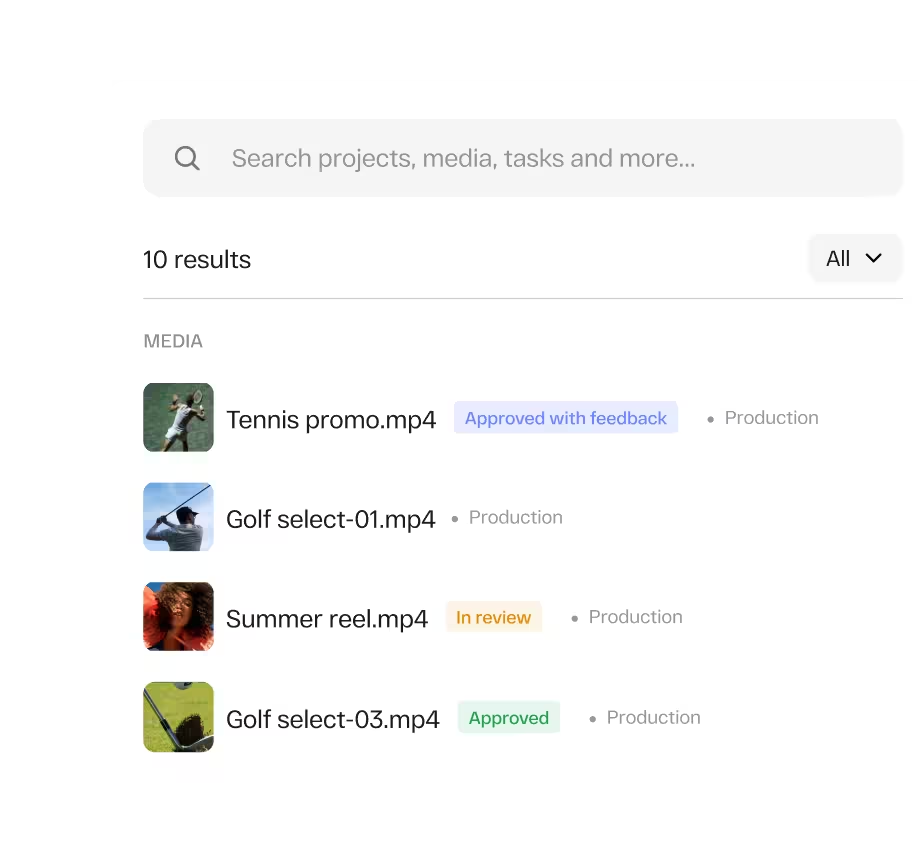
Search your entire
media library
The Media Library provides a single view of all assets in StreamWork. Search files, projects, folders, and tasks. Assets show approval status and a dashboard highlights recent work.
Archive completed
workspaces
When a project wraps, archive the workspace to keep your active environment clean without losing anything. Every version, comment, approval decision, and audit trail is preserved in full and accessible anytime.

Every file type your video production touches, in one review platform
Video campaigns don't live in isolation. They come with scripts, storyboards, motion graphics files, brand decks, social cut-downs, and copy. StreamWork reviews every file type your team creates, video, images, PDFs, presentations, documents, audio, and Adobe Creative Suite files, with the same structured approval process. One platform for the entire campaign, not just the video.
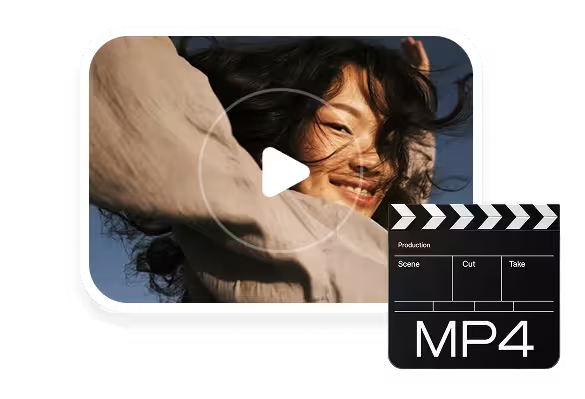
Video
(MP4, MOV, AVI, MKV, WebM, and more)

Audio
(MP3, WAV, AAC)

Images
(JPG, PNG, GIF, TIFF, PSD, AI)
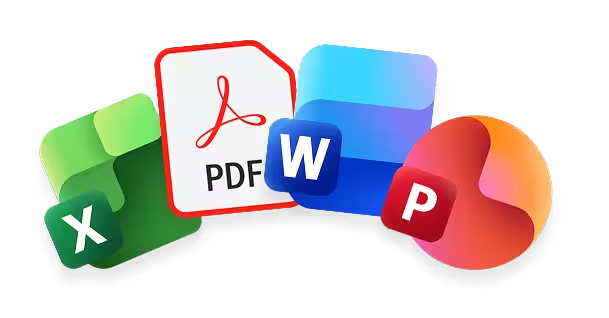
Documents
(PDF, Word, PowerPoint, Excel)
Adobe Creative Suite
(InDesign, Photoshop, Premiere Pro)
Figma
(.FIG)
Works inside the tools your video team already uses
StreamWork connects natively with Asana, Monday.com, Slack, Adobe Premiere Pro, Adobe Creative Cloud, Figma, Google Drive, Dropbox, Box, SharePoint, and more. Upload a video from an Asana task or Monday.com board item and route it for approval in StreamWork. Status syncs back automatically. Slack notifies your team the moment a cut is uploaded, commented on, or approved.
Need a custom integration?
StreamWork's API supports custom integrations with your existing stack.


Great video review shouldn't require an Adobe subscription
Frame.io ties its full functionality to an Adobe Creative Cloud subscription, gating your reviews behind software not everyone on your team uses
StreamWork is the modern alternative. It works natively with Adobe tools but your usage isn't tied to any external subscription. Any stakeholder, legal, brand, executives, clients, or external agencies, can review and approve video with a single link. No account, no software, no license required.
And unlike simple approve/reject tools, StreamWork offers true multi-stage approval workflows with task delegation, version control, and a complete audit trail.
Source: G2 Software Reviews, 2026. Feature comparison based on publicly available product information and customer reviews.
What customers are saying
“I love the ability to leave comments on creative, and then to create tasks based on those comments. It's also helpful to manage who needs to see what version, and identify their role in reviewing. We work with external agencies and lots of stakeholders internally, so that's super useful.”



rating on G2
Rated #1 for ROI in the
Online Proofing category
per project
A global CPG brand cut approval time by 10 days per project after implementing StreamWork's native Asana integration — with teams across all departments saving 5 days per project, according to Kelly Perry, Creative Operations Consultant and Asana Services Partner.
The modern, AI-enabled video review platform. From first rough cut to final sign-off
StreamWork is free to start. Upload your first video and see why enterprise marketing teams and agencies trust StreamWork to run their entire video approval process.
FAQs
What is video review software?
Video review software gives creative teams a structured way to collect timestamped feedback on video files, manage version control, and reach final approval without the back-and-forth of email threads and shared drive links. The best video review platforms go further, combining frame-accurate commenting with multi-stage approval workflows, task delegation, and integration with the project management tools teams already use. StreamWork is an online proofing platform that applies that structured review and approval process to every asset type your team produces, including video.
How is StreamWork different from Frame.io for video review?
Frame.io is a video feedback tool. When it comes to approvals, it offers a single approve/reject button, there are no multi-stage approval workflows, no routing, no sequencing, no deadlines per stage, and no audit trail of who approved what and when. For teams that need a real approval process, that's a significant gap.
StreamWork routes your video through creative, legal, brand, and leadership in sequence, with task delegation tied to specific timestamps, smart deadline reminders, version control across every cut, and approval status synced back to Asana or Monday.com automatically. The full approval infrastructure from rough cut to final sign-off. And no Adobe Creative Cloud subscription required.
Does StreamWork have AI features for video?
Yes. StreamWork is the only online proofing platform with AI-powered video transcription built directly into the approval workflow. Automatically transcribe any video on demand, view live transcripts with speaker tracking, and export for captions or documentation. This is available on eligible plan tiers with no third-party tool required.
Does StreamWork integrate with Adobe Premiere Pro?
Yes. StreamWork's Adobe Premiere Pro integration is native and two-way. View and sync your StreamWork media inside Premiere Pro, and see StreamWork comments appear as markers directly on your Premiere Pro timeline. Choose between standard timecode, frames, or Premiere Pro timecode for precise alignment. Editors never have to leave their editing environment to act on feedback.
Can external reviewers and clients review video without a StreamWork account?
Yes. Share any video via a single proofing link. External reviewers, clients, legal teams, executives, external agencies, can leave frame-accurate timestamped comments without creating a StreamWork account. No friction, no login walls, no extra cost per reviewer.
Can video team members upload new versions during the review process?
Yes. Upload a new cut to the existing project and choose exactly how the approval proceeds: continue the current workflow, start fresh, split into a separate path, or re-route to different reviewers. Every prior version stays accessible, every version is timestamped, and reviewers are notified when a new cut is ready. Compare any two versions side by side to confirm feedback was acted on.
Which StreamWork plan includes video review?
Video review is available on all StreamWork plans. AI-powered video transcription is available on Enterprise plans. The Adobe Premiere Pro integration is available on Starter and above. See the full feature breakdown on our pricing page: www.streamwork.com/pricing.